
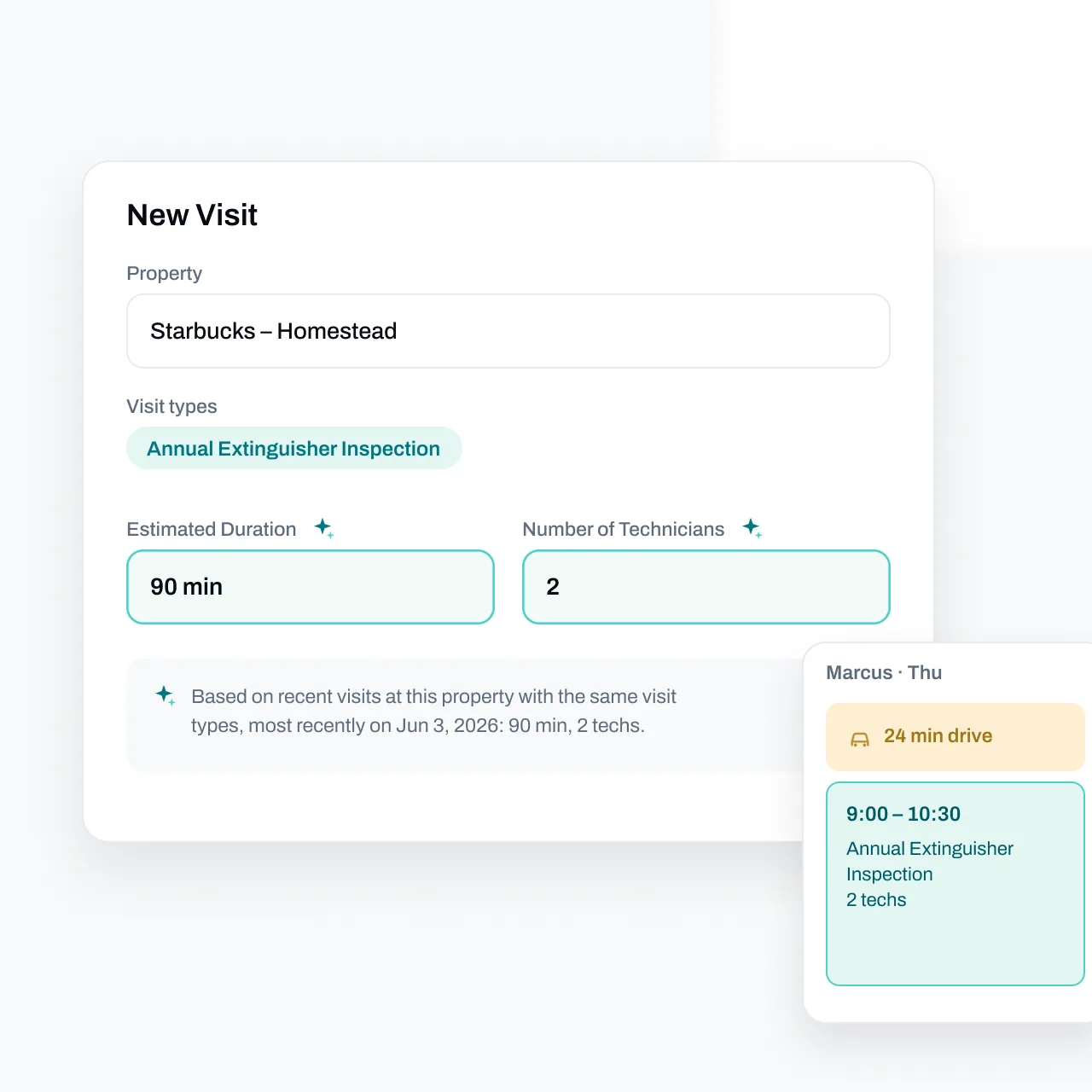

A dispatcher covering a colleague's desk can see a free afternoon and still lack the fact that matters: the last inspection at that property needed two technicians.
AI scheduling for fire protection is useful when it brings that context into the booking decision. Duration, crew requirements, travel, customer access, and existing appointments all affect whether a visit fits. A suggestion needs enough explanation for the dispatcher to check it.
Essential's AI scheduling features pre-fill duration and technician count from previous visits at the property and explain the suggestion. The person booking can assess whether the previous work is a good match for today's scope.
What our scheduling research suggests AI should help with
Essential studied human scheduling decisions to understand how effective schedulers work. One strong example tended to place nearby jobs consecutively, frequently worked on the same technician's calendar, and made small additions to an existing schedule. The analysis describes behavior; it didn't test an AI scheduler against a human. Research and methodology.
Evaluate what the software helps the office check when one more job needs booking.
For a fire protection contractor, that could be a recurring inspection that finally received customer approval, a repair visit with parts now available, or a job moved because the building contact is away. Each arrives in a week that already contains promises to customers.
Check what the product means by AI scheduling
Vendors use the term for different capabilities. Ask to see the actual booking workflow and distinguish these functions:
-
Suggested visit details. Check where duration and crew-size estimates come from, and whether you can inspect the reason.
-
Travel estimates. Check whether the time allowed reflects the proposed trip and departure time.
-
Automatic assignment or route optimization. Check which appointments it can move, which restrictions it respects, and how you review changes.
-
Recurring-work automation. Check how work becomes ready to book and how the office follows up on missing replies.
Ask the vendor to demonstrate each function you need; a scheduling suggestion alone doesn't establish that automatic assignment is included.
Microsoft's field service scheduling documentation offers a useful distinction: its schedule assistant recommends bookings for a dispatcher to choose, while broader optimization has its own configuration and objectives. Apply the same precision when evaluating fire protection software with AI.
Put a changed inspection scope through the system
Use this illustrative test in a demo. A property's previous visit took a two-person crew most of the morning. This year's job covers additional equipment, and the customer can provide access only after lunch.
Ask the system for a duration and crew suggestion. Then check the source. Did it find comparable work at that property, or rely on a general default? Can the dispatcher see the reason and adjust for the expanded scope?
Next, place the proposed visit into an existing day. Check both technicians' availability and the travel around their other jobs. Keep the access restriction visible while reviewing the suggestion.
A previous visit is evidence. It isn't a complete specification for the next one.
This matters for fire alarm inspection work, where the work order needs to describe the actual equipment and tasks involved. It also matters when a contractor provides several services at one property: yesterday's short service call may tell you little about tomorrow's larger inspection.
Try an insertion before a full-week rebuild
Take a real day with confirmed appointments and ask to add one approved job. Watch what happens to the rest of the day.
The dispatcher should be able to assess the added travel, the remaining work time, and any effect on customers who already have a booking. If a product offers automatic optimization, ask it to show which existing commitments would change before accepting its proposal.
Our research-backed scheduling guide explains why these small placement decisions deserve attention.
How Essential helps the person covering the desk
Essential makes property history available as explained scheduling suggestions. Its calendar includes calculated drive time, so a dispatcher can examine more of the day before promising an opening.
The preparation matters too. Inspection management organizes recurring work and customer outreach, so the office can see what still needs attention before booking.
Together, those tools help make experienced scheduling habits repeatable across the office. The person covering the desk has context to check without having to remember every property personally.
The documented scheduling features support these decisions. They don't establish that Essential autonomously assigns every technician, learns each customer's access rules, or guarantees the best route.
Measure the result in your own operation
After introducing scheduling assistance, review visits that moved and record why. Compare planned visit duration with actual work time where reliable records exist. Review difficult routes separately, and ask the field team which bookings were unrealistic.
Separate customer-driven changes from avoidable office rework. Account for job mix and geography when comparing teams. The research behind this article didn't measure AI-driven savings, so use your own baseline before assigning a return to the feature.
Bring one repeat inspection with useful history and one changed-scope job to a 30-minute Essential demo. Check the suggestions, their explanations, and how each visit fits into a technician's existing day.