


Modern, all-in-one elevator service software
Manage maintenance visits, Cat 1 and Cat 5 test due dates, MCP records, callbacks, quoting, and invoicing—on any device

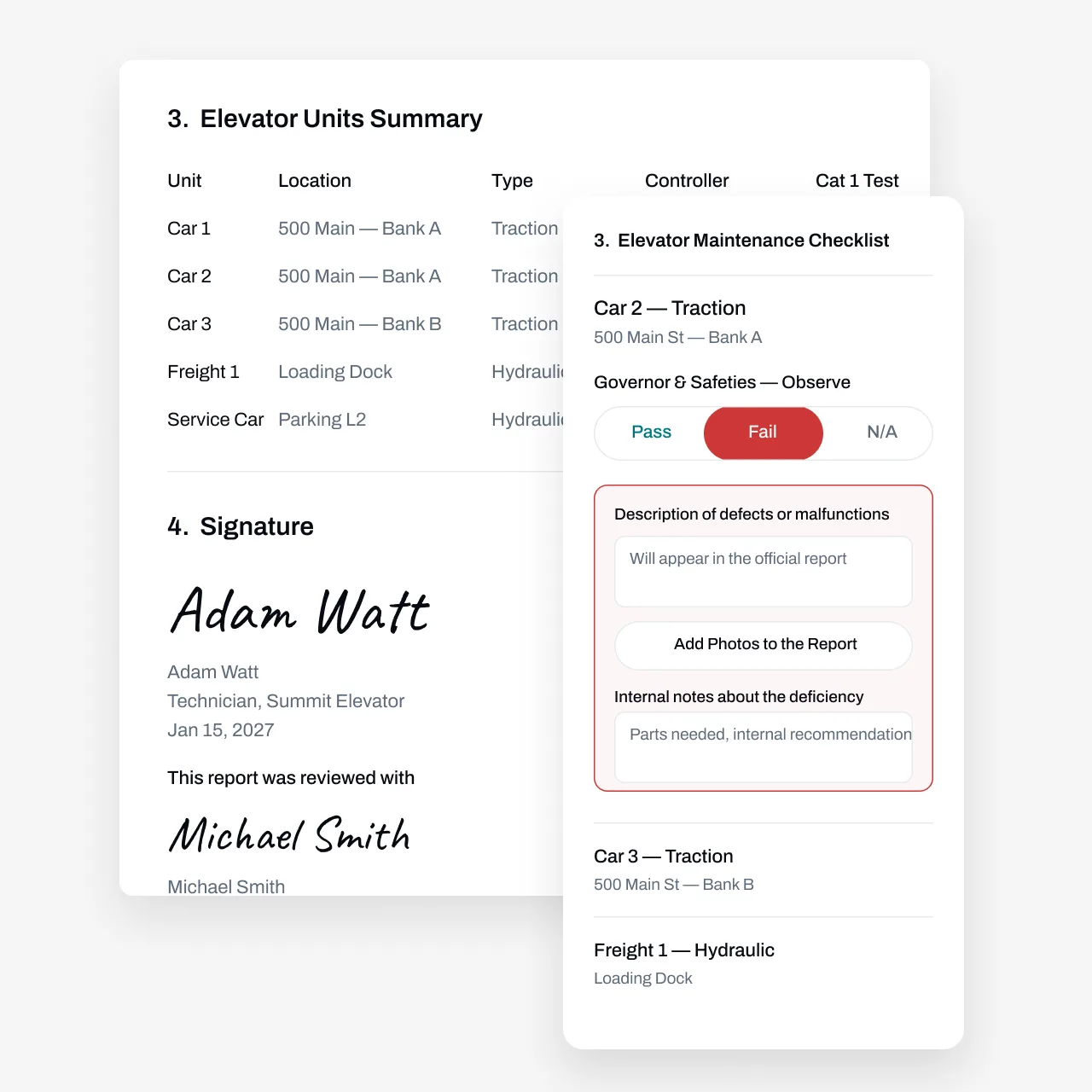
Stay on Top of ASME A17.1 Requirements
Every unit you maintain runs on its own clock. Monthly or quarterly maintenance visits. A Category 1 test every year. A Category 5 every five. Different inspectors, different filing windows, different paperwork depending on the city or state. Then a callback lands at 6 a.m. and the whole day's route moves.
Most shops track all of this in spreadsheets, whiteboards, and one dispatcher's memory. That holds up until a unit gets missed, a test lapses, or an inspector asks for records nobody can put their hands on. Essential keeps the clock for every unit, updates due dates automatically when work gets done, and stores the service history where your office and your techs can both see it.
Partnered with leading commercial service businesses







Automate Maintenance Visits, Tests, and Customer Outreach
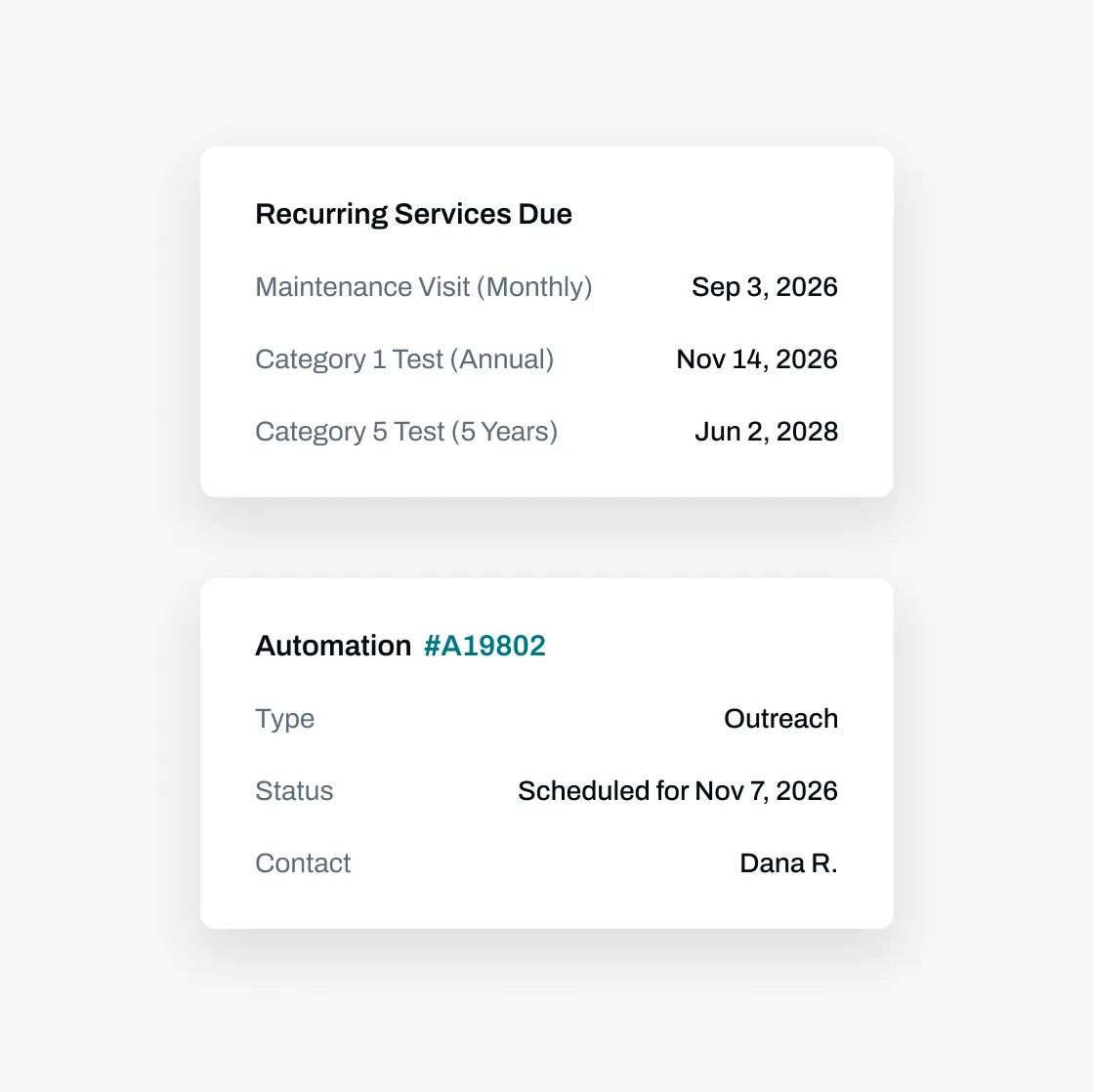
Set the cadence once per unit and let the system keep score. When a tech closes out a Cat 1, the next one is already on the calendar a year out.
Automate due date tracking—Complete a visit or a test and the next due date updates on its own. Maintenance, Cat 1, and Cat 5 each keep their own schedule on the same unit.
Set custom automations—Remind building contacts before a visit, confirm machine room access, and chase open test windows without anyone writing another email.
Manage complex cadences—Monthly maintenance in one building, quarterly in another, a five-year test coming due across town. Each unit carries its own rules, including jurisdiction quirks.
Run Maintenance Visits and Tests From the Field
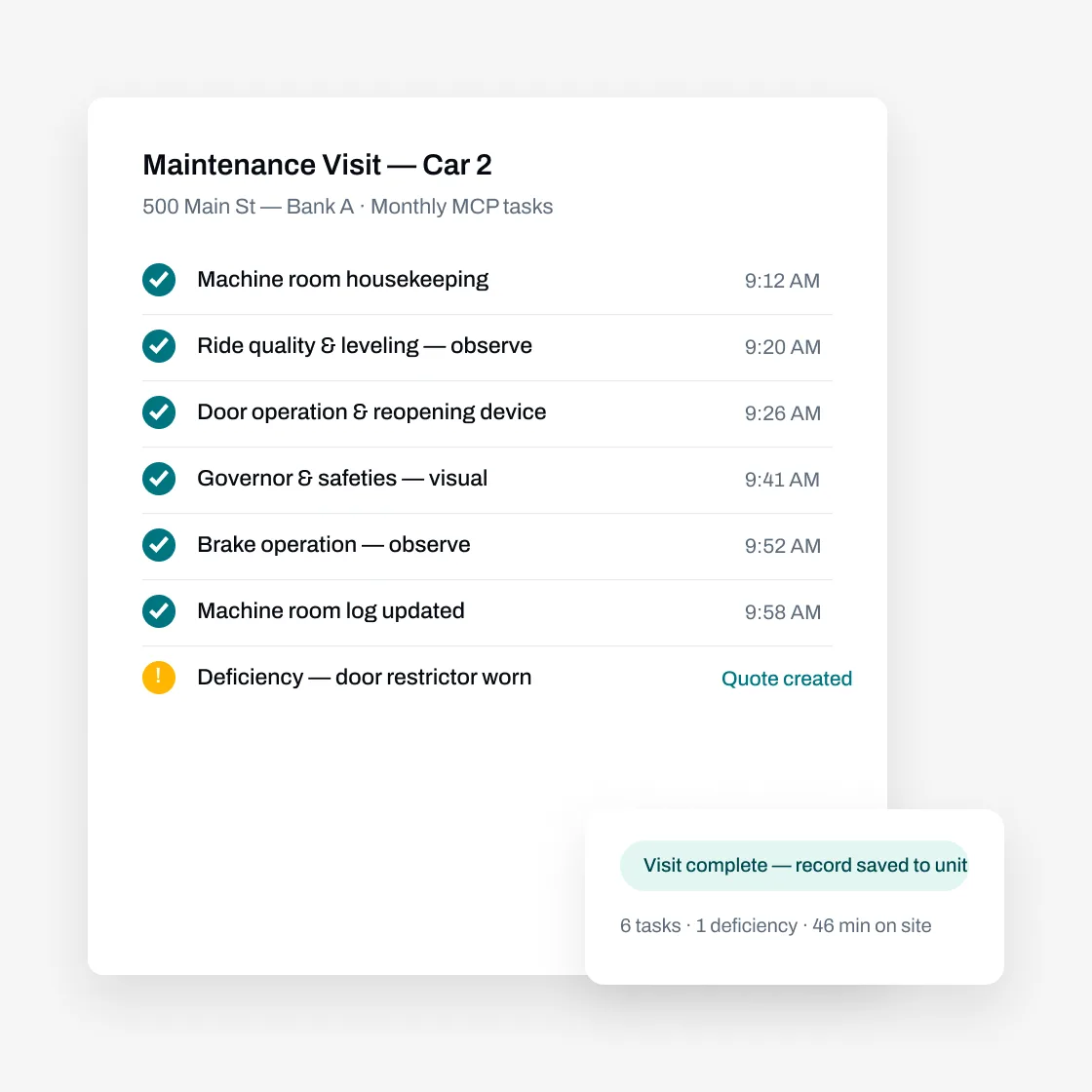
Your techs shouldn't need a binder, a clipboard, and a call to the office to close out a visit.
Find the right unit fast— Search by building, bank, or unit number, or scan a code in the machine room. The unit's full history rides along: past visits, open deficiencies, last test dates.
Log results and deficiencies on the spot— Pass/fail line items, photos, and notes recorded against the exact unit while the tech is still standing in front of it.
Build your forms once, use them everywhere— Essential's custom form builder can model your MCP task sheets and your Cat 1 and Cat 5 checklists. Every tech fills out the same form the same way, and the report generates itself when the work's done.
Use AI and bulk actions to do your work faster
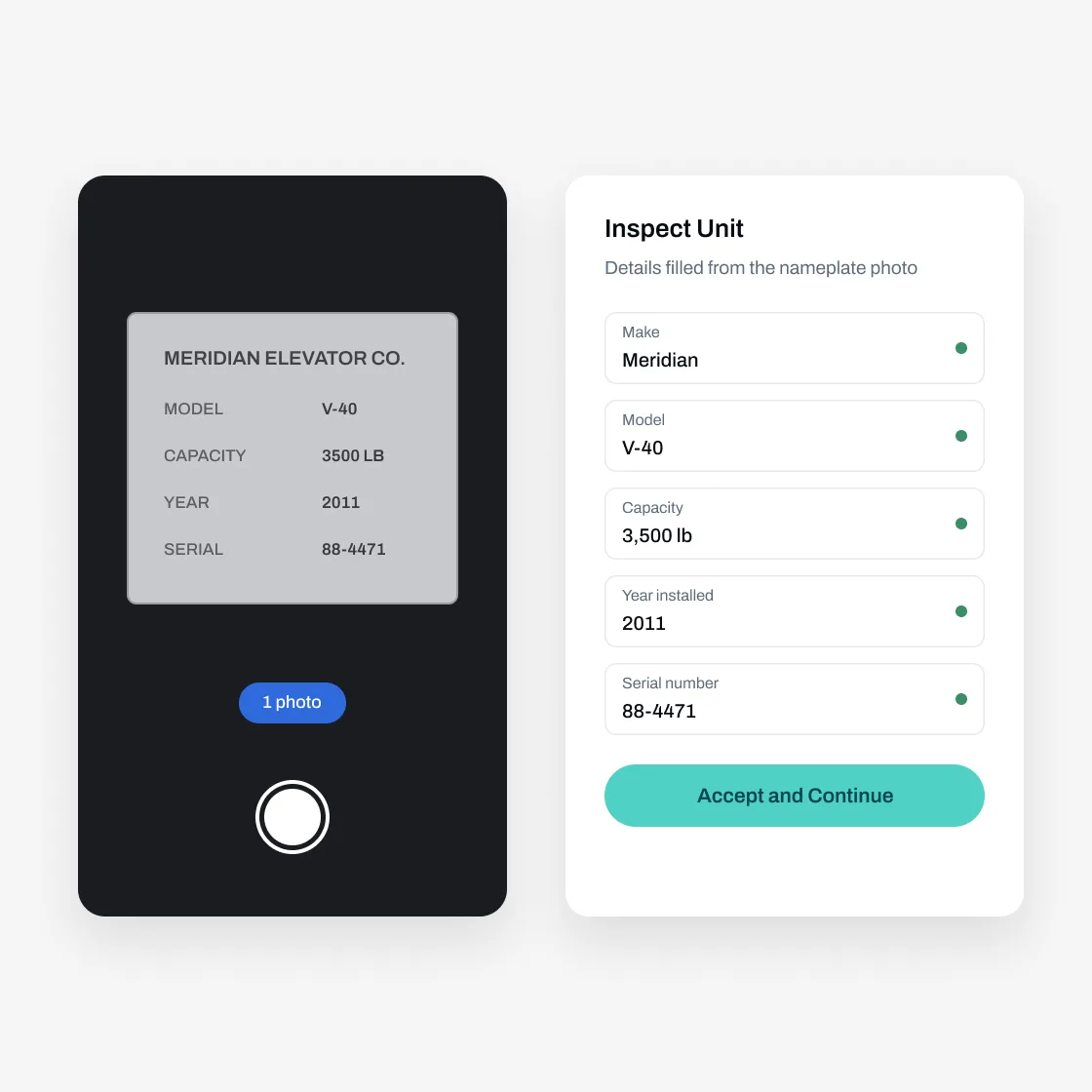
Simply take photos, use your voice, or upload a previous inspection report to add new elevator units.
Add photos and voice—From the mobile technician app, take photos and/or add voice memos to add a new elevator unit
Bulk import—From the web, import a prior inspection report, whether it's a PDF or a photo of a handwritten report, for the AI agent to parse in minutes
Advanced workflows—Businesses can choose to allow technicians to have access to additional bulk action workflows such as bulk answering inspection report questions, swipe to pass/fail, and other ways to get the technician to spend less time tapping and more time doing the real work
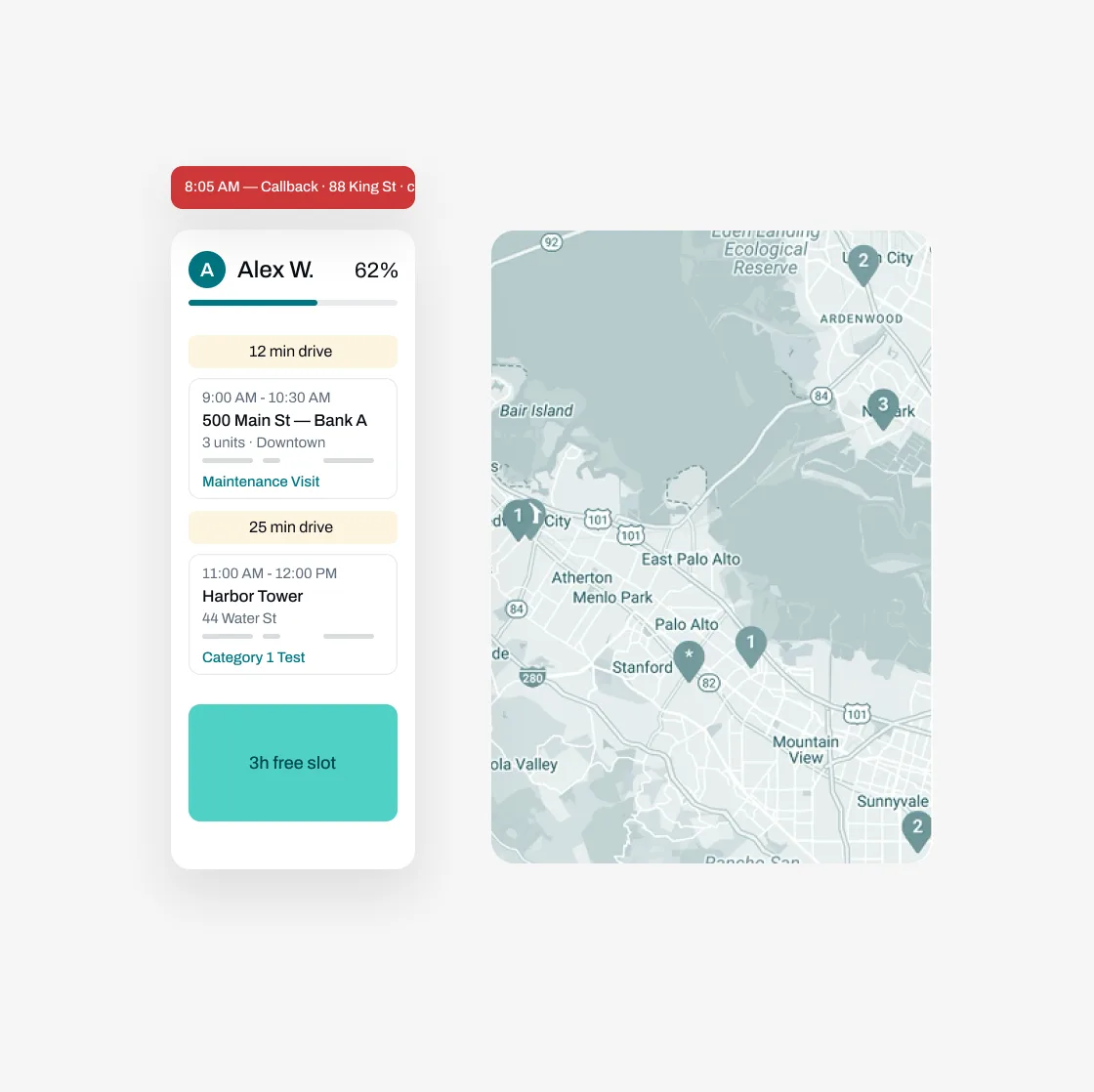
Manage Everything Before and After the Visit
Maintenance visits are just one part of the job. Essential streamlines everything around them—so you stay organized, efficient, and ahead of schedule.
Schedule smarter—Plan routes, assign techs, and send reminders. When a callback comes in, drop it into the day without losing track of the maintenance visits it displaced.
Turn deficiencies into repair quotes—A deficiency logged in the field becomes a quote you can send the same day, with email and SMS follow-ups until the customer signs off.
Invoice without retyping—Invoices generate from completed work and sync to your accounting system. No double entry, no month-end pile.
Keep the office in the loop—Tasks, progress, and audit trails across the team, so nothing waits on a phone call.
Partnered with leading commercial service businesses


FAQs
Got questions? We've got answers.
Each unit carries its own schedule. When a test is completed and logged, the next due date updates automatically, and you can set outreach to building contacts before each window opens. Annual and five-year cadences run side by side on the same unit.
Essential stores every maintenance visit, test, repair, and callback against the unit it belongs to, so the per-unit history the code expects lives in one place. Model your MCP tasks as recurring forms and completions log automatically; export or print records for your machine room documentation or when the AHJ asks.
Yes, the form builder is fully custom: you model your own MCP task sheets and Cat 1 and Cat 5 checklists, and every completed form is stored against the unit.
Log the call, assign a tech, and dispatch with the unit's history attached, so whoever shows up knows what the last three visits found. The callback gets recorded against the unit like any other work.
No. Essential works for any asset-based service business, and it runs inspection, testing, and maintenance workflows for commercial service companies today.
Yes. Data migration is free. Bring customer lists, unit inventories, and service history from spreadsheets or your current system.