


Fire & smoke damper inspection software that tracks every damper and due date
Manage 4- and 6-year test cycles, damper locations, deficiency repairs, and survey-ready reports—on any device

Stay on Top of NFPA 80 and NFPA 105 Requirements
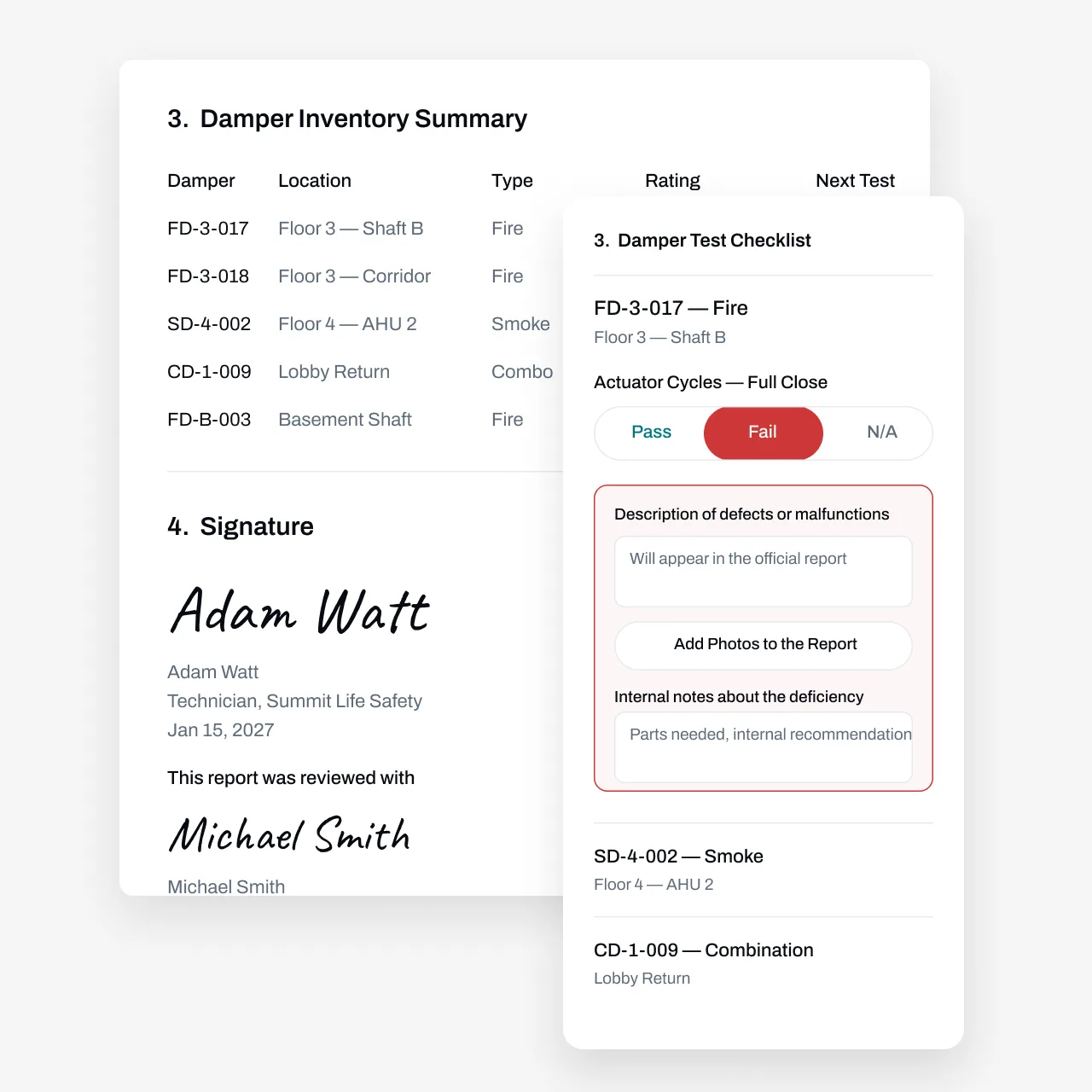
A single hospital can hold thousands of fire and smoke dampers. Each one is due for an operational test a year after installation, then at least every 4 years, with hospitals on a 6-year interval. Track that in a spreadsheet and dampers go missing: locations drift, access panels get covered over, and nobody can say which floor the failed damper sits on when a surveyor asks. Essential keeps an asset record for every damper, automates the 4- and 6-year due dates, and stores results, deficiencies, and corrections by location, so the report you hand the AHJ or Joint Commission surveyor holds up. Your techs test dampers. The software keeps the paper trail.
Partnered with leading fire protection businesses







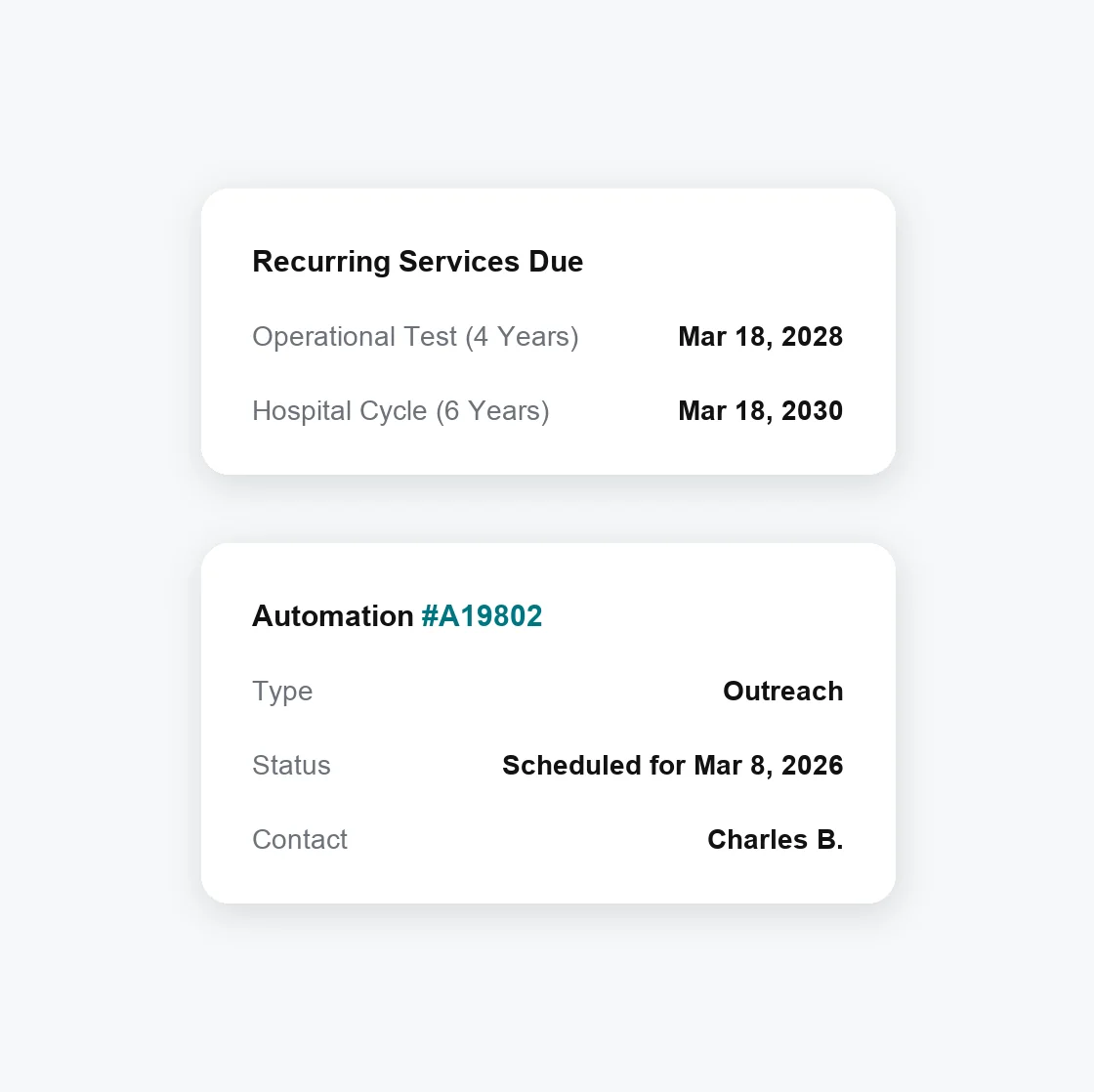
Automate 4- and 6-Year Test Cycles and Customer Outreach
Damper test dates come due years apart, across hundreds of buildings and thousands of units. Essential tracks every due date and automates the outreach to get each test scheduled.
Automate due date tracking—If a test happens earlier or later than planned, the next 4- or 6-year due date recalculates from the actual completion date
Set custom automations—Line up building access and service confirmations before the visit with automated customer outreach
Manage mixed test cycles—Keep 4-year commercial cycles, 6-year hospital cycles, and one-year post-installation tests straight, even on the same campus
Test Every Damper, Document Every Result
Every damper gets its own asset record: building, floor, location, and type (fire, smoke, or combination), plus a barcode or QR label. Reports show only the fields you need, so operational tests stay fast and focused.
Find the right damper fast— Search by building, floor, or location, or scan its barcode or QR label from your phone; no extra hardware required
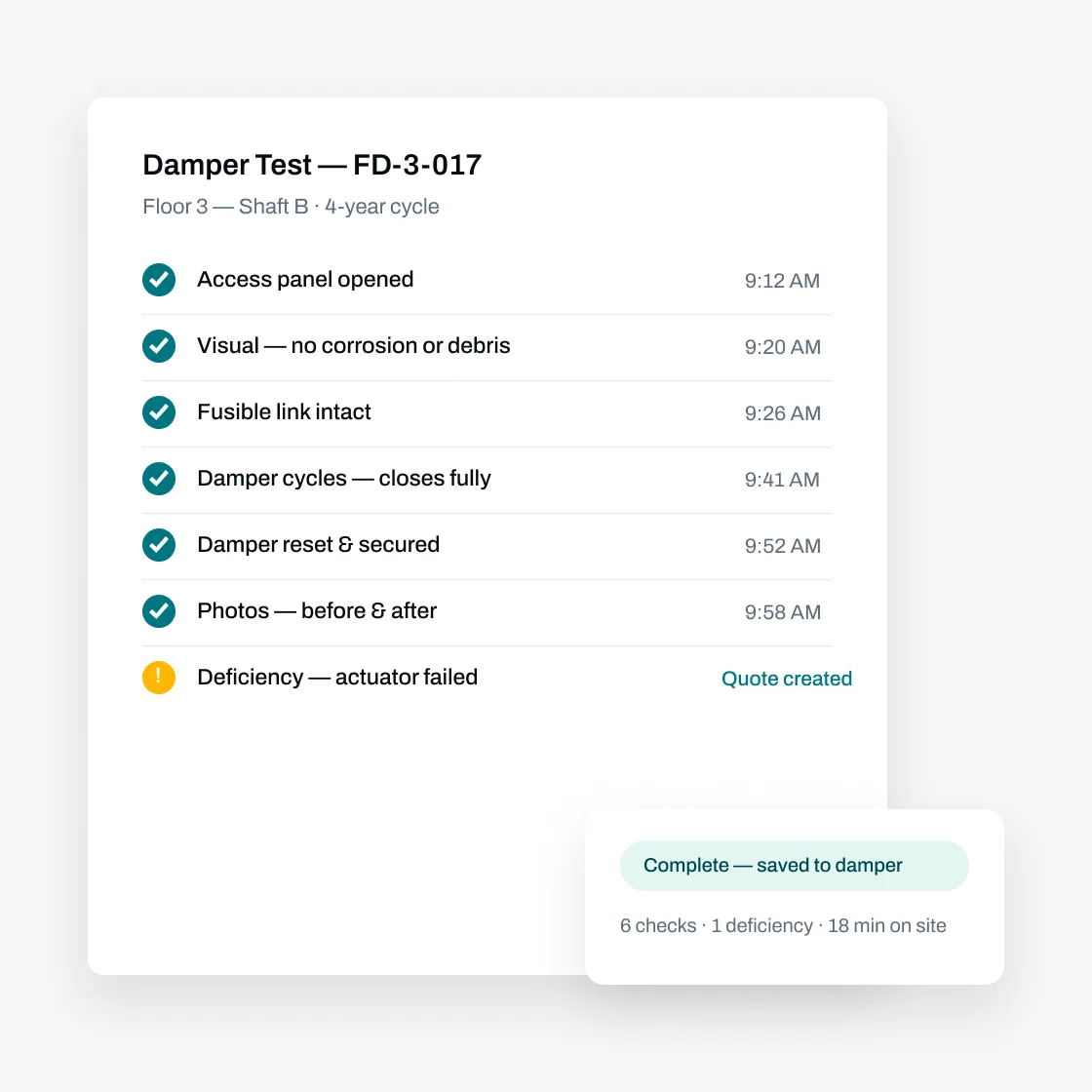
Mark pass/fail and log deficiencies on the spot— Record each operational test with photos, and document the justification when a damper can't be reached
Build reports your AHJ accepts— Model your existing report format in Essential's custom form builder, with results, deficiencies, and corrective actions documented by damper location
Use AI and bulk actions to do your work faster
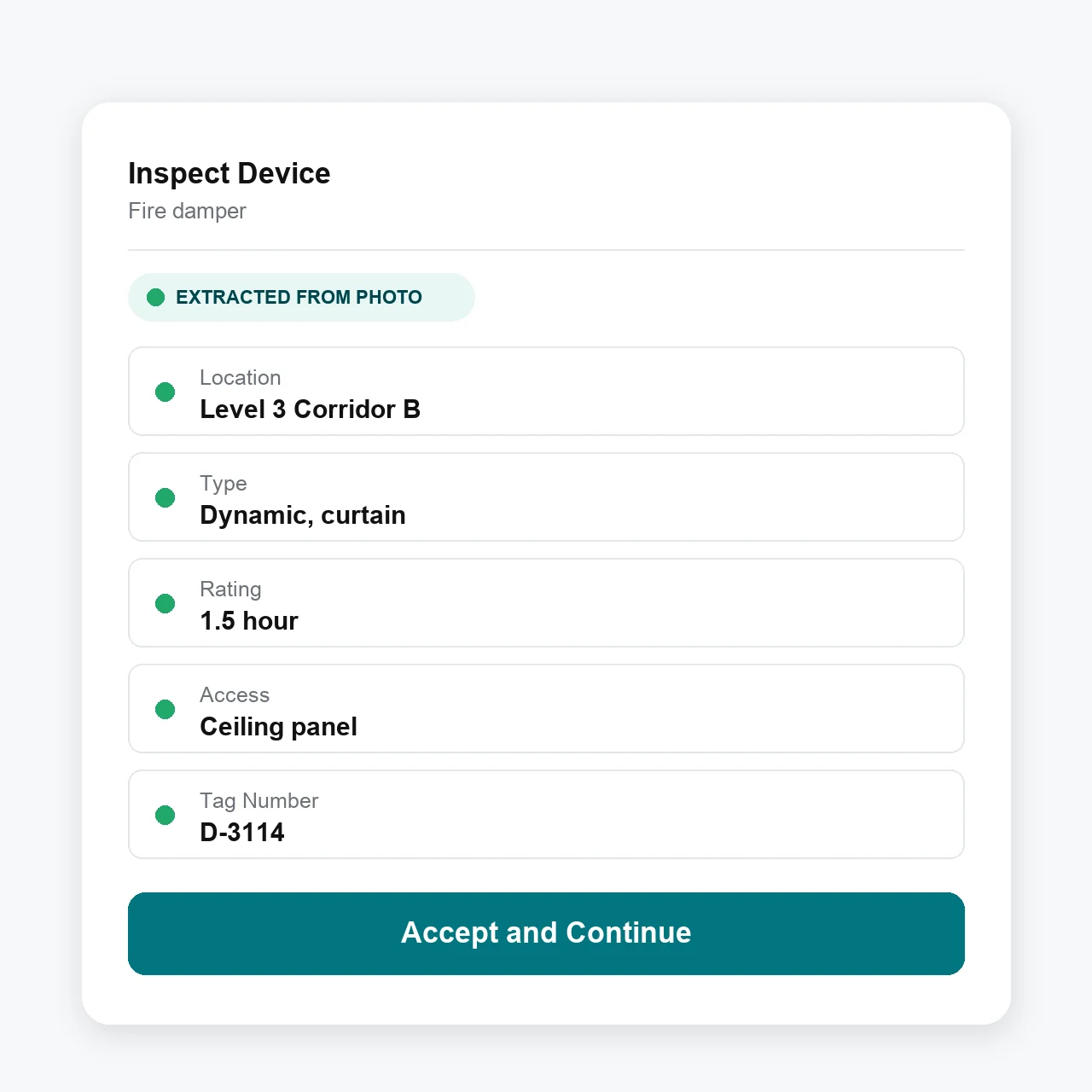
Take photos, use your voice, or upload a previous inspection report to add new dampers.
Add photos and voice—From the mobile technician app, take photos and/or add voice memos to add a new damper
Bulk import—From the web, import a prior damper survey, whether it's a PDF or a photo of a handwritten report, for the AI agent to parse in minutes
Advanced workflows—Turn on bulk actions like swipe to pass/fail and bulk answering of report questions, so a tech clearing a whole floor of dampers spends less time tapping and more time testing
Manage Everything Before and After the Test
The operational test is just one part of the job. Essential handles what happens around it: scheduling, dispatch, quoting failed dampers, invoicing, and the retest after the repair.
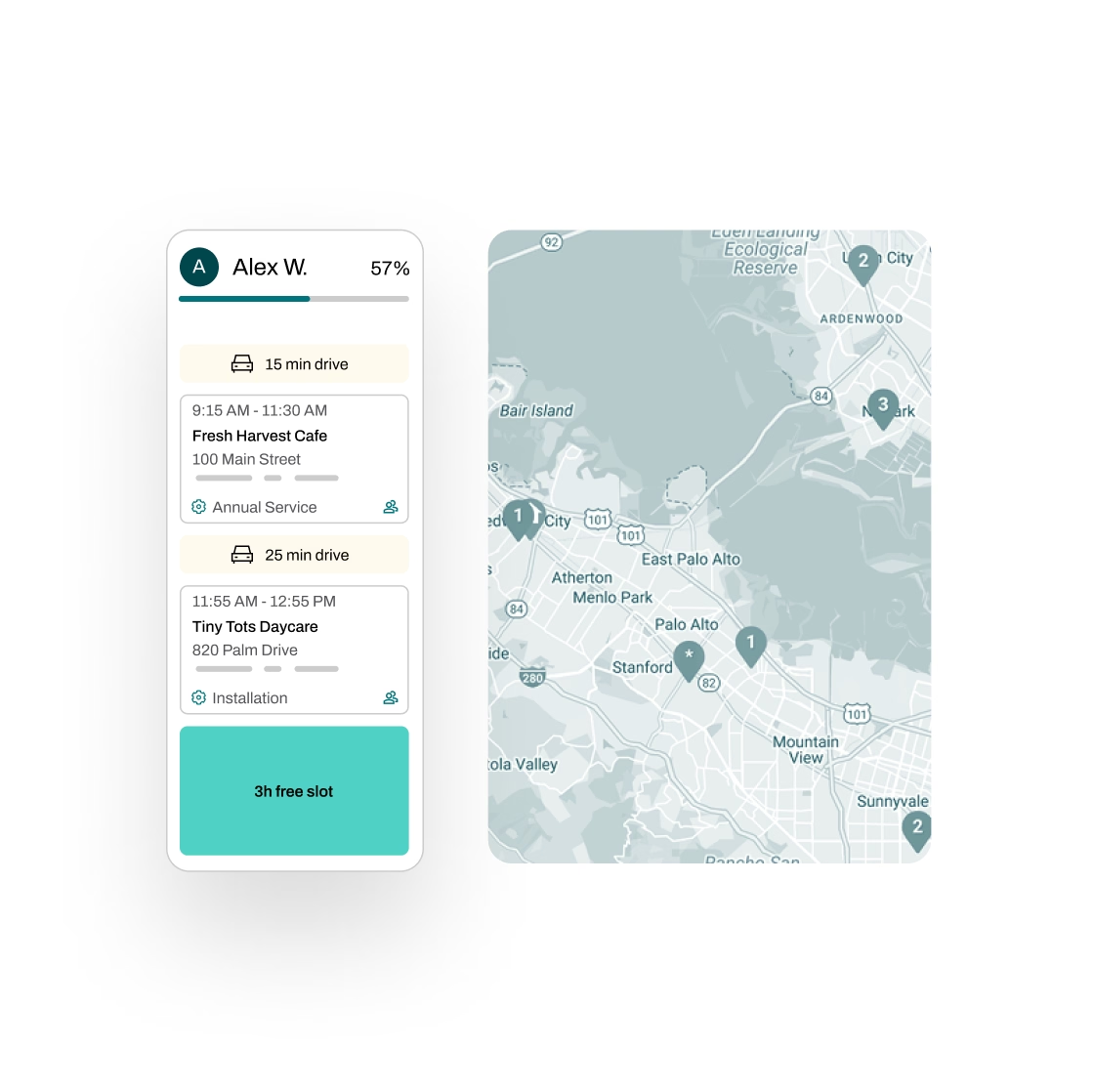
Schedule smarter—Plan routes with real-time traffic insights, assign technicians efficiently, and automate reminders to reduce no-shows and return visits
Quote with 1-click—Turn a logged deficiency, like a failed actuator or a damper that won't close, into a repair quote in seconds, then let Essential automate follow-ups by email and SMS
Invoice and follow up—Generate draft invoices from completed test and repair details, flag unbilled work for review, and sync with QuickBooks, Xero, NetSuite, Sage, Dynamics 365, or Zoho Books
Track repairs through retest—Essential generates and tracks tasks from deficiency to repair to retest, with full progress visibility and a complete audit trail
Partnered with leading fire protection businesses


FAQs
Got questions? We've got answers.
Each damper carries its own recurring due date: one year after installation, then every 4 years, or every 6 for hospitals. If a test happens earlier or later than scheduled, the next due date recalculates from the actual completion date. Essential can then reach out to building owners as tests come due, collect approvals, and help schedule the visit, with no manual outreach required.
Mark the damper inaccessible during the inspection, note the justification (a blocked access panel, ductwork in the way, an occupied patient room), and attach photos. That record stays with the damper and carries into your report, so the AHJ sees which units weren't tested and why, and your crew knows what to bring on the next visit.
Search by building, floor, location, or type, or scan the barcode or QR label straight from a mobile device. No extra hardware needed. The app surfaces only the fields you've set up for dampers, so a tech working down a corridor of access panels isn't scrolling past questions that don't apply.
Essential doesn't ship a prebuilt NFPA 80 or NFPA 105 form. Instead, the custom form builder models the report format your AHJ or survey team already accepts: your fields, your pass/fail language, your deficiency and corrective-action notes. Results are documented by damper location and retained with the asset, which is what surveyors ask to see.
No. Essential works for any asset-based service business. If you also inspect fire doors, fire alarms, sprinklers, kitchen suppression systems, emergency lights, or anything else we haven't listed, you can manage it all in one platform.
Yes, and it's free. We migrate your data from other software, spreadsheets, or old damper surveys, including handwritten ones. Locations, service history, and open deficiencies come with you, so you're not starting from scratch.