


Job Costing
Know what every job really made. Labor at true cost, parts, and margin - computed automatically from clocked time.

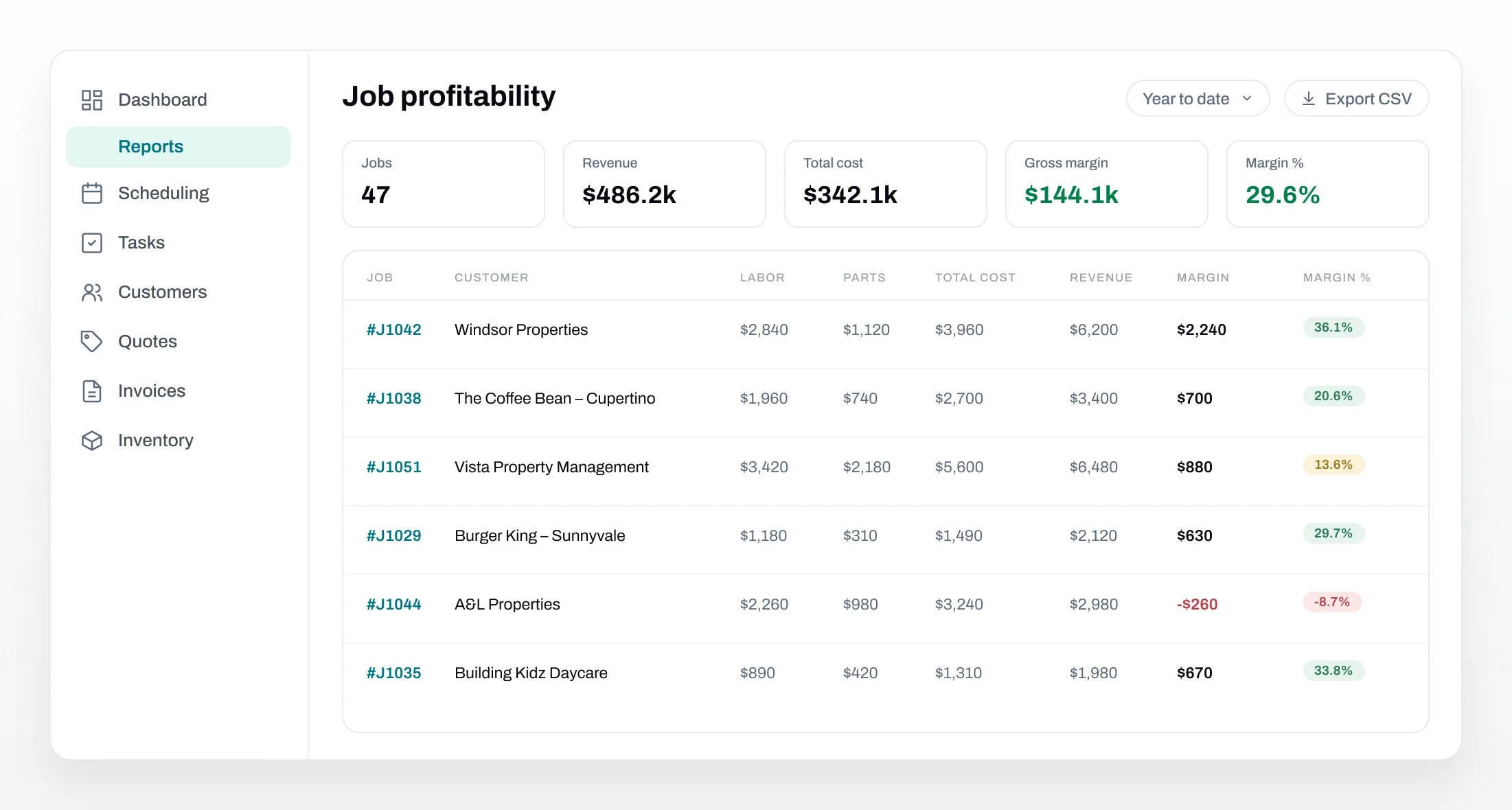


See margin on every job
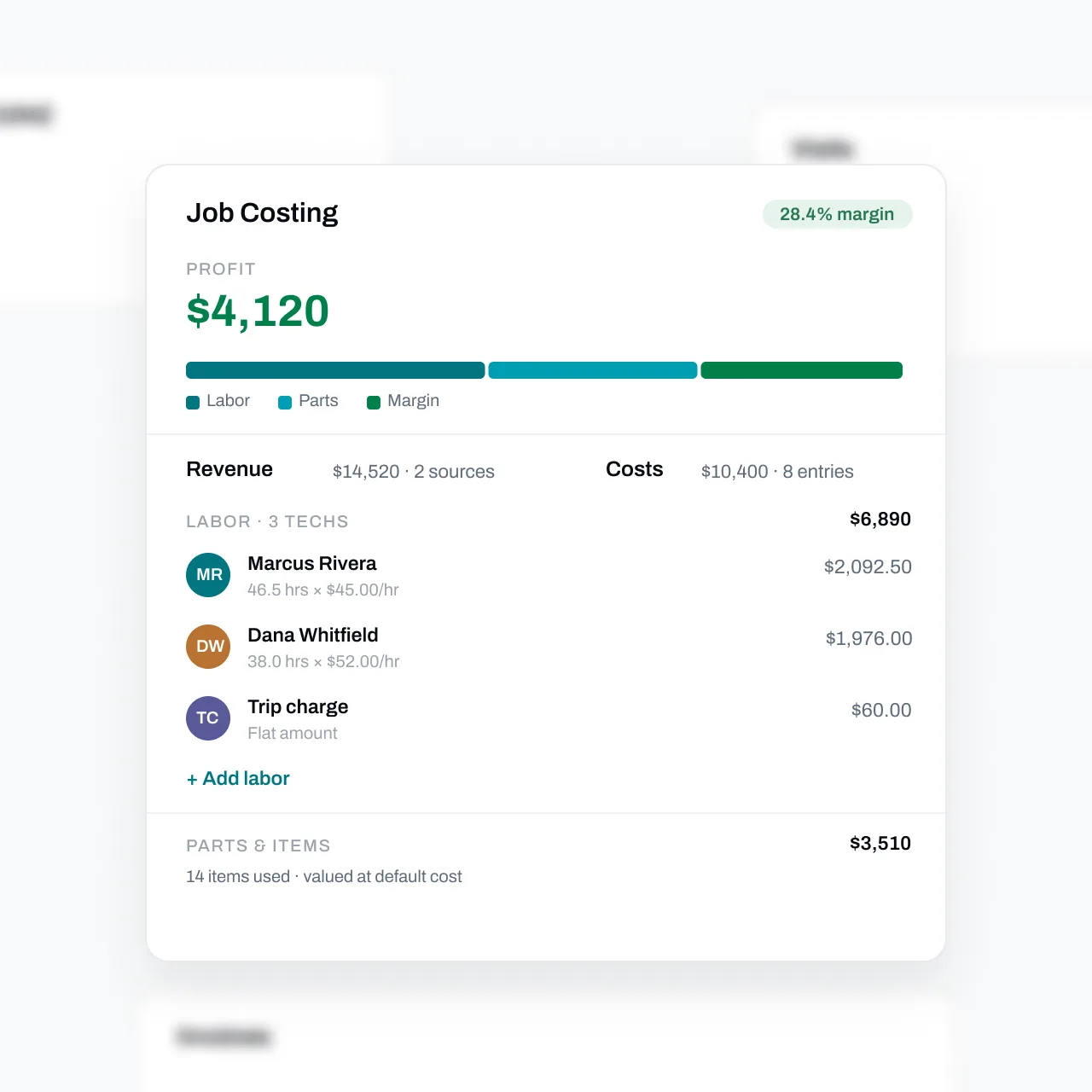
Every job shows revenue, labor, parts, and profit side by side, computed from clocked hours and the parts your techs actually used. Margin reads green, amber, or red at a glance.
Labor is valued at each technician's cost rate, so the job card and the reports always agree.
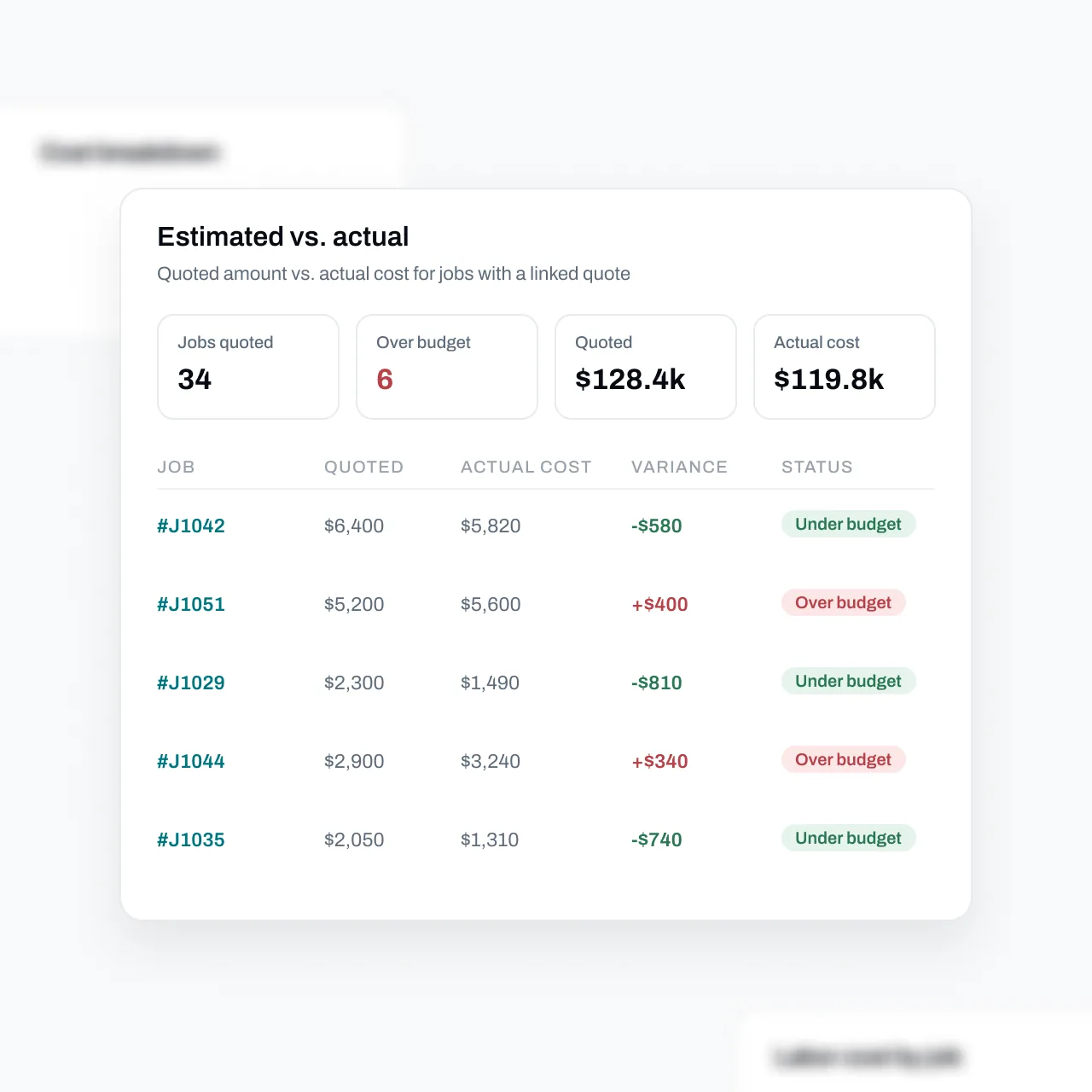
Catch over-budget jobs before they repeat
Compare the quoted amount against actual cost on every job with a linked quote. Over-budget work is flagged clearly, so you can fix pricing - or scoping - before the next job goes out the door.
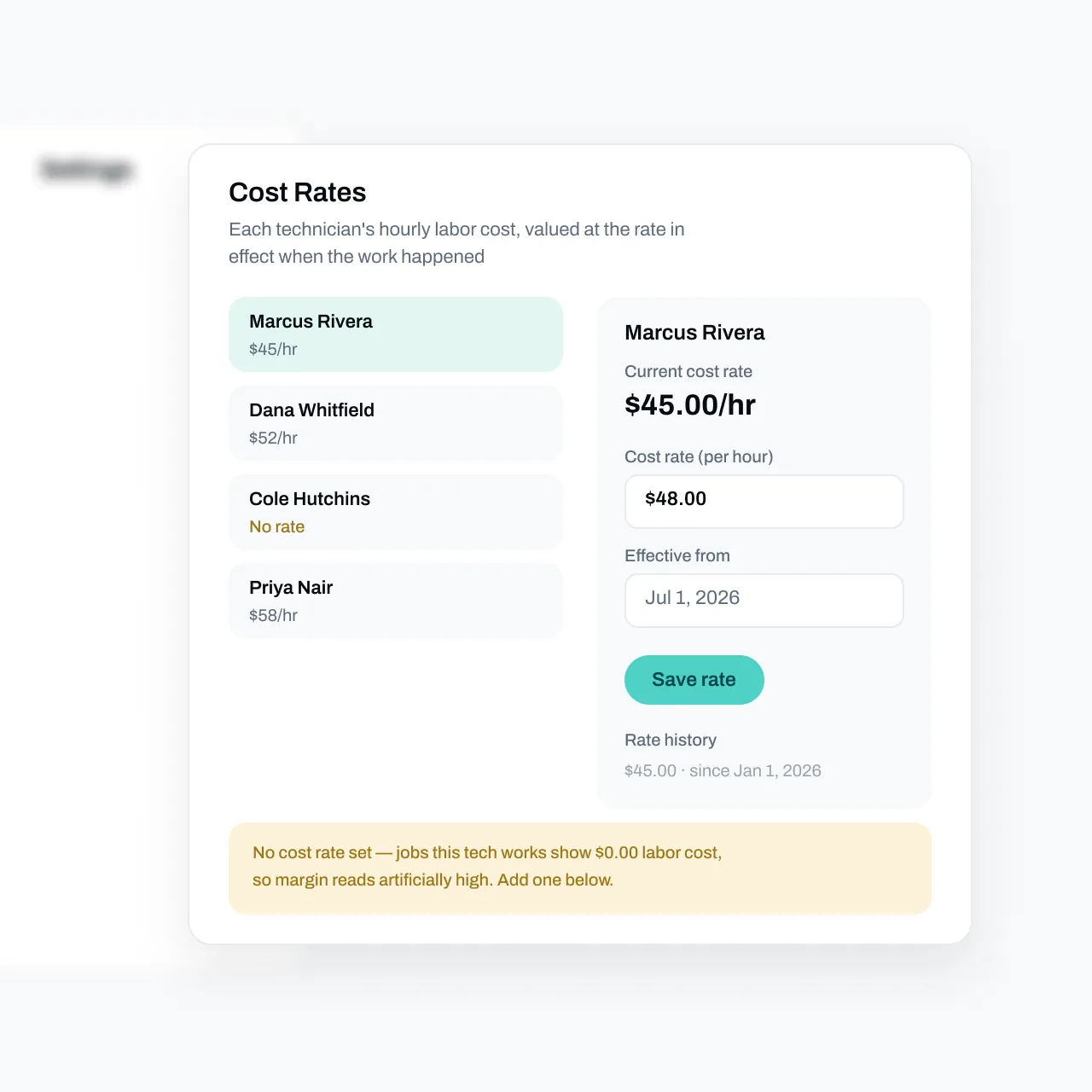
True labor costs, set once
Give each technician an hourly cost rate with an effective date. Job costing values their clocked time at the rate in effect when the work happened - and rate history keeps old jobs accurate when rates change.
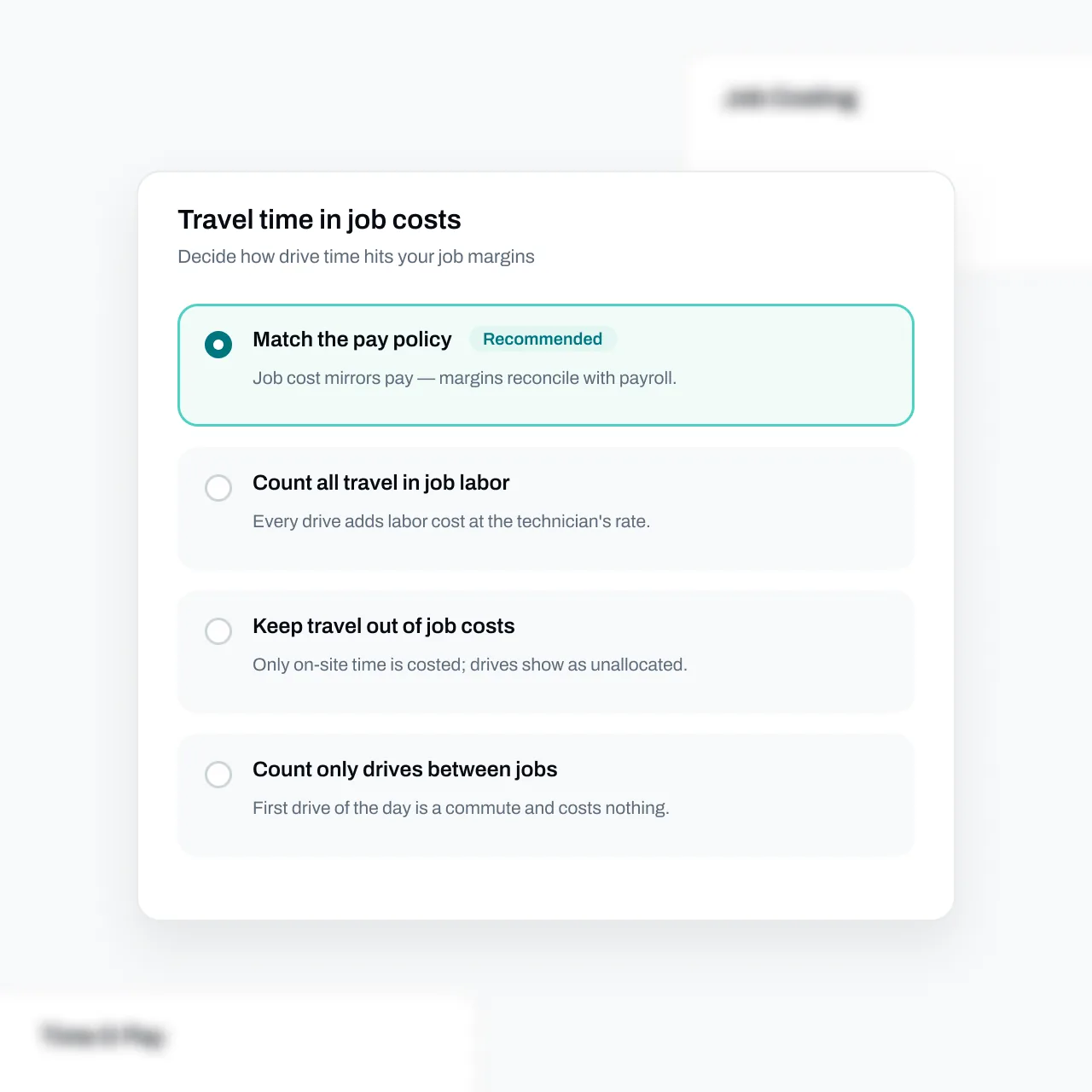
You decide how drive time counts
Match the pay policy so job margins reconcile with payroll, count every drive, cost only drives between jobs, or keep travel out entirely. One day, four ways to cost the driving - your call.
FAQs
Got questions? We've got answers.
Essential computes each job's cost from two inputs: labor - every clocked hour valued at that technician's cost rate on the day the work happened - and parts, valued at each item's default cost. Cost is compared against the job's linked invoices plus any manually added revenue to produce gross margin. The same calculation runs on the job page and in reports, so the numbers never disagree.
Yes. The Estimated vs. actual report compares the quoted amount against actual cost for every job with a linked quote, flags each one as over or under budget, and totals the variance - so pricing problems surface after one job, not after a bad quarter.
That's your call. Essential supports four travel policies: mirror your pay policy so margins reconcile with payroll, count all travel at the technician's rate, cost only drives between jobs, or keep travel out of job costs entirely. On-site work hours are costed the same under every option.
Five: Job profitability, Cost breakdown (labor vs. parts), Estimated vs. actual, Labor cost by job, and Technician profitability. Each has a date-range picker and one-click CSV export, and rows click through to the underlying job.
Yes. Viewing job costing data and managing cost rates are separate permissions, so technicians and office staff only see what their role allows. Job costing reports are also excluded from report sharing, since they expose cost rates and margins.