


Kitchen hood cleaning software that keeps every kitchen on schedule
Manage recurring cleanings, before-and-after photos, service certificates, invoicing, and more—on any device

Stay on Top of NFPA 96 Frequencies
Cleaning a kitchen exhaust system is straightforward work. Keeping every kitchen on schedule isn’t. NFPA 96 sets a different cleaning frequency for each one—monthly for solid fuel, up to annual for low-volume operations—and every due date shifts when a job runs early or late. Then there’s overnight access, photo documentation, certificates and stickers, and chasing payment from restaurant groups.
Essential’s kitchen hood cleaning software runs the whole cycle in one place. The platform tracks each location’s frequency, reminds customers before service is due, captures before-and-after photos in the field, and turns completed jobs into certificates and invoices the same night—so your crews clean more hoods with less office time.
Partnered with leading commercial service businesses





Automate Recurring Cleanings and Customer Outreach
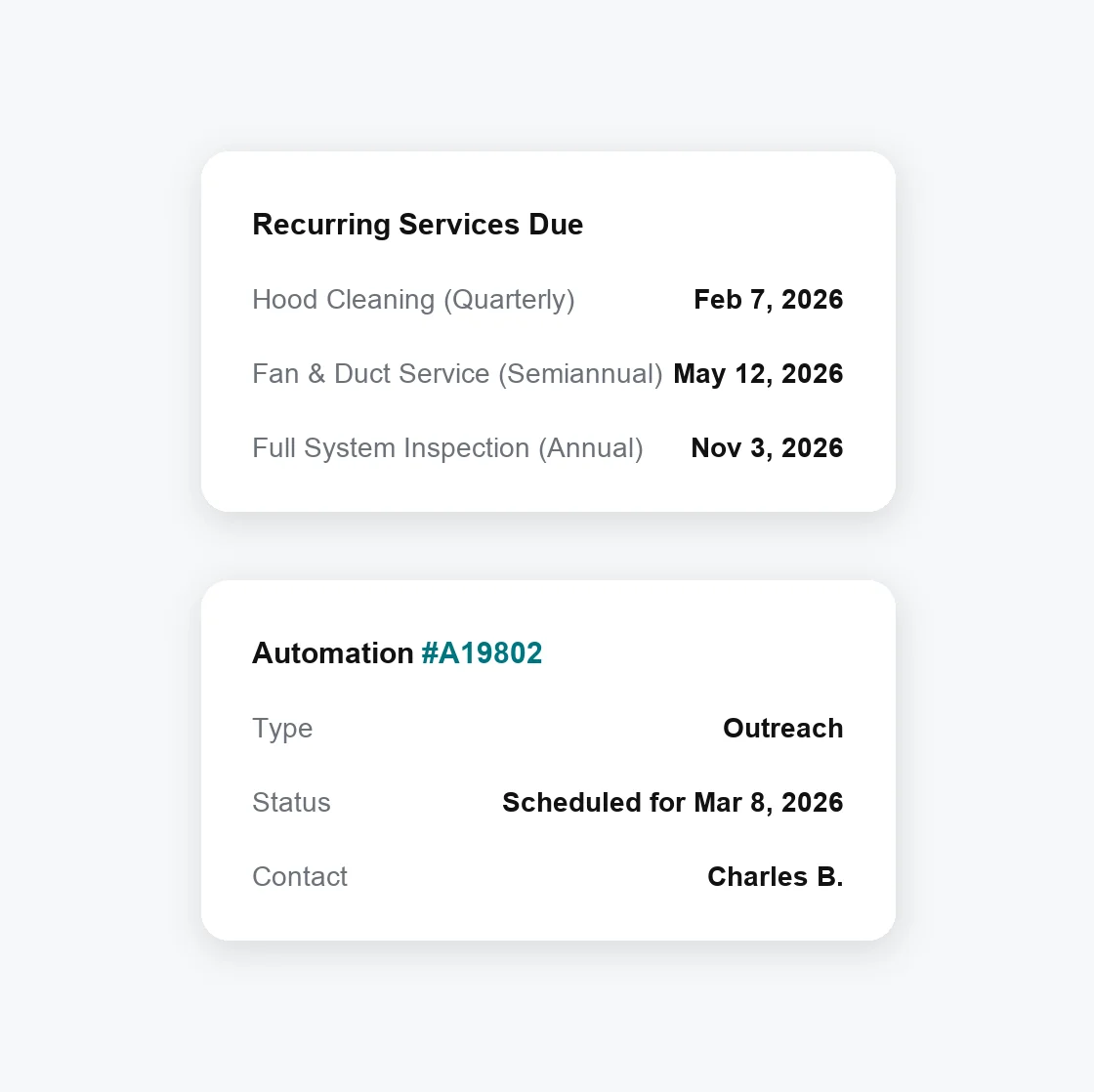
Tracking cleaning due dates for every kitchen and getting each one scheduled takes real office time. Essential automates it.
Automate due date tracking—Next cleanings update from completed work, so a job done early or late still lands on the right NFPA 96 frequency
Set custom automations—Confirm service windows and overnight access with automated customer outreach before the crew rolls out
Manage mixed frequencies—Monthly solid-fuel accounts, quarterly high-volume kitchens, and annual low-volume sites each stay on their own cycle
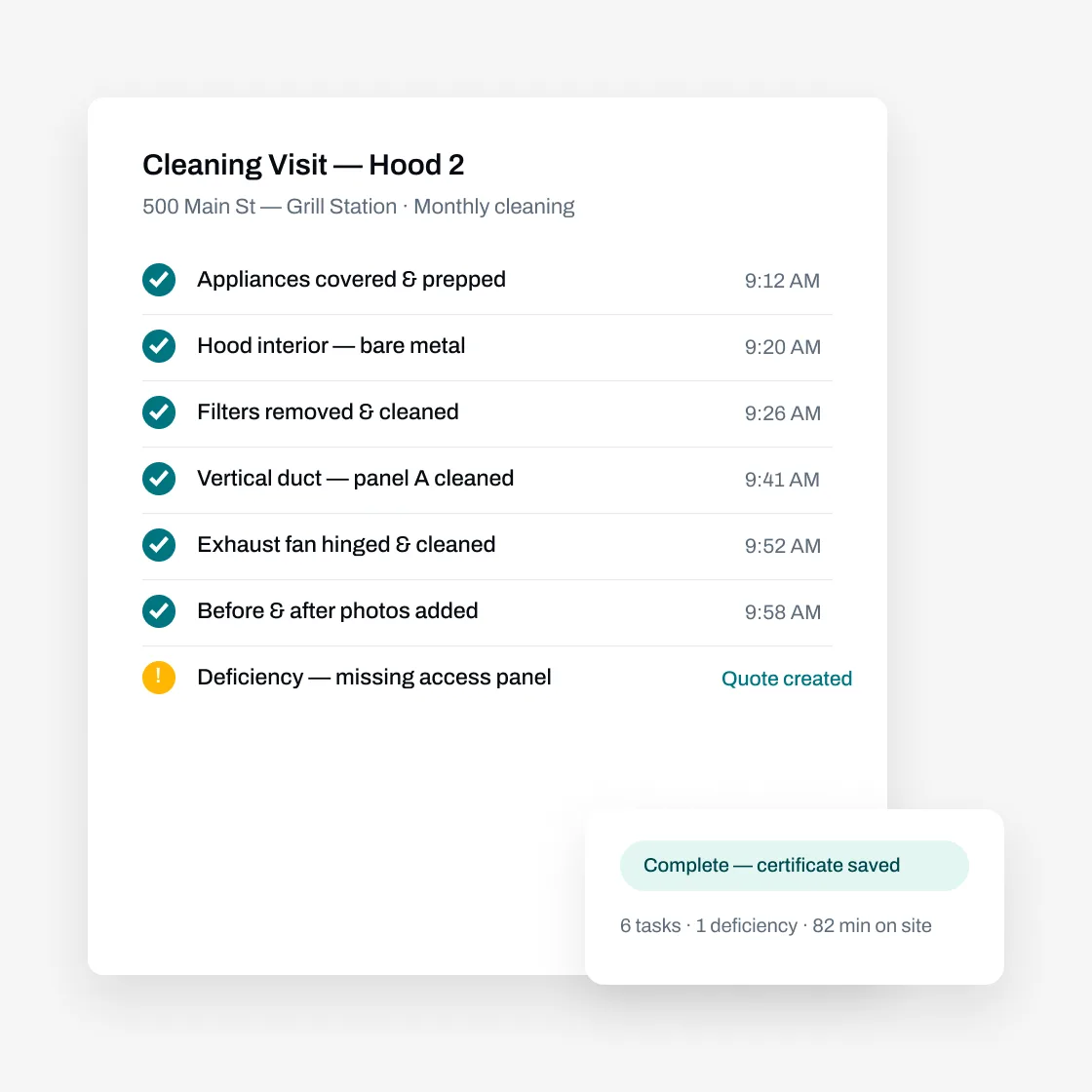
Prove Every Cleaning With Photos and Certificates
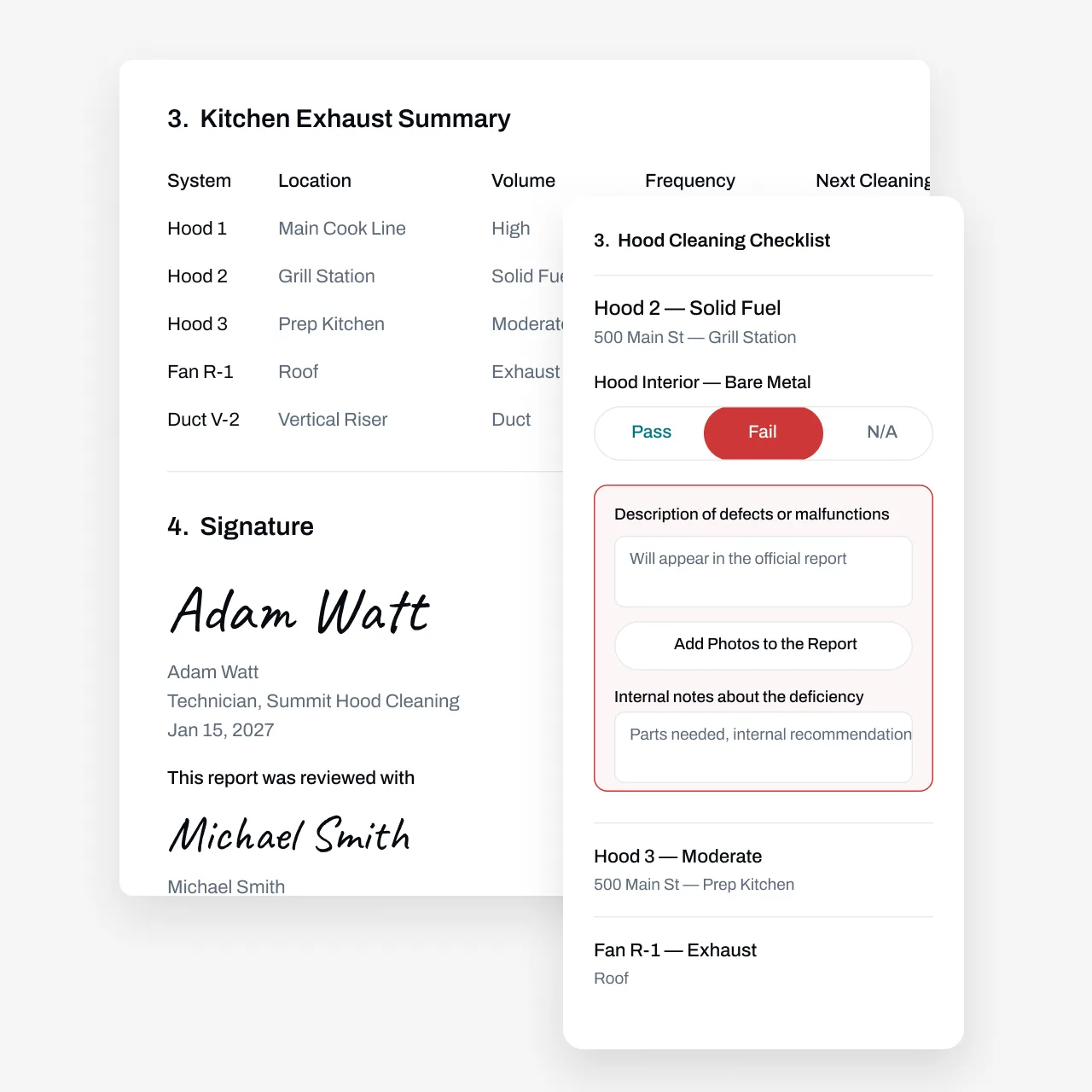
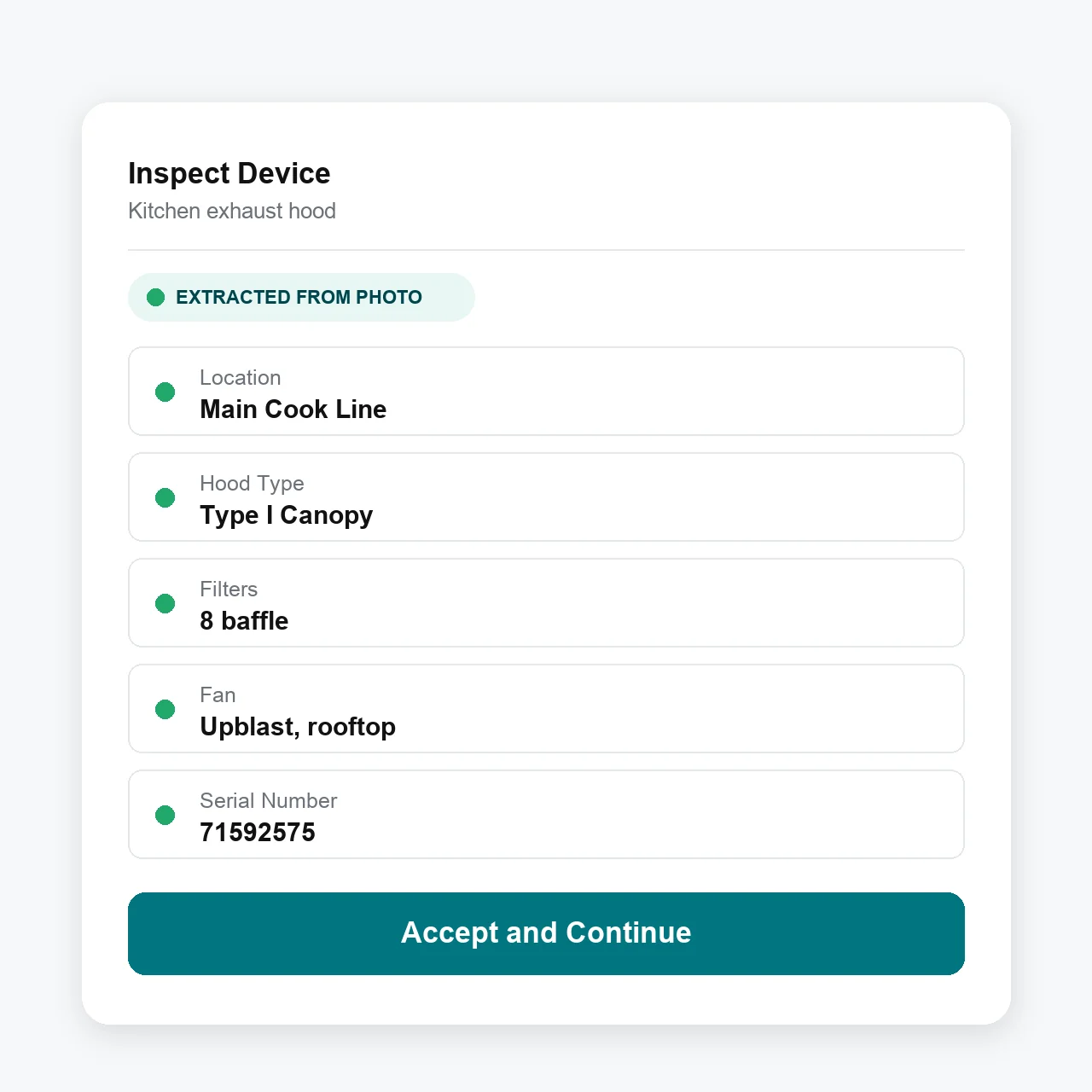
Track the details that matter for every kitchen exhaust system—hoods, ducts, fans, and grease filters, by location. Custom forms show only the fields your techs need, so job completion stays fast.
Capture before-and-after photos— Document bare metal cleaning from the mobile app, with inaccessible areas noted on the report
Flag deficiencies on the spot— Missing access panels, worn fan belts, damaged filters: log them in the field and turn them into quotes and repair jobs
Generate service certificates— Build certificate and report templates your way with Essential’s custom form builder, then fill them from completed job data
Use AI and bulk actions to do your work faster
Take photos, use your voice, or upload a past service report to add a restaurant’s exhaust systems in minutes.
Add photos and voice—From the mobile technician app, take photos and/or add voice memos to add a new exhaust system
Bulk import—From the web, import a prior service report, whether it's a PDF or a photo of a handwritten report, for the AI agent to parse in minutes
Advanced workflows—Businesses can choose to give technicians access to additional bulk actions such as bulk answering report questions, swipe to pass/fail, and other ways to spend less time tapping and more time on the actual cleaning
Manage Everything Before and After the Cleaning
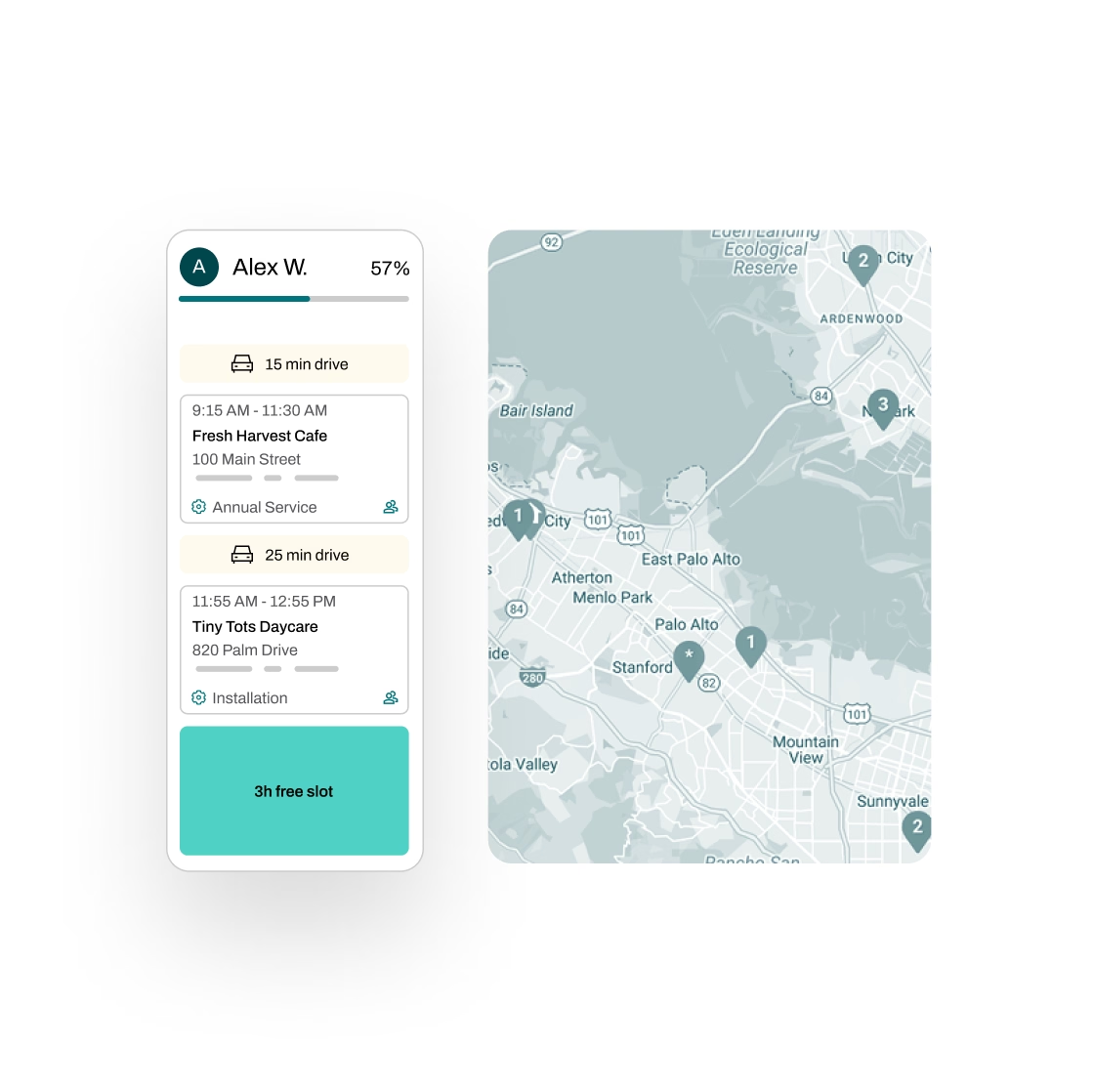
The cleaning is half the job. Essential handles the scheduling, dispatch, invoicing, and payments around it, so the office stays ahead of the calendar.
Schedule smarter—Plan overnight routes with real-time traffic data, assign crews without double-booking, and automate reminders so kitchens are ready when you arrive
Quote with 1-click—Create quotes in seconds with AI-powered rules for discounts, surcharges, and job details; then let Essential follow up by email and SMS
Invoice without the lag—Generate draft invoices from completed job details, flag unbilled work for review, and sync with QuickBooks, Xero, NetSuite, Sage, Dynamics 365, or Zoho Books
Manage tasks across teams—Essential automatically generates and tracks tasks across your team, with full progress visibility and a complete audit trail
Partnered with leading commercial service businesses

FAQs
Got questions? We've got answers.
Each kitchen gets a recurring schedule matched to its NFPA 96 frequency—monthly for solid-fuel cooking, up to annual for low-volume kitchens. Due dates update automatically from completed work, and Essential reaches out to customers when the next cleaning is coming due, so you're not chasing the calendar by hand.
Techs complete jobs from the mobile app with before-and-after photos of hoods, ducts, and fans. Areas that couldn't be cleaned or accessed are recorded on the report, so the certificate reflects exactly what was done—and what wasn't.
They flag it as a deficiency in the app, with photos. Essential turns flagged deficiencies into quotes and repair jobs, so fan repairs, access panel installs, and filter replacements become billable work instead of a lost note.
You build certificate and report templates in Essential's custom form builder—your branding, photo sections, areas-not-cleaned fields—and completed job data fills them automatically. Certificates go out with the invoice instead of trailing days behind the job.
Every location has its own records—systems, service history, photos—so completed jobs turn into draft invoices tied to the right site. Essential flags unbilled work, follows up on open invoices, and syncs with QuickBooks, Xero, NetSuite, Sage, Dynamics 365, and Zoho Books.
Yes. Essential works for any asset-based service business. Hood cleaning, fire extinguishers, kitchen suppression, alarms—run every division on one platform, with one record per customer.