


Billing & Invoicing
Create accurate invoices in minutes, and collect more revenue with less effort using automated collections



Create invoices in half the time
Essential uses job details, technician summaries, parts, and labor entries to automatically produce accurate draft invoices the moment a job is completed.
Cut down on admin time, and ensure every job gets billed correctly.
Translate prior quotes into invoices with a single click.
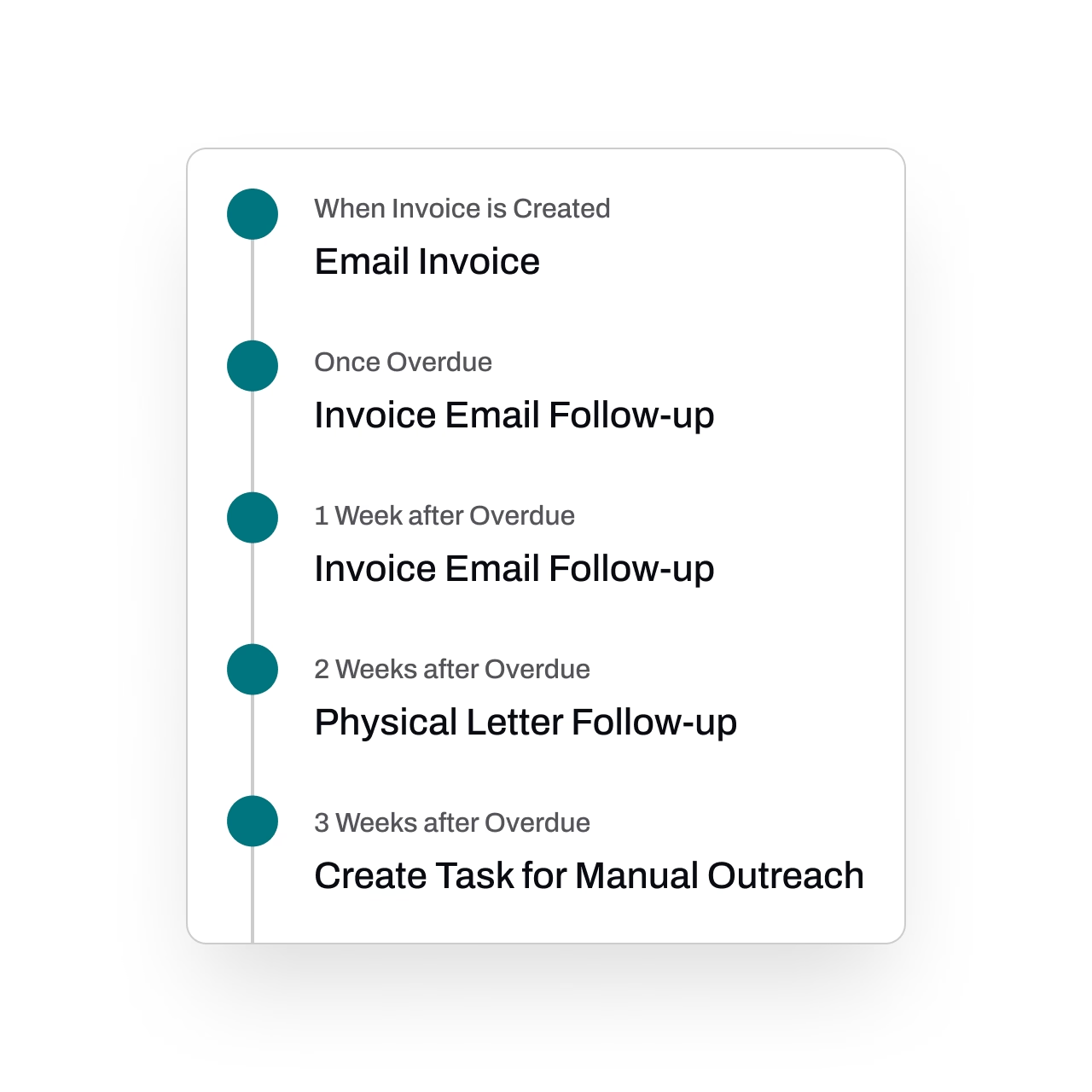
Automate collections outreach
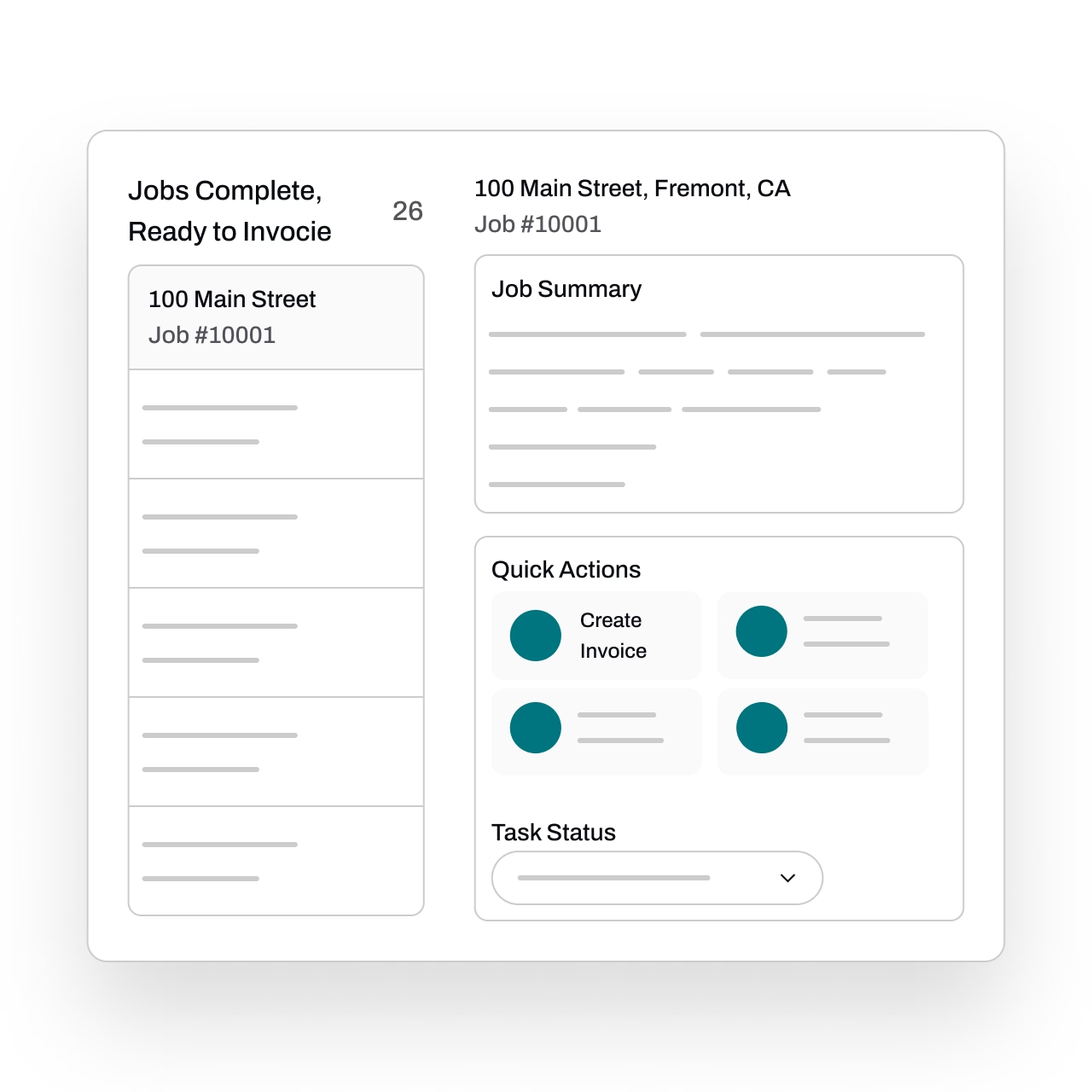
Every unbilled job is tracked for you. As soon as a job is completed, a task reminder is created to track invoicing and payment. Quick Actions make it fast to create and send out invoices.
Get paid by billing properly. Each customer in Essential has a Billing Profile with rich information such as payment methods, payment terms, billing information, tax-exemption, and more. These are applied automatically.
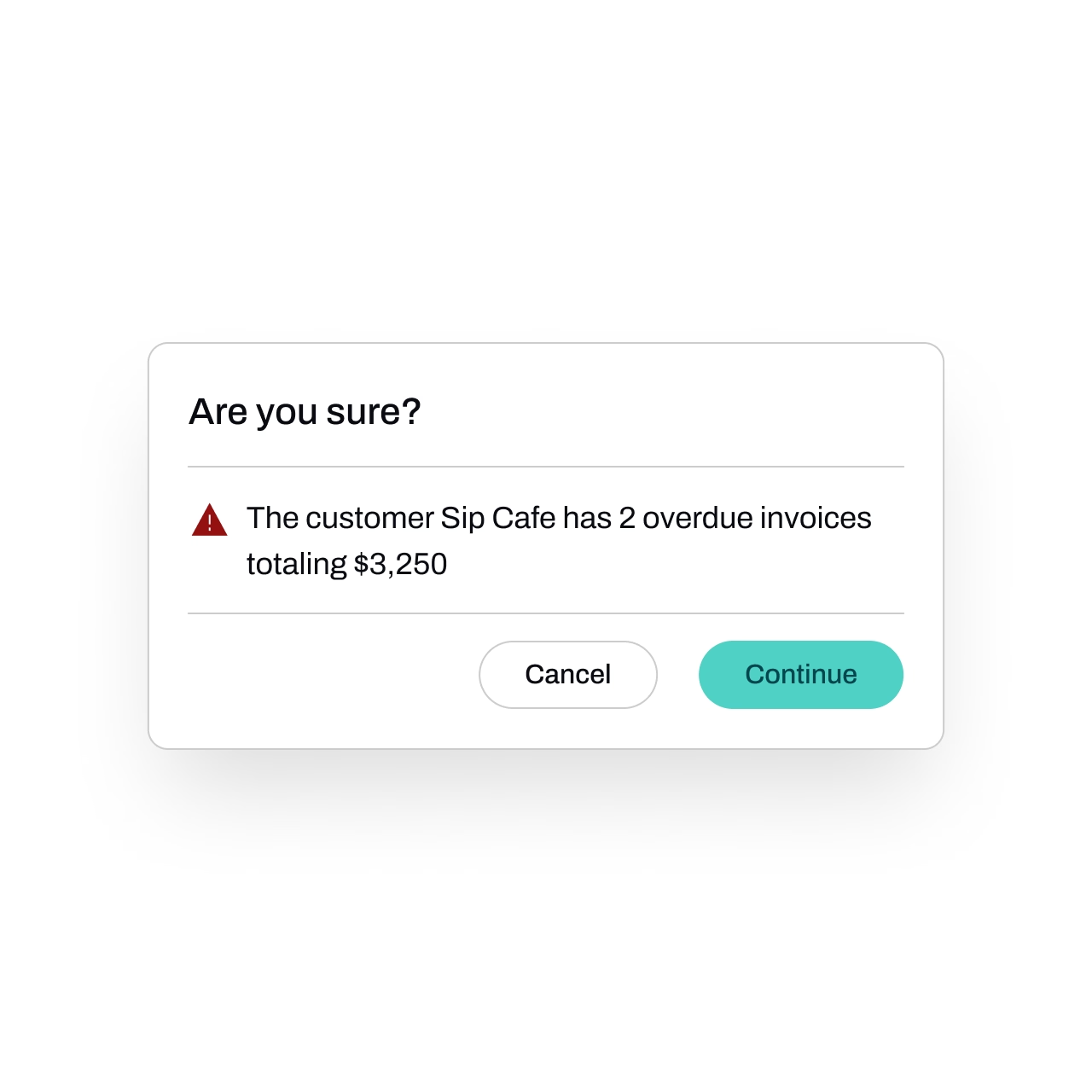
See customers with overdue invoices clearly flagged
Stop scheduling more work for customers with outstanding invoices. Essential flags these cases so you can see them clearly.
Integrate seamlessly with accounting
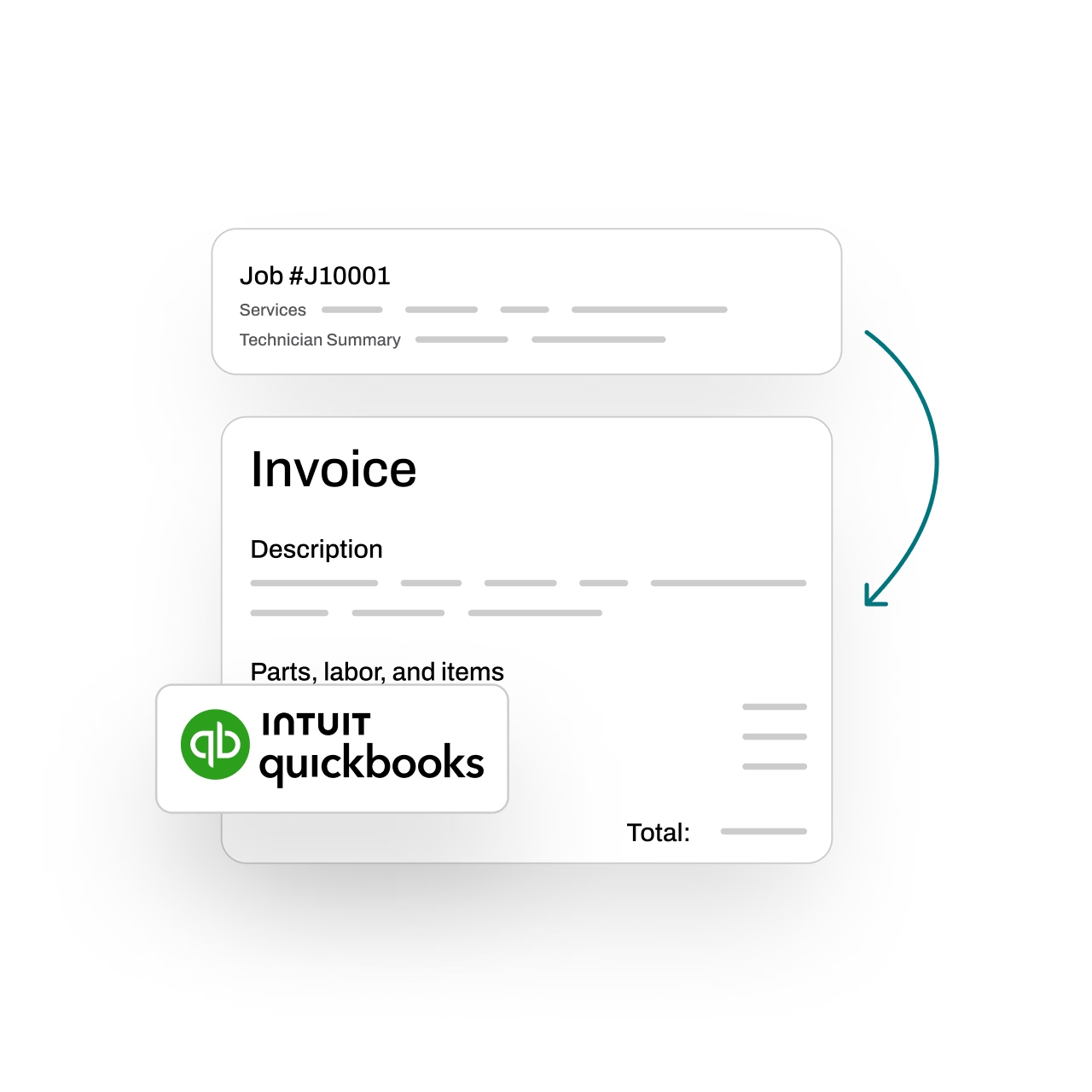
Integrate with your accounting platform to ensure your books stay accurate without double entry.
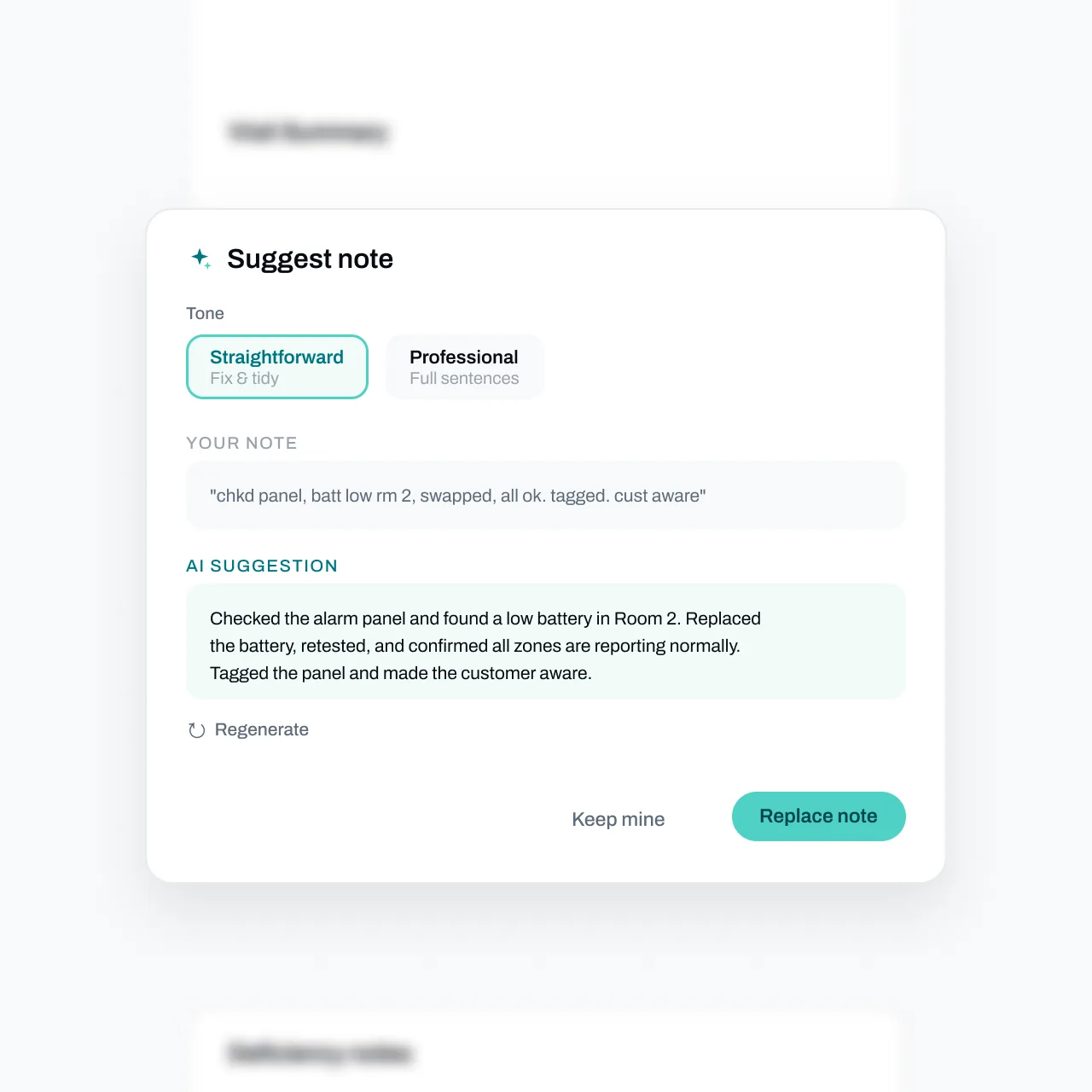
Cleaner invoices with one tap
Essential drafts invoices from the completed job, and the Suggest button rewrites rough line descriptions into customer-ready text. Keep yours, replace, or undo - nothing changes without your say-so.
FAQs
Got questions? We've got answers.
Essential streamlines your entire billing workflow so invoices go out in minutes, not days. You can generate invoices directly from completed work orders and inspections, set up automated payment reminders, and accept online payments — all of which shortens the time between finishing a job and getting paid.
Essential automatically tracks unbilled jobs and flags customers with overdue invoices, so nothing slips through the cracks. When a job is completed, the system generates a task reminder to invoice it, and Quick Actions let you create and send invoices rapidly. Essential then performs automated collections for overdue invoices, helping you get paid with less effort.
Yes. Essential flags customers who have overdue invoices, giving your team visibility before scheduling new work. This helps protect your revenue by ensuring outstanding balances are addressed before taking on additional jobs for that customer.
Essential maintains comprehensive billing profiles for each customer, including their preferred payment methods, payment terms, billing addresses, pricing, and tax-exemption details. These apply automatically when you create an invoice, reducing errors and saving time on every billing cycle.
Yes. Essential integrates with accounting platforms so that invoice data flows directly into your financial records without duplicate entry. This keeps your books accurate and eliminates the need to manually reconcile between your field service software and your accounting tools.