


Modern, all-in-one fire hydrant testing software
Track every private hydrant you service, keep annual inspections and flow tests on schedule, and generate AHJ-ready reports—on any device

Stay on Top of NFPA 25 Requirements
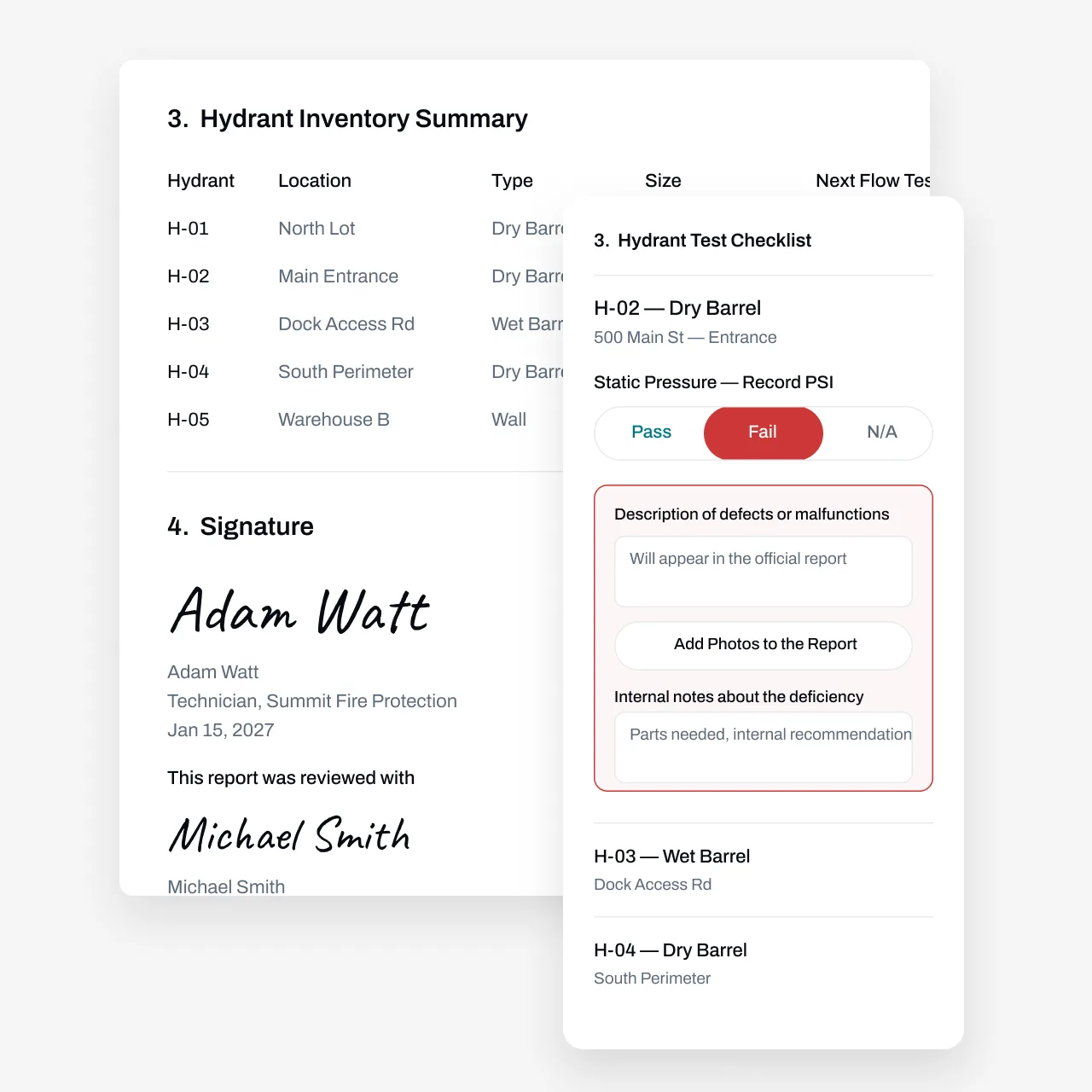
Private fire hydrants are easy to lose track of. They sit behind buildings and fence lines across dozens of properties, flow-test readings live on paper in the truck, and an annual cycle can slip a full year before anyone notices. Then a property owner or AHJ asks for proof of testing, and the scramble starts. Essential’s fire hydrant testing software keeps every hydrant on record and every cycle on schedule. Technicians log static and residual pressures, pitot readings, and pass/fail results from their phones; the office gets clean, AHJ-ready reports without retyping anything. Deficiencies like stuck caps or poor drainage turn into quotes and repair jobs instead of loose ends.
Partnered with leading fire protection businesses





Automate Annual Hydrant Cycles and Customer Outreach
Tracking annual inspections and flow tests across scattered hydrant sites takes a lot of manual effort. Essential automates it.
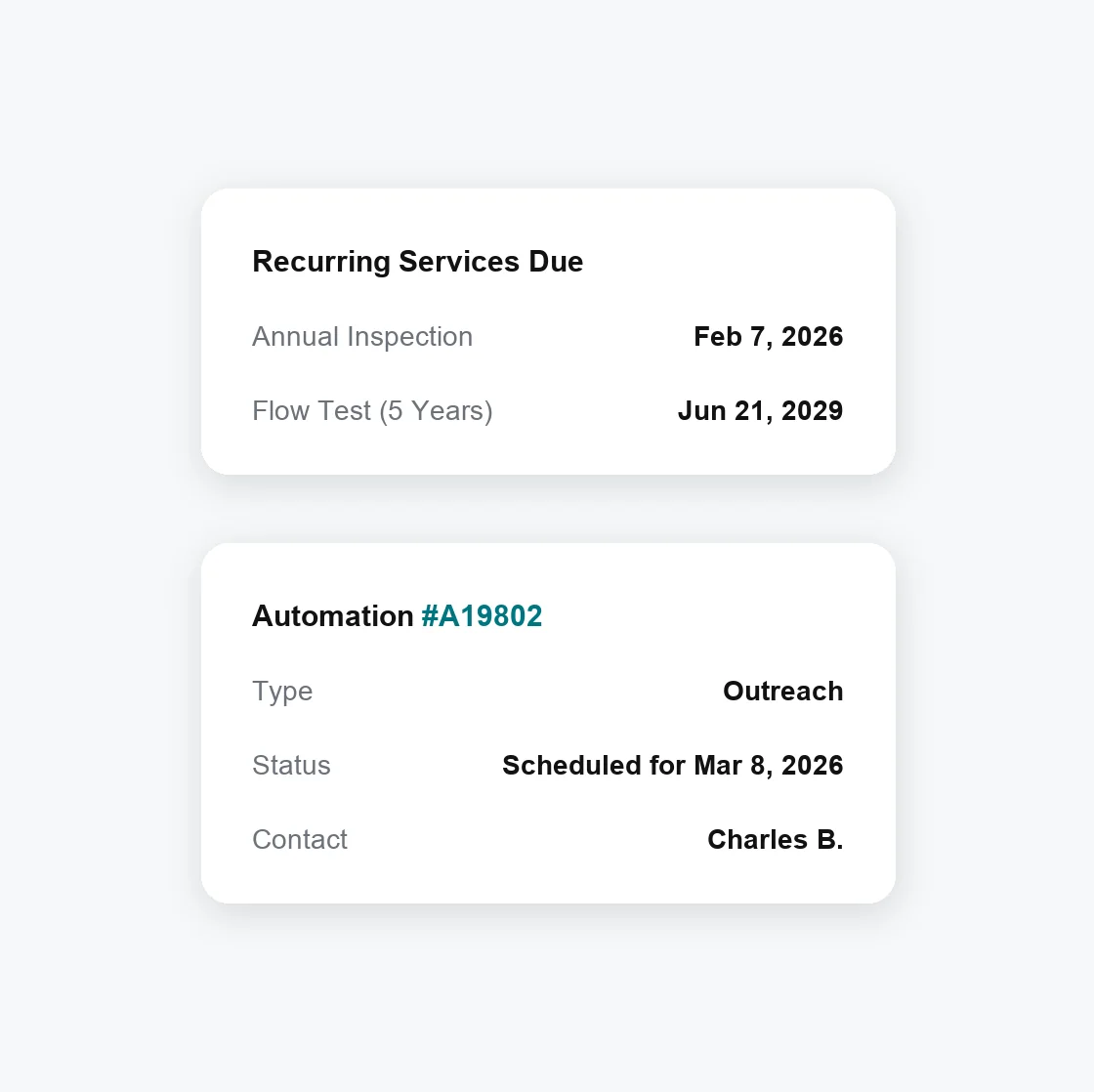
Automate due date tracking—When a flow test happens earlier or later than planned, the next due date adjusts automatically based on the completed work
Set custom automations—Confirm service windows and property access with customers automatically, before a tech drives out to a locked gate
Manage every cadence—NFPA 25 calls for regular inspection, lubrication, and flow testing of private hydrants, plus inspection after each operation; each service tracks on its own schedule
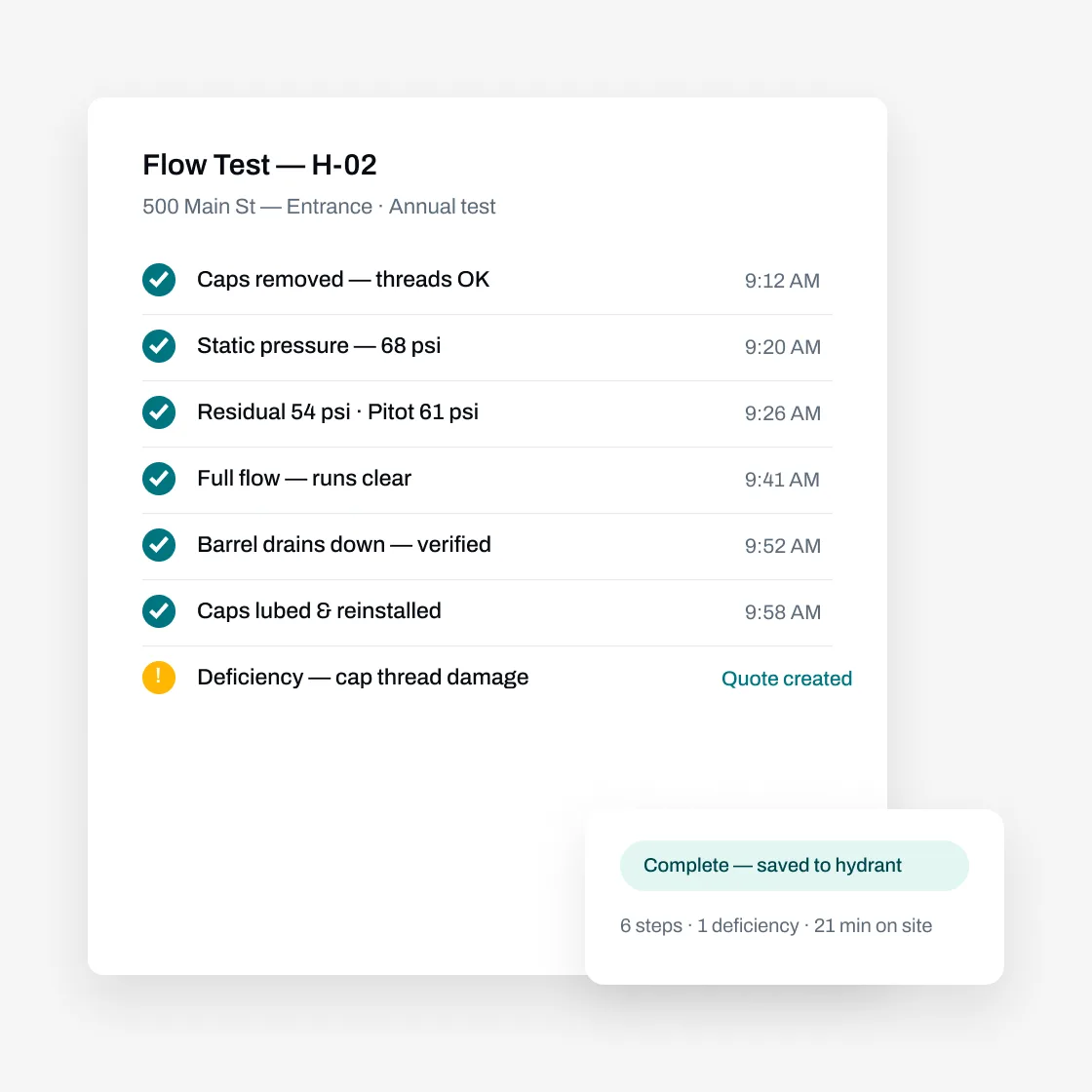
Perform Hydrant Inspections and Flow Tests From the Field
Track the details that matter for every private hydrant—type, location, and notes on caps, threads, and drainage. Custom report templates mean techs only see the fields they need, so inspections stay fast and focused.
Find the right hydrant fast — Search by location, type, or notes in the mobile app, so techs aren’t walking a property line hunting for the next unit
Record readings and pass/fail on the spot — Log static and residual pressures, pitot readings, photos, and deficiencies right from the field
Generate AHJ-ready reports — Build flow-test and inspection templates in Essential’s custom form builder, then create finished reports from completed work
Use AI and bulk actions to do your work faster
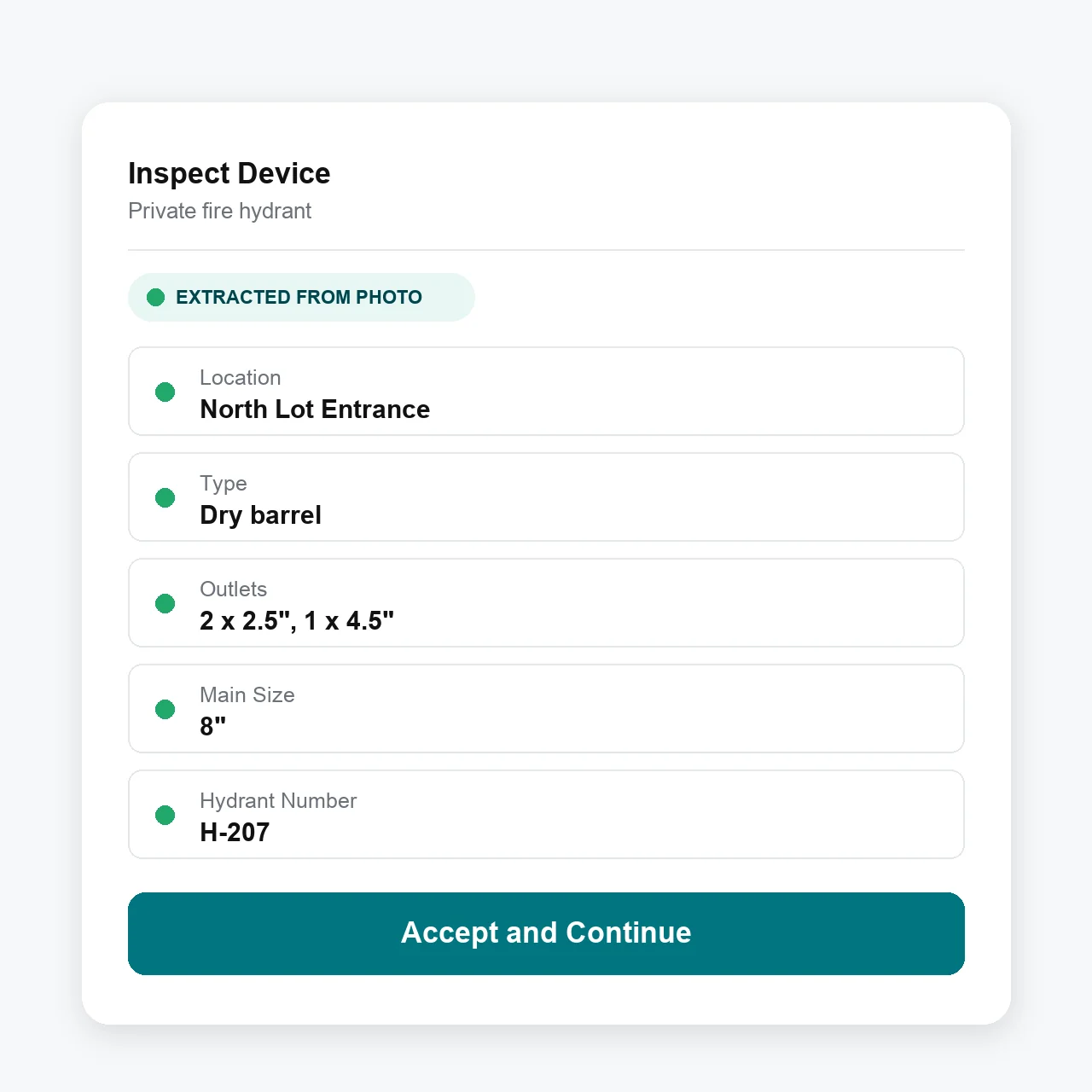
Take photos, use your voice, or upload a past inspection report to add new hydrants.
Add photos and voice—From the mobile technician app, take photos or record a voice memo to add a new hydrant
Bulk import—From the web, upload a prior inspection or flow-test report, whether it’s a PDF or a photo of a handwritten record, and the AI agent parses it in minutes
Advanced workflows—Businesses can choose to allow technicians to have access to additional bulk action workflows such as bulk answering inspection report questions, swipe to pass/fail, and other ways to get the technician to spend less time tapping and more time doing the real work
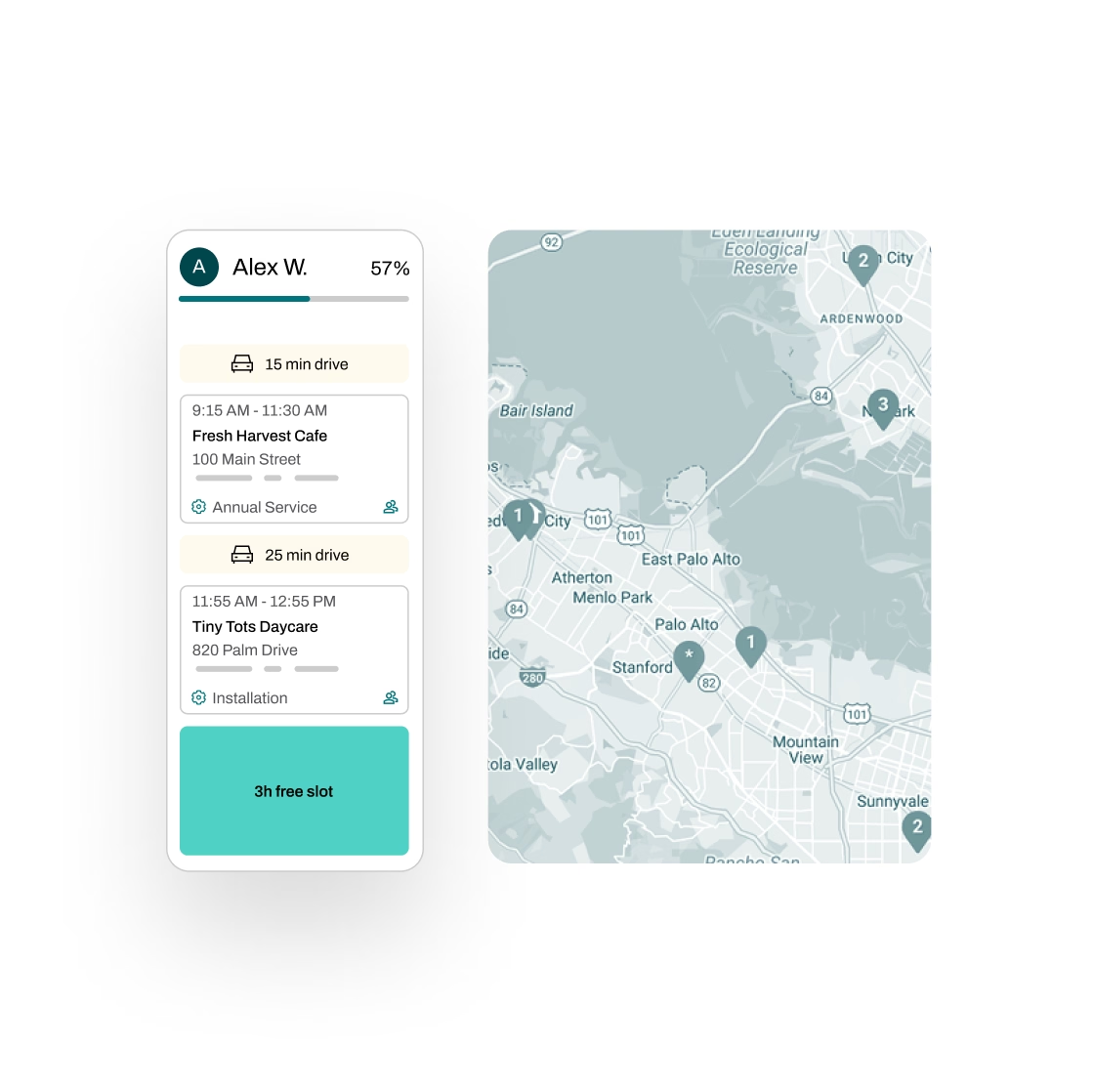
Easily Manage Everything Before and After Inspections
The flow test is just one part of the job. Essential handles the scheduling, quoting, invoicing, and follow-up around it, so you stay organized and ahead of the annual cycle.
Schedule smarter—Plan routes across scattered hydrant sites with real-time traffic insights, assign technicians, and automate reminders to cut no-shows and locked-gate return trips
Quote repairs with 1-click—Turn a failed hydrant inspection into a repair quote for stuck caps, damaged threads, or drainage issues, then let Essential automate follow-ups by email and SMS
Invoice and follow up—Generate draft invoices from completed job details, flag unbilled work for review, and sync with QuickBooks, Xero, NetSuite, Sage, and other accounting software
Manage tasks across teams—Essential automatically generates and tracks tasks across your team, with full progress visibility and a complete audit trail
Partnered with leading fire protection businesses

FAQs
Got questions? We've got answers.
Each hydrant carries its own record and schedule, and due dates adjust automatically based on completed work — if a flow test happens earlier or later than planned, the next cycle shifts with it. Essential can also reach out to customers when service is coming due, collect approvals, and help schedule the visit, no manual outreach required.
Yes. Essential supports multiple cadences per hydrant. Annual inspections, flow tests, and lubrication each run on their own schedule, and you can log an inspection after a hydrant has been operated. Nothing gets missed, even for services that don't happen every visit.
Every hydrant has its own asset record with location, type, and notes — which building it sits behind, which gate needs a key. Technicians open the property in the mobile app and see each hydrant with its full service history, so nobody's guessing which unit is which.
Yes. Build your report template once in the custom form builder, with fields for static and residual pressures, pitot readings, pass/fail, and photos. Essential fills it in from each completed inspection. Where your AHJ uses The Compliance Engine, reports can be submitted there as well.
No. Essential works for any asset-based service business. If you also inspect sprinklers, fire alarms, extinguishers, kitchen suppression systems—or anything else we haven't listed—you can manage it all in one platform.
Yes, and it's free. We migrate your data from other software, spreadsheets, or even handwritten flow-test records. Your service history comes with you, so you're not starting from scratch.