


Fire Protection Scheduling Software
Plan inspection and service visits with property history, crew-size suggestions, and drive time in view. Build a technician's day around the work already booked.



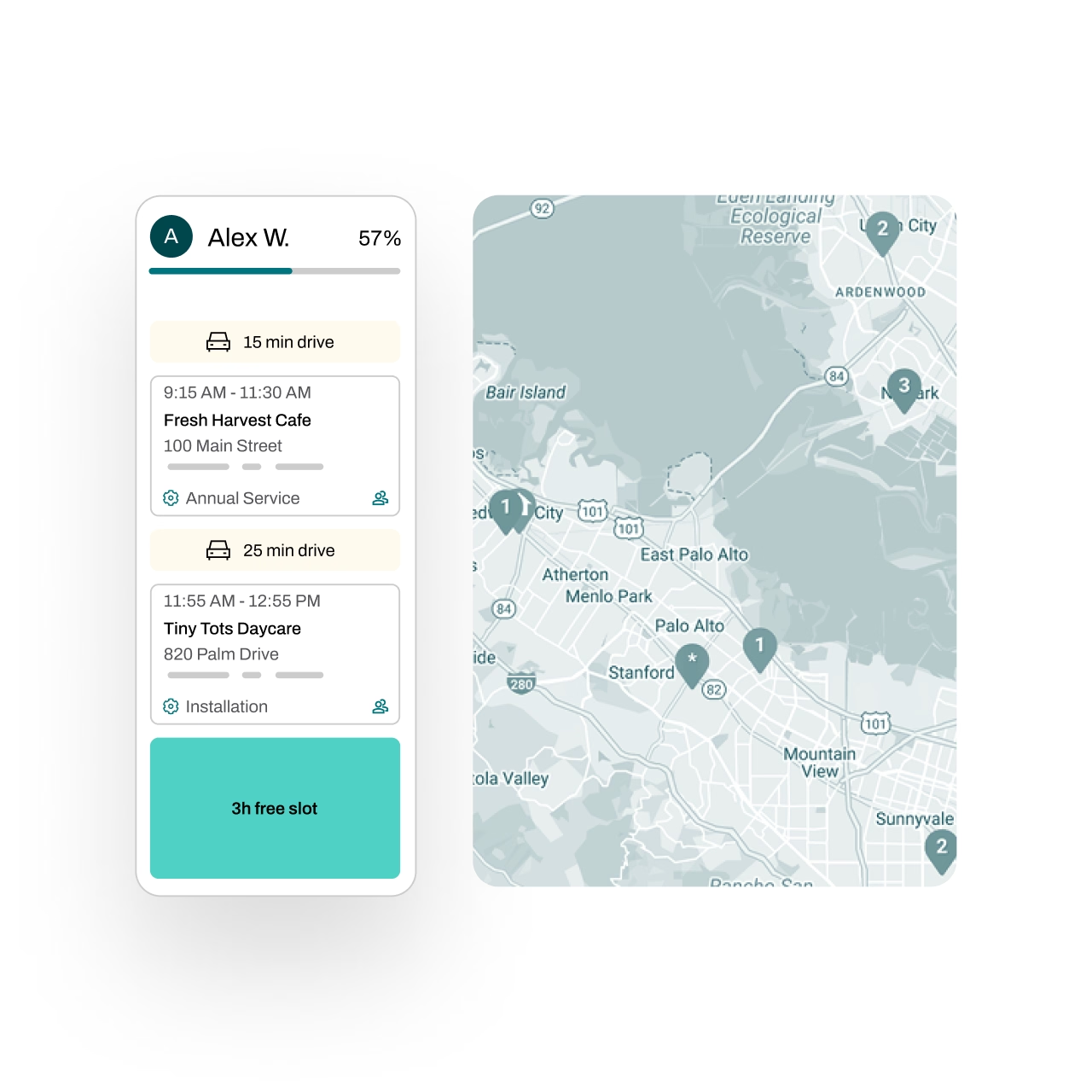
Get real-time commute insights
See accurate commute times based on real traffic conditions. Essential uses Google Maps data to estimate drive times for the specific day and time of each job, helping you build smarter, more reliable schedules.
Automate customer reminders
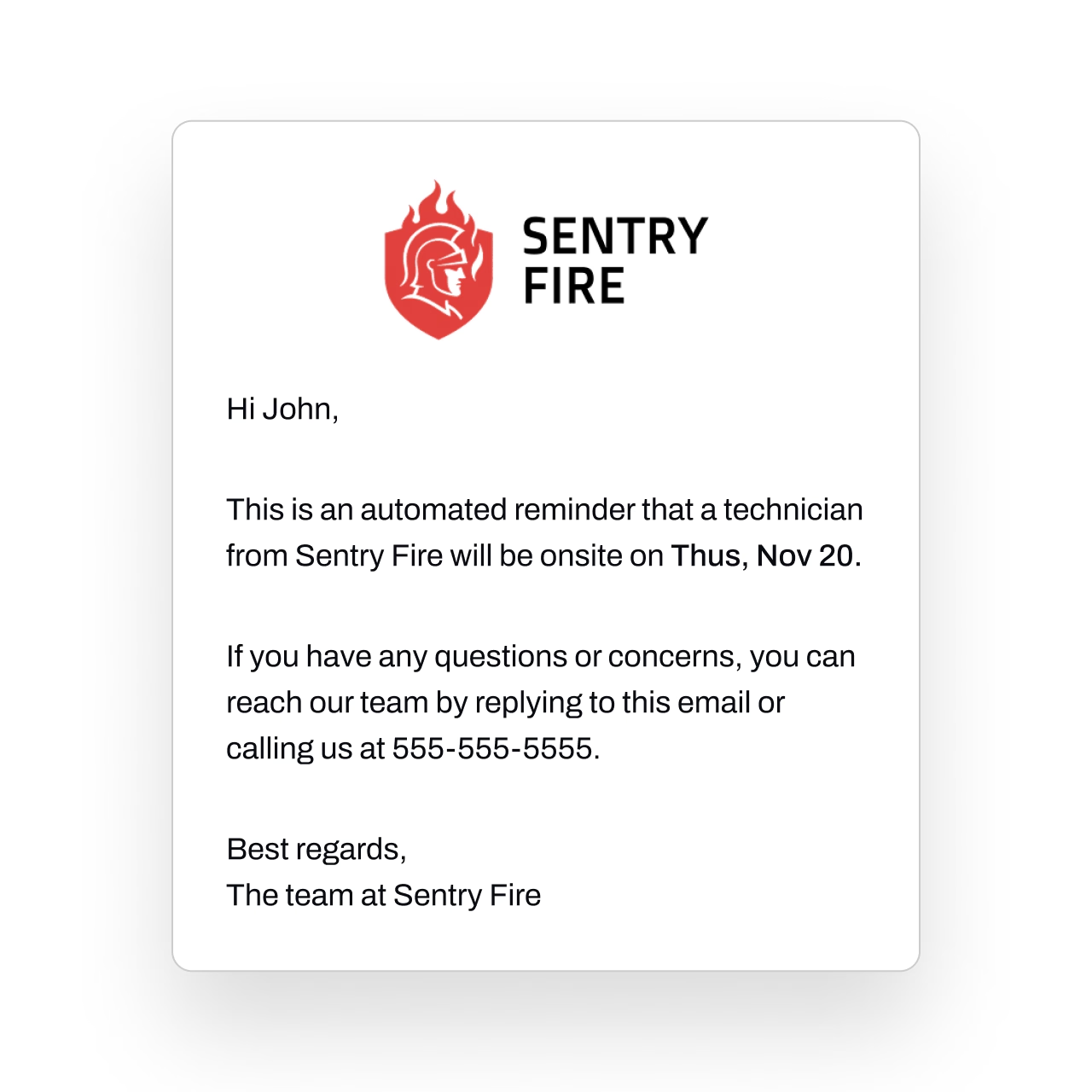
Stop relying on manual calls and texts. Essential allows users to send customer reminders before a job via email, text, or both.
Every reminder is logged and timestamped, giving you full visibility into who was notified and when.
Schedule faster with smart tools
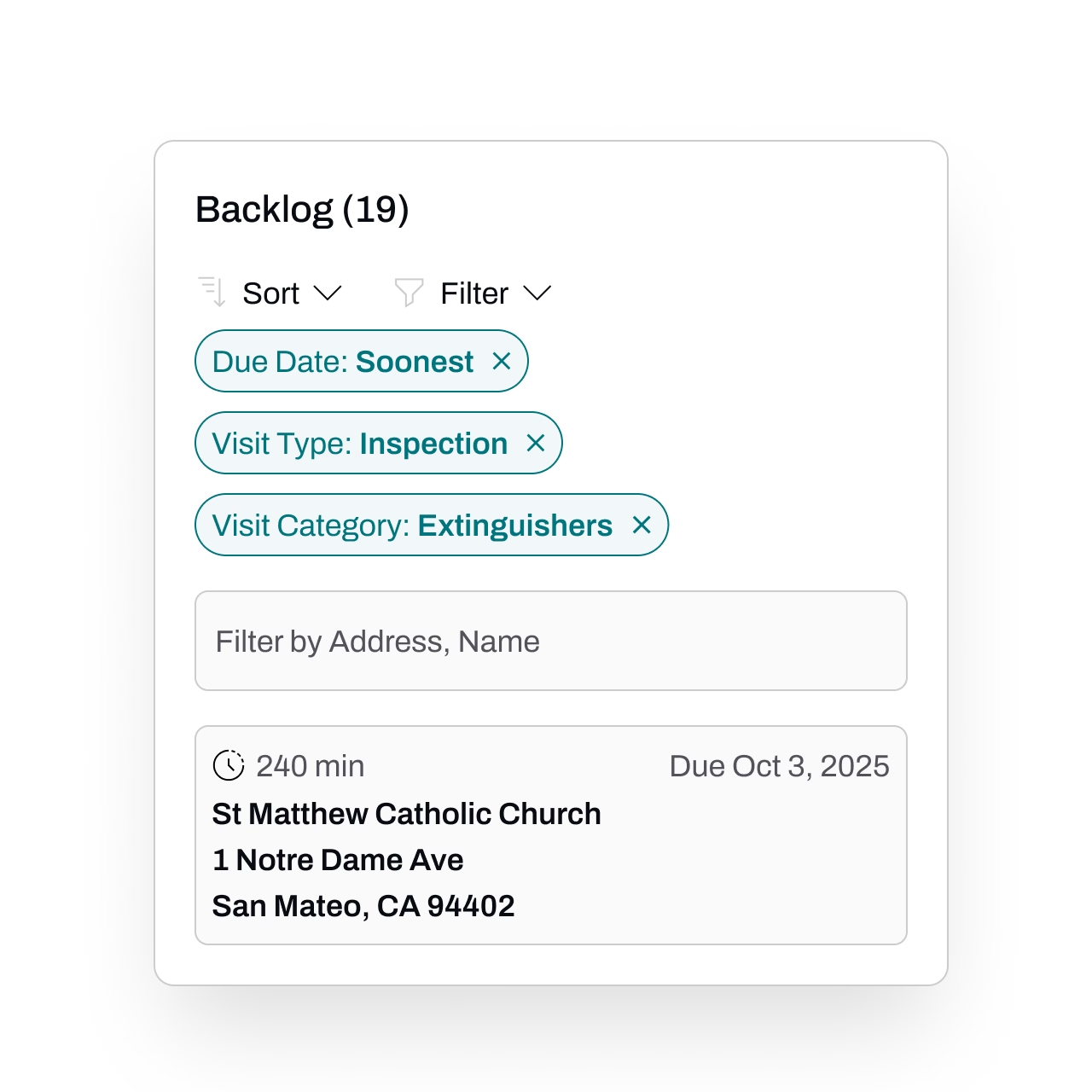
Filter, sort, and customize your scheduling view to efficiently manage multiple technicians at once.
Use the Backlog to schedule many jobs in a single session, efficiently building optimized routes for each technician's day.
Essential makes it simple to find openings, avoid overlaps, and build a schedule your whole team can rely on.
Our research-backed guide explains what good scheduling looks like, with a practical method for fitting the next visit into a technician's day.
View job progress
Monitor job progress in real time as technicians clock in and out.
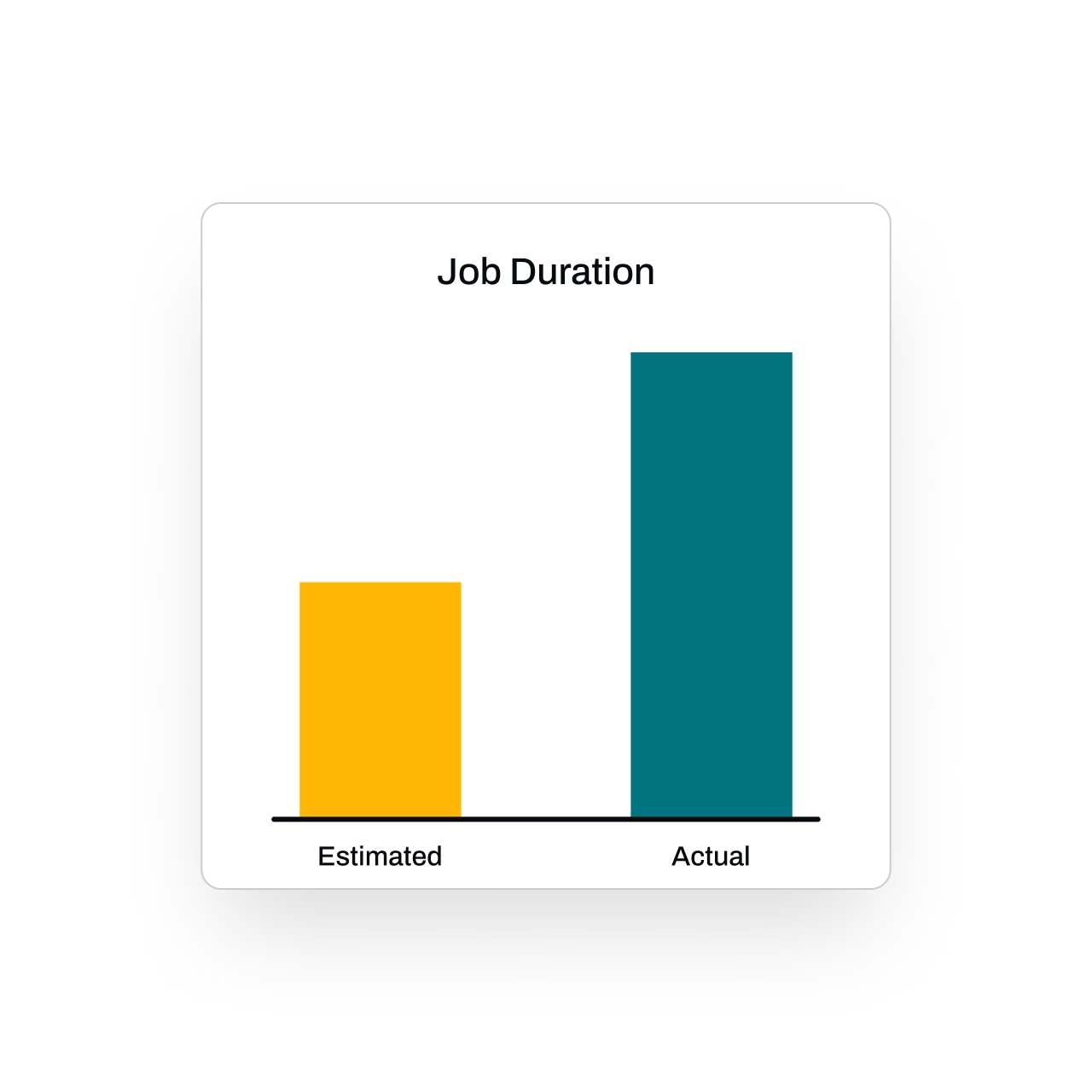
Understand how long each job actually takes to tighten estimates and plan smarter.
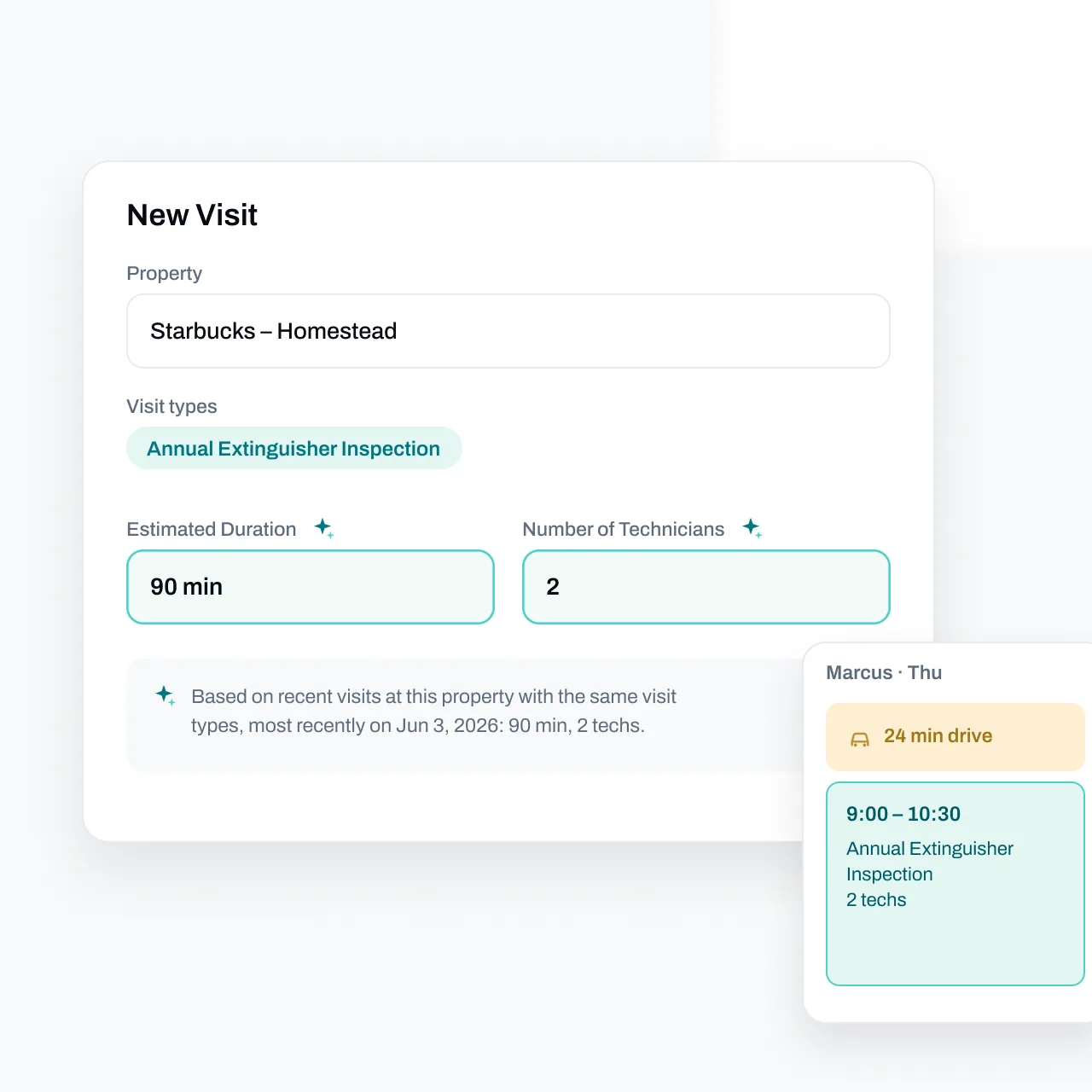
Essential suggests the schedule details
Duration and technician count pre-fill from past visits at that property, with a sparkle that explains each suggestion. Real drive time stacks onto the calendar, so the day plans itself around traffic.
FAQs
Got questions? We've got answers.
Essential integrates Google Maps data to show accurate commute times based on real traffic conditions for specific dates and times. This lets your dispatchers build realistic schedules that account for actual drive times — not guesswork — so technicians spend more time on-site and less time stuck in traffic.
Yes. Essential lets you send appointment reminders via email, text, or both ahead of scheduled jobs. Every notification is logged with a timestamp, so you have a complete record of customer communications and your team doesn't need to make manual reminder calls.
Essential includes a Backlog feature that lets dispatchers assign multiple jobs in a single session while optimizing routes along the way. Combined with filtering, sorting, and customizable views for managing multiple technicians, your team can build out full schedules efficiently instead of assigning jobs one at a time.
They can. Essential provides real-time updates as technicians clock in and out of jobs, giving managers visibility into where their team is and how work is progressing throughout the day. Over time, this data helps you understand actual job durations so you can refine future scheduling estimates.
Yes. Essential Office handles back-office scheduling and dispatch, and Essential Field is the mobile app technicians use on-site. Schedules built in the office sync directly to technicians in the field, and real-time updates flow back to dispatchers, keeping everyone aligned without phone calls or manual check-ins.