


Timecards
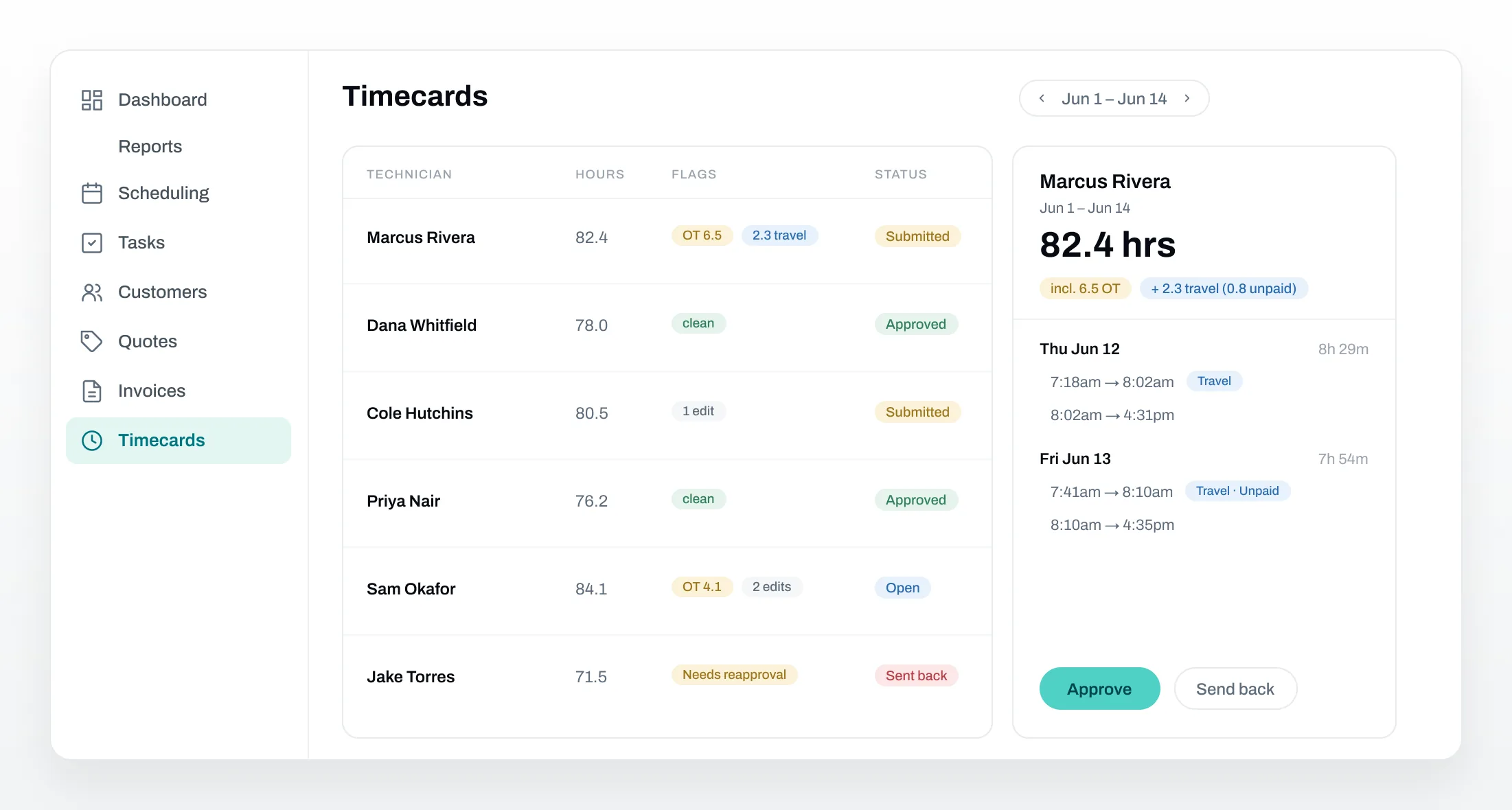
Run timecards from clock-in to approval - weekly, every other week, or twice a month - with overtime, travel, and edits flagged automatically.



Techs submit their time from the field
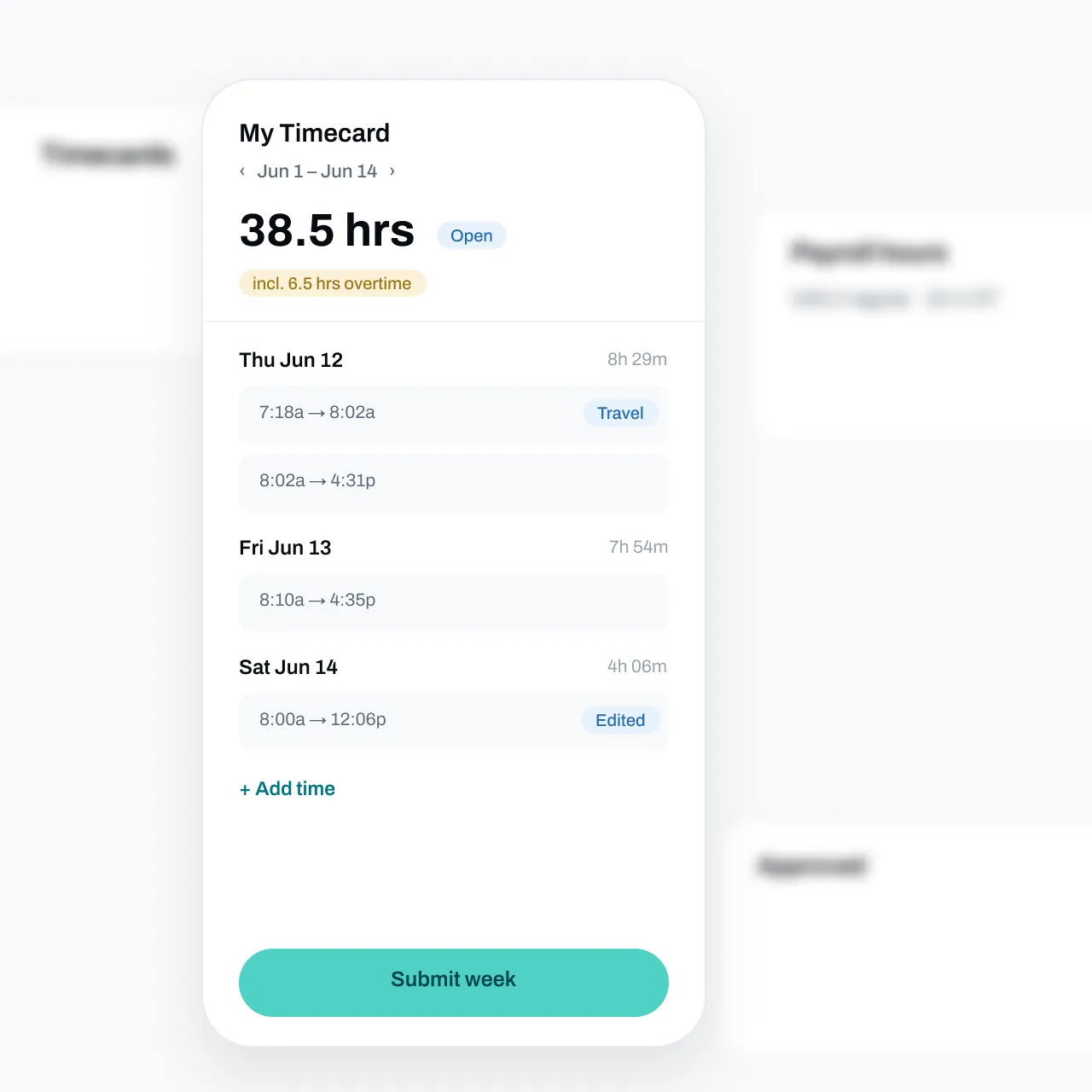
Every clock-in rolls into a timecard on the technician's phone. They review their days, add anything missed - with a required reason - and submit when the pay period ends.
Submitted cards lock, so payroll numbers stop moving underneath you.
Time tracks itself on every job
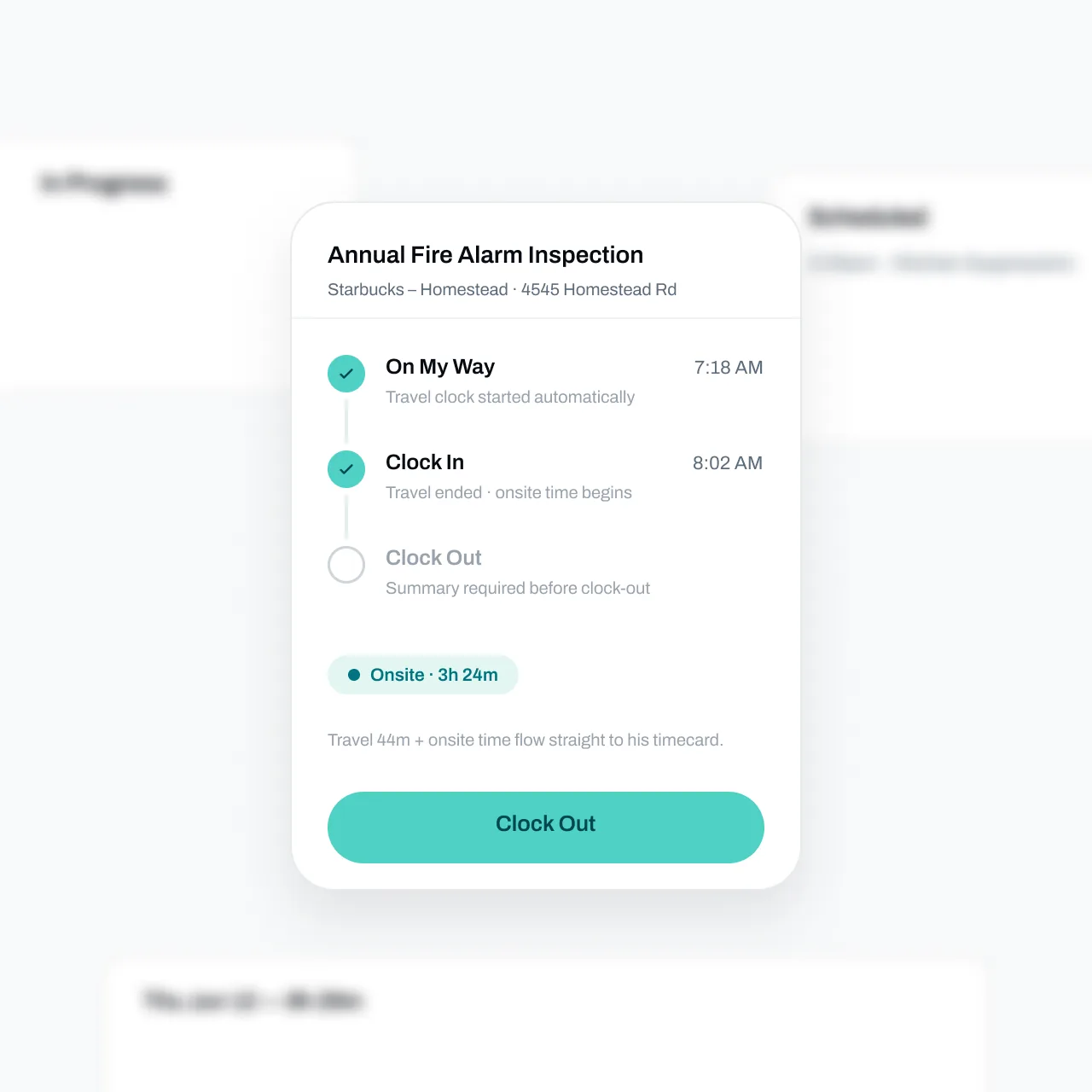
On My Way starts the travel clock, Clock In ends it, and Clock Out wraps the visit. Work and travel time land on the timecard - and flow into job costs - without anyone reconstructing their week from memory.
Know the moment you're ready for payroll
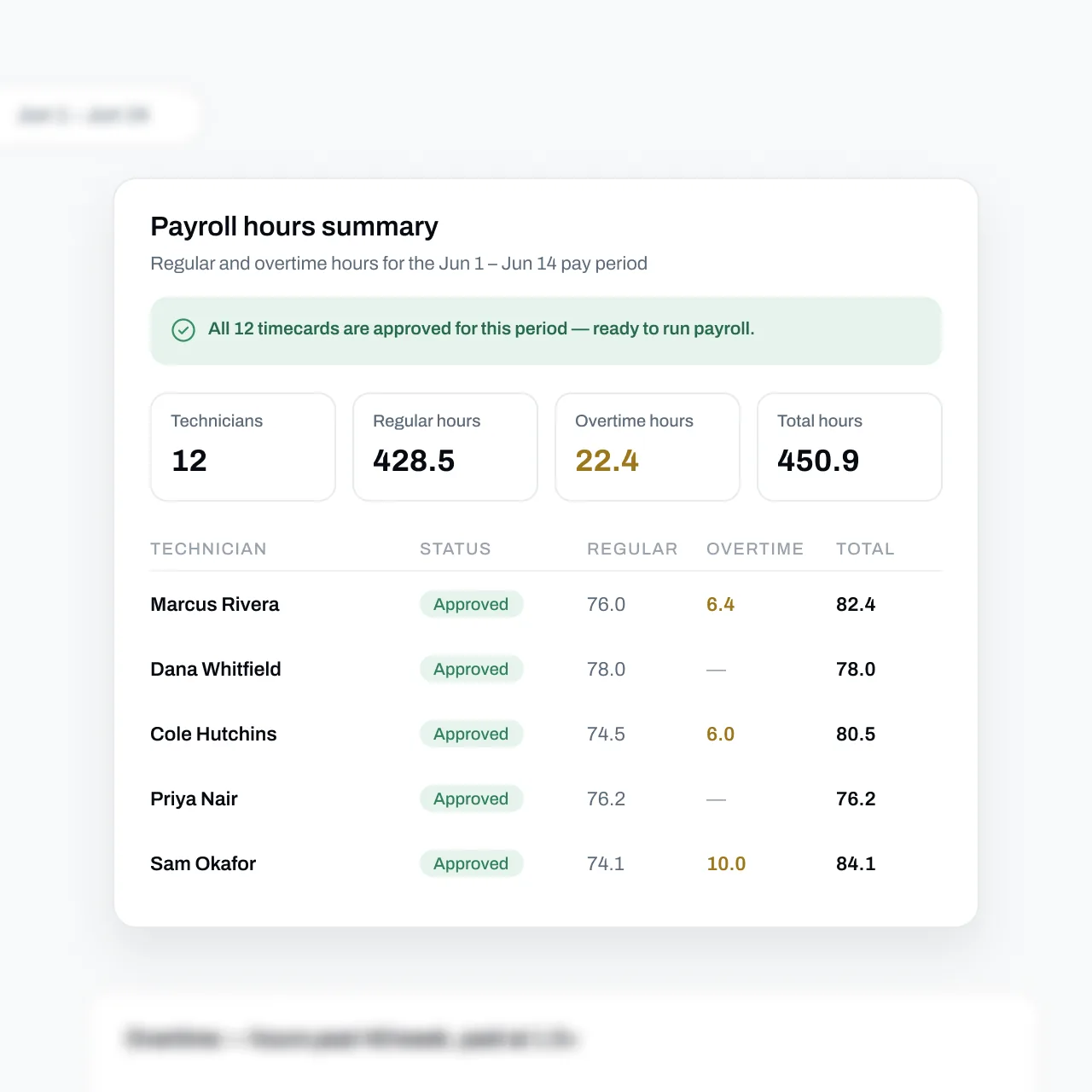
Regular and overtime hours per technician for the pay period, with a banner that flips green once every timecard is approved.
Approved hours are frozen, so the CSV you hand to payroll can't shift after the fact.
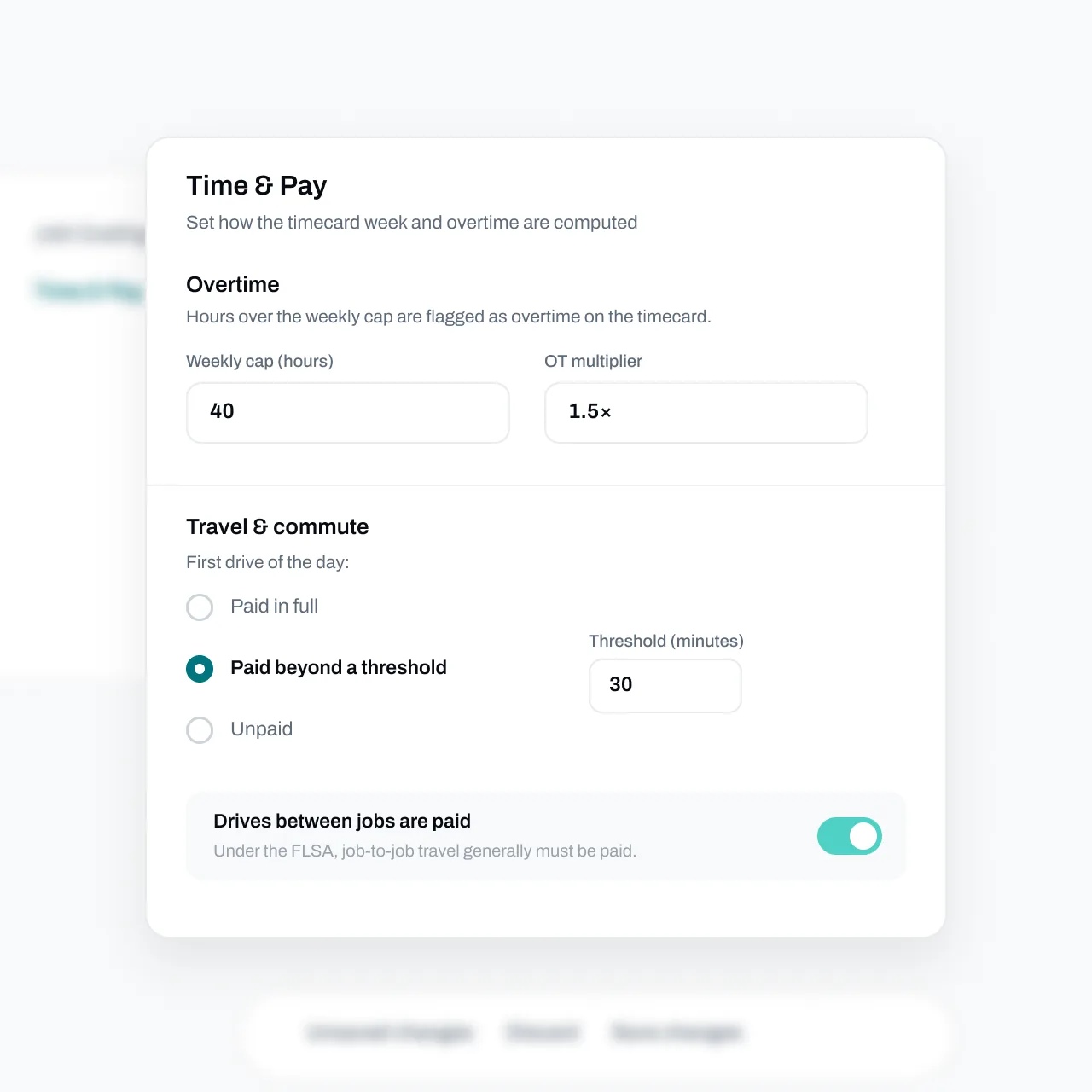
Your pay rules, applied automatically
Choose a weekly, bi-weekly, or semi-monthly pay period, set the overtime cap and multiplier, and decide how first drives and between-job drives are paid. Essential computes every card the same way, every period.
FAQs
Got questions? We've got answers.
Time is captured on the visit, not a separate timer. Tapping On My Way starts the travel clock, Clock In ends travel and starts on-site time, and Clock Out closes the visit. Anything missed can be added manually with a required reason, and every entry shows whether it was clocked, edited, or manual.
Managers get a queue for each pay period showing every technician's hours with flags for overtime, travel, and edits. Cards move through Open, Submitted, Approved, and Sent back. Approval freezes the card's hours for payroll - if time or pay policy changes afterward, Essential flags it for reapproval instead of silently changing the numbers.
Hours past your weekly cap - 40 by default - are flagged as overtime at your multiplier, 1.5x by default, following the FLSA fixed-workweek method. That workweek math runs the same whether your pay period is weekly, bi-weekly, or semi-monthly. Unpaid travel never counts toward the cap.
Yes. First drives of the day can be paid in full, unpaid, or paid beyond a threshold you set, and drives between jobs are paid by default - with a heads-up that the FLSA generally requires it. Paid and unpaid travel both show on the card, clearly labeled.
Yes. The Payroll hours summary, Overtime, and Timecard status reports export to CSV in one click, and the payroll report tells you when every card is approved so you're not exporting numbers that are still moving.