


Task Management
Keep your whole team on track. Assign work, follow up automatically, and make sure nothing falls through the cracks.



Never miss a follow-up
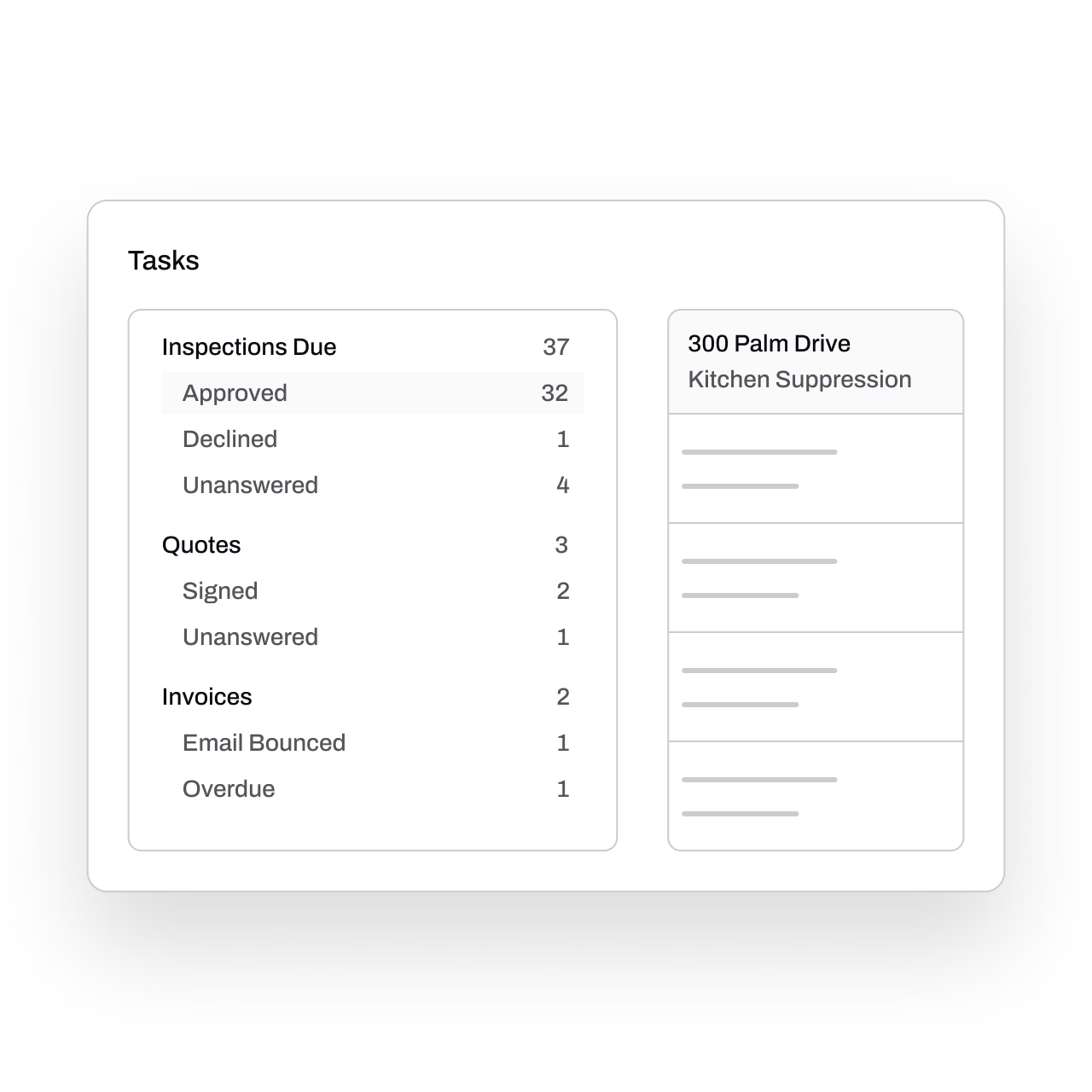
Essential generates tasks automatically whenever action is needed, including inspections to schedule, jobs to invoice, and quotes to follow up on.
No more relying on memory or post-it notes. Your whole team stays on top of their work, even on their busiest days.
Clear progress tracking
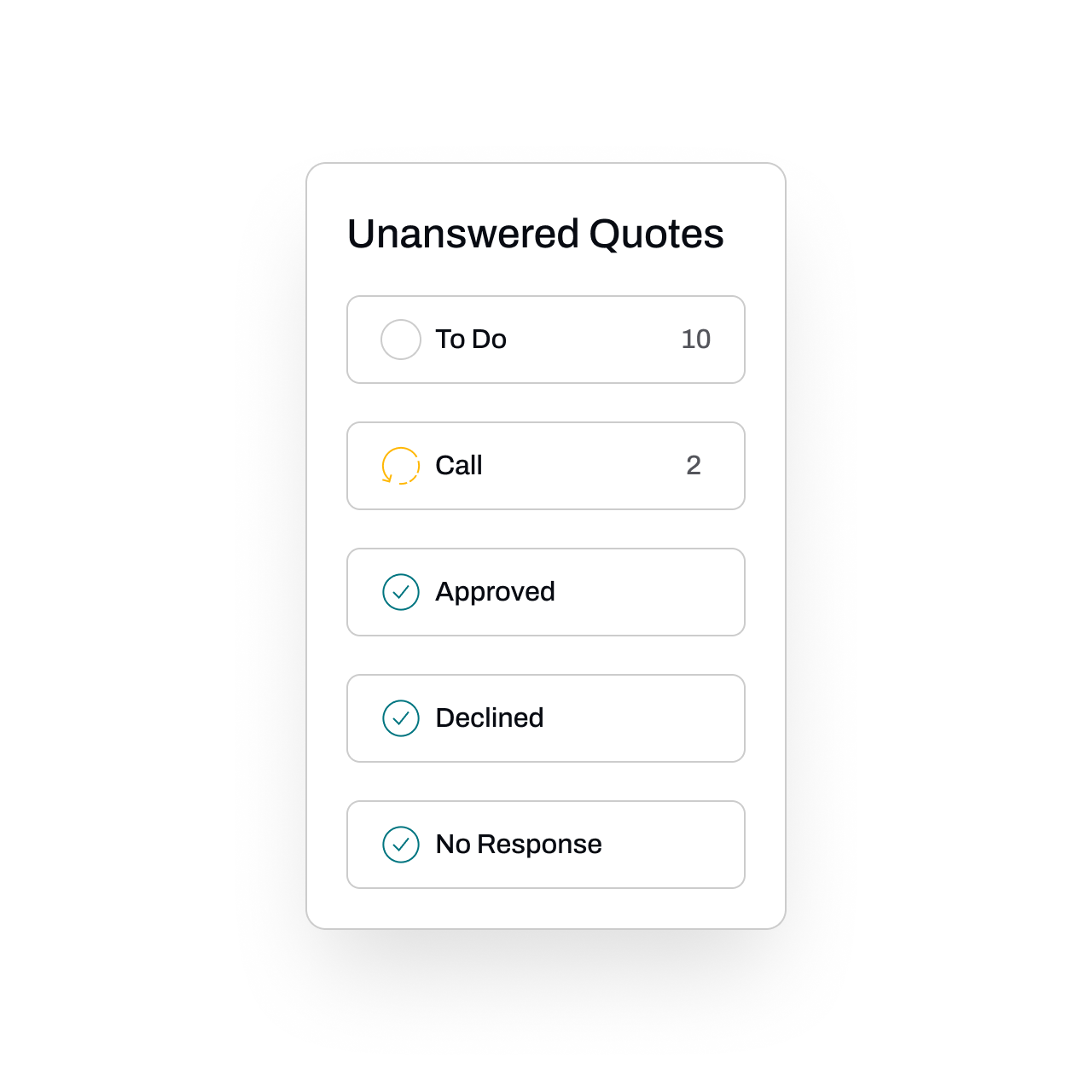
Know exactly where every task stands. Track progress from start to finish with custom statuses that guide work across your team.
Your entire operation stays in sync, with zero extra coordination.
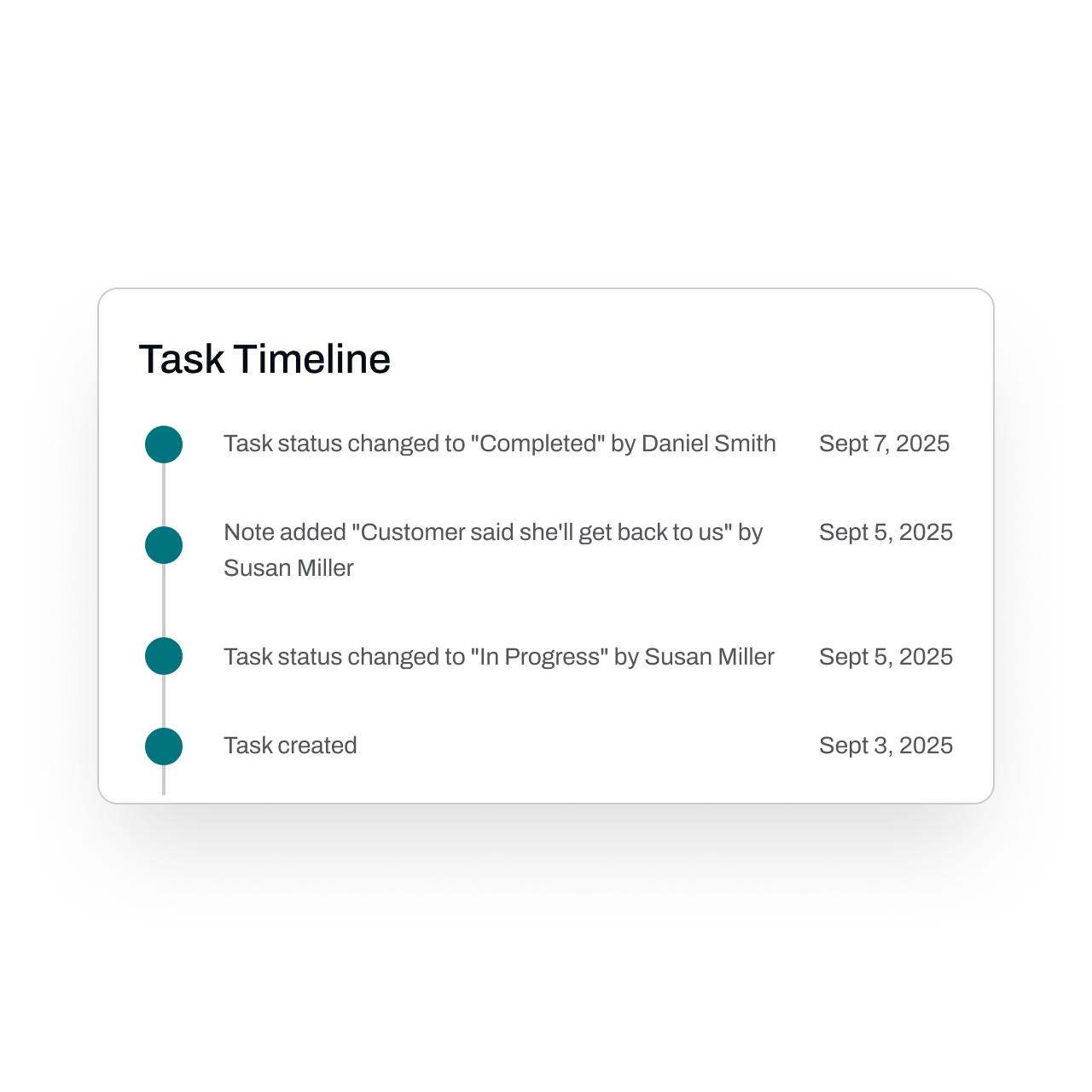
View the full task history
Get a complete view of every upcoming inspection, making it easy to see what’s due, what’s scheduled, and what still needs outreach.
Each task has a clear status, so your team always knows exactly what’s been actioned and what still requires attention.
All updates are logged by user and timestamped, providing a full audit trail and total visibility across your operation.
Automate task completion
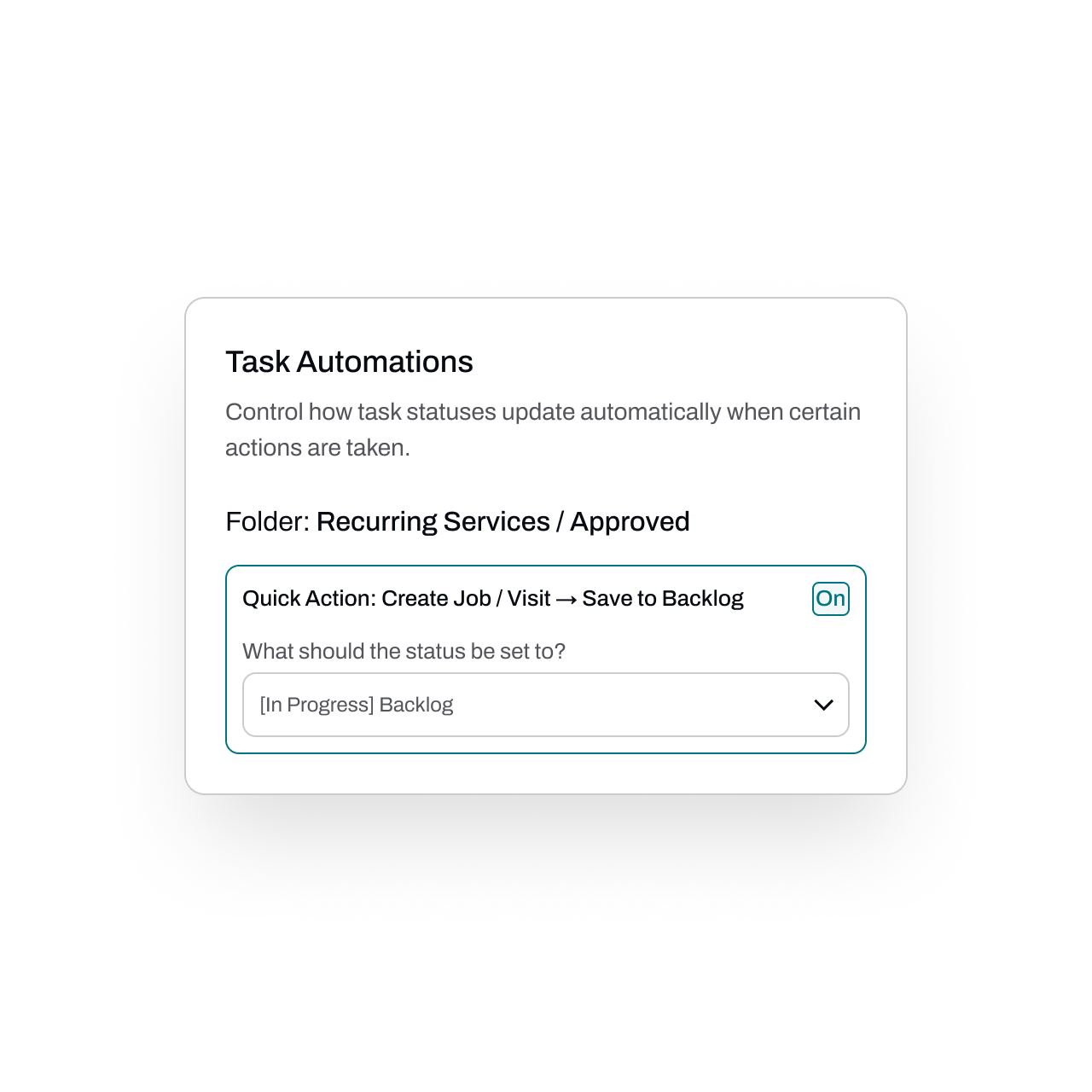
Set up your own automations so tasks auto-complete or advance based on the work done in the system.
Save time, reduce manual updates, and keep everything moving.
FAQs
Got questions? We've got answers.
Essential's task management software monitors your operations and automatically creates tasks whenever action is needed — such as approved inspections that need scheduling, jobs ready to be invoiced, and quotes that require follow-up. This eliminates the need for manual reminders or spreadsheets, so nothing falls through the cracks.
Yes. Essential lets you monitor task status through custom workflows, so you can see exactly where each task stands without chasing down team members for updates. This keeps everyone aligned and reduces the back-and-forth coordination that slows operations down.
Every task update in Essential is timestamped and logged to the user who made the change. This built-in audit trail gives you complete visibility into who did what and when, which is valuable for both internal accountability and compliance documentation.
Essential is built for fire protection service providers across specialties, including fire extinguisher inspections, fire sprinkler systems, fire alarm systems, fire doors, kitchen suppression systems, fire hydrants, fire pumps, emergency/exit lighting and more. The platform is tailored to the workflows and scheduling demands unique to fire & life safety contractors.
Yes. Tasks in Essential can be configured to auto-complete or advance to the next stage based on actions taken elsewhere in the system. For example, when an approved inspection service is scheduled, the related task can automatically mark itself as done — reducing repetitive data entry and keeping your workflow moving.