


Modern, all-in-one fire pump testing software
Manage churn test and annual flow test due dates, pump readings, NFPA 25 test reports, service history, and more—on any device

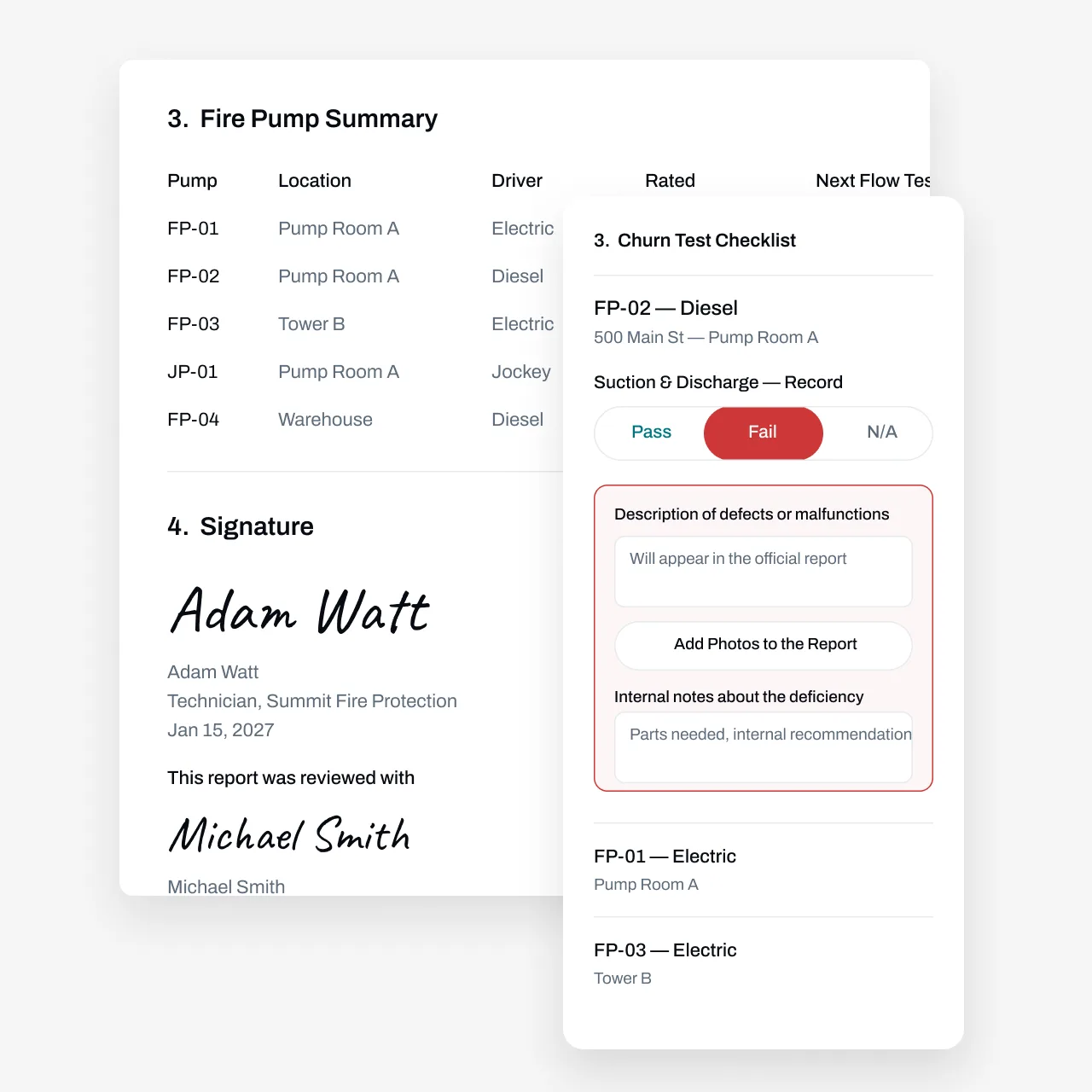
Stay on Top of NFPA 25 Fire Pump Requirements
A fire pump only proves itself under test. NFPA 25 calls for regular no-flow churn tests, weekly or monthly depending on driver type and the edition your AHJ enforces, plus an annual flow test at rated capacity and peak load. Multiply that across every account you serve and the schedule gets heavy fast: churn tests to log, suction and discharge pressures to record, deficiencies to write up, and annual tests to coordinate with building owners. Essential keeps every pump's cadence straight, gives technicians a mobile app to capture readings and photos at the controller, and turns each completed test into a report your customer and your AHJ can act on.
Partnered with leading fire protection businesses




Automate Churn Test Schedules and Customer Outreach
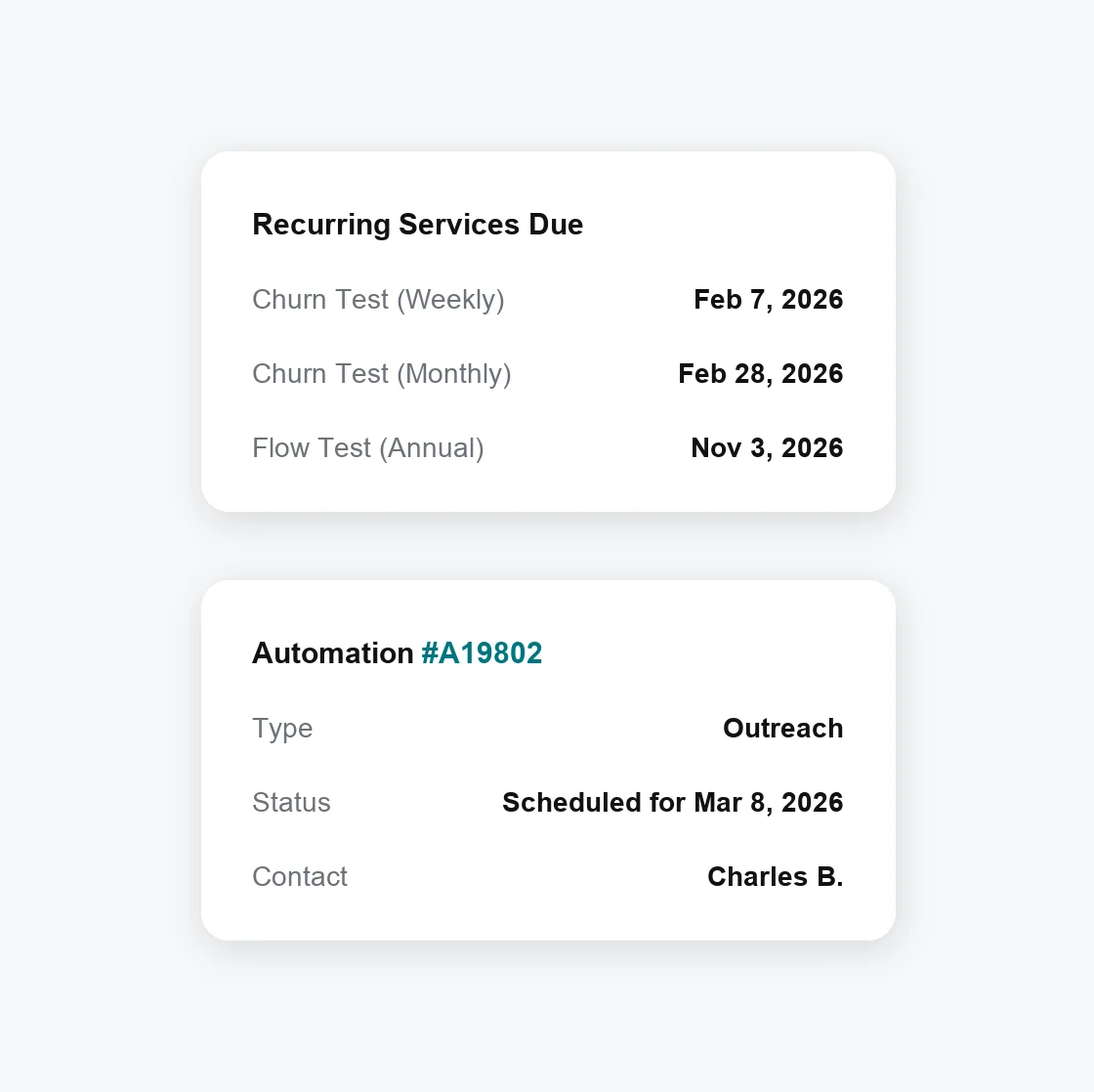
Weekly and monthly churn tests across dozens of accounts add up fast, and every one needs a date, a tech, and a record. Essential tracks the cadence for you.
Automate test due date tracking—Weekly, monthly, and annual due dates roll forward from completed work, so a churn test run early or late doesn't throw off the next one
Set custom automations—Confirm service windows and pump room access with customers by email or SMS before your tech is on the road
Manage mixed cadences per pump—Diesel-driven and electric-motor pumps can carry different churn schedules, and the annual flow test is tracked on its own so it never slips between routine visits
Capture Fire Pump Test Readings in the Field
Essential keeps a record for every pump you service: type, driver, location, and rated capacity. Configure your test forms so technicians only see the fields they need, and readings go in fast.
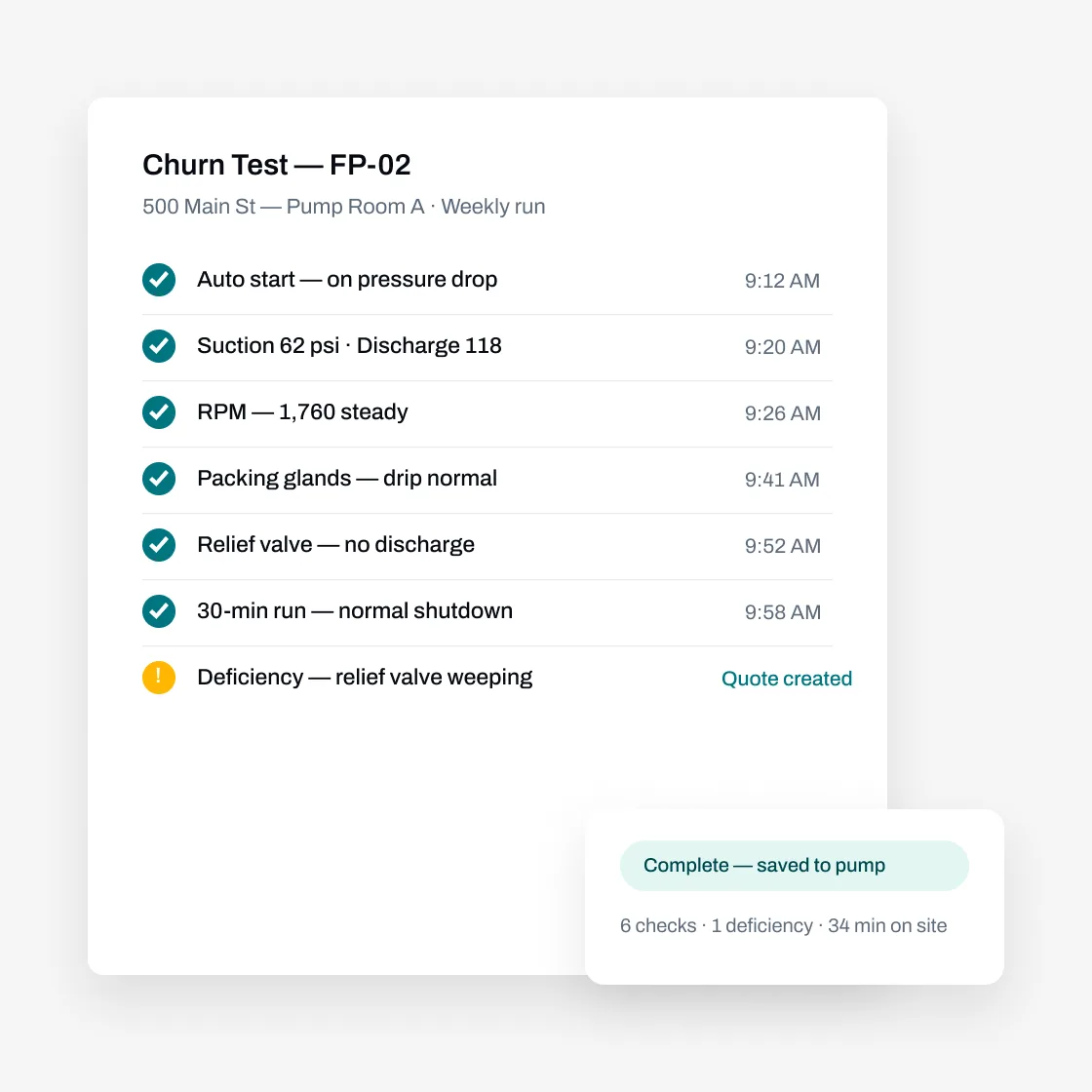
Log readings at the pump — Enter suction and discharge pressure, RPM, and controller observations on your phone as you take them; no clipboard transcription later
Mark Pass/Fail and log deficiencies on the spot — Flag a weeping relief valve or a failed start with photos attached, right from the field
Generate NFPA 25-style test reports — Build your churn and annual flow test forms in Essential's custom form builder; every completed test becomes a report you can send to the customer or file with the AHJ
Use AI and bulk actions to do your work faster
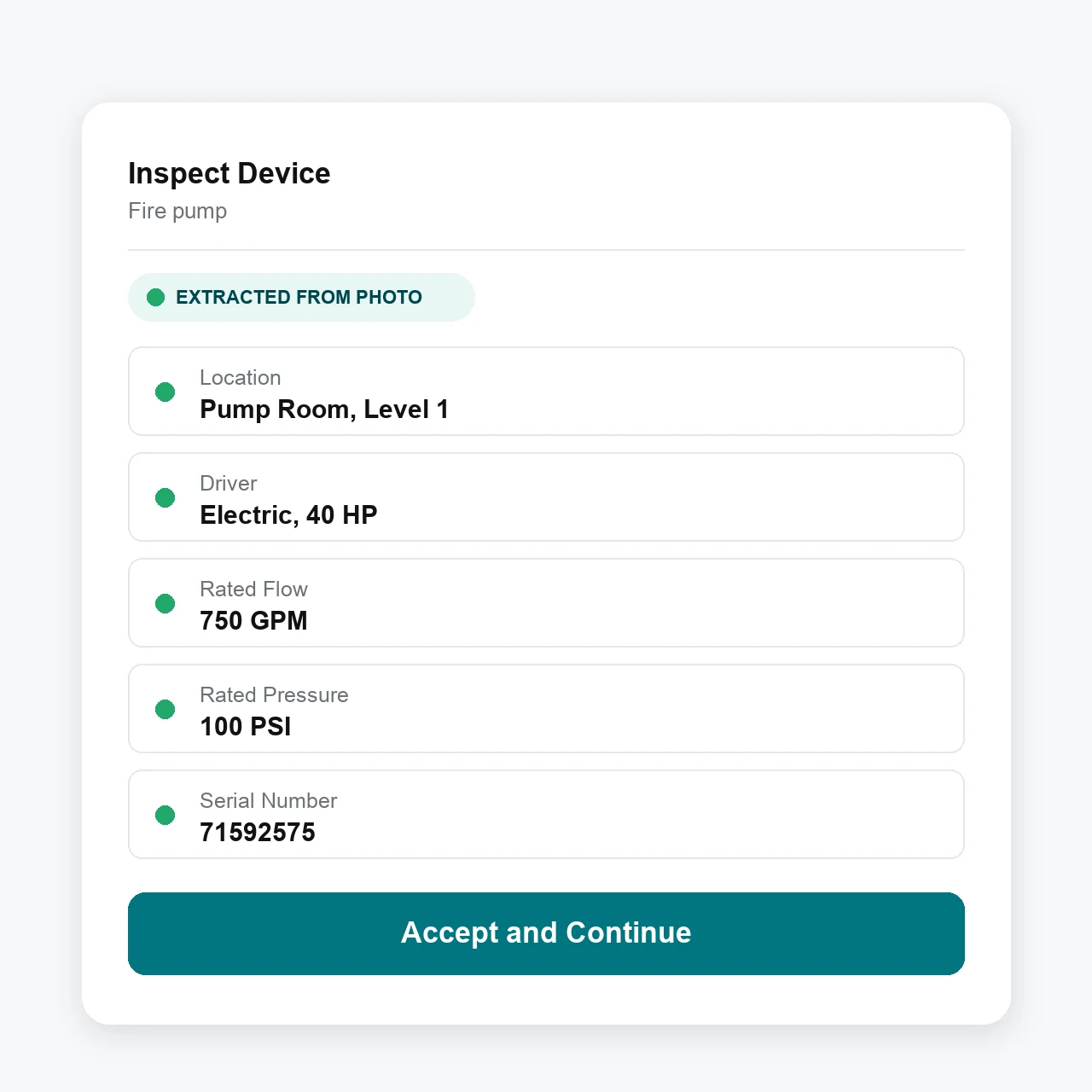
Take photos, use your voice, or upload a previous test report to add new pumps to your records.
Add photos and voice—From the mobile technician app, photograph the pump nameplate or dictate the details to create a new pump record
Bulk import—From the web, upload a prior pump test report, whether it's a PDF or a photo of a handwritten log, and the AI agent turns it into pump records in minutes
Advanced workflows—Businesses can choose to give technicians bulk workflows such as answering repeated test questions once, swipe to pass/fail, and other shortcuts that cut tapping time in the pump room
Manage Everything Before and After the Test
The test is just one part of the job. Essential handles the work around it: scheduling the visit, quoting the repair, and closing the loop with a retest.
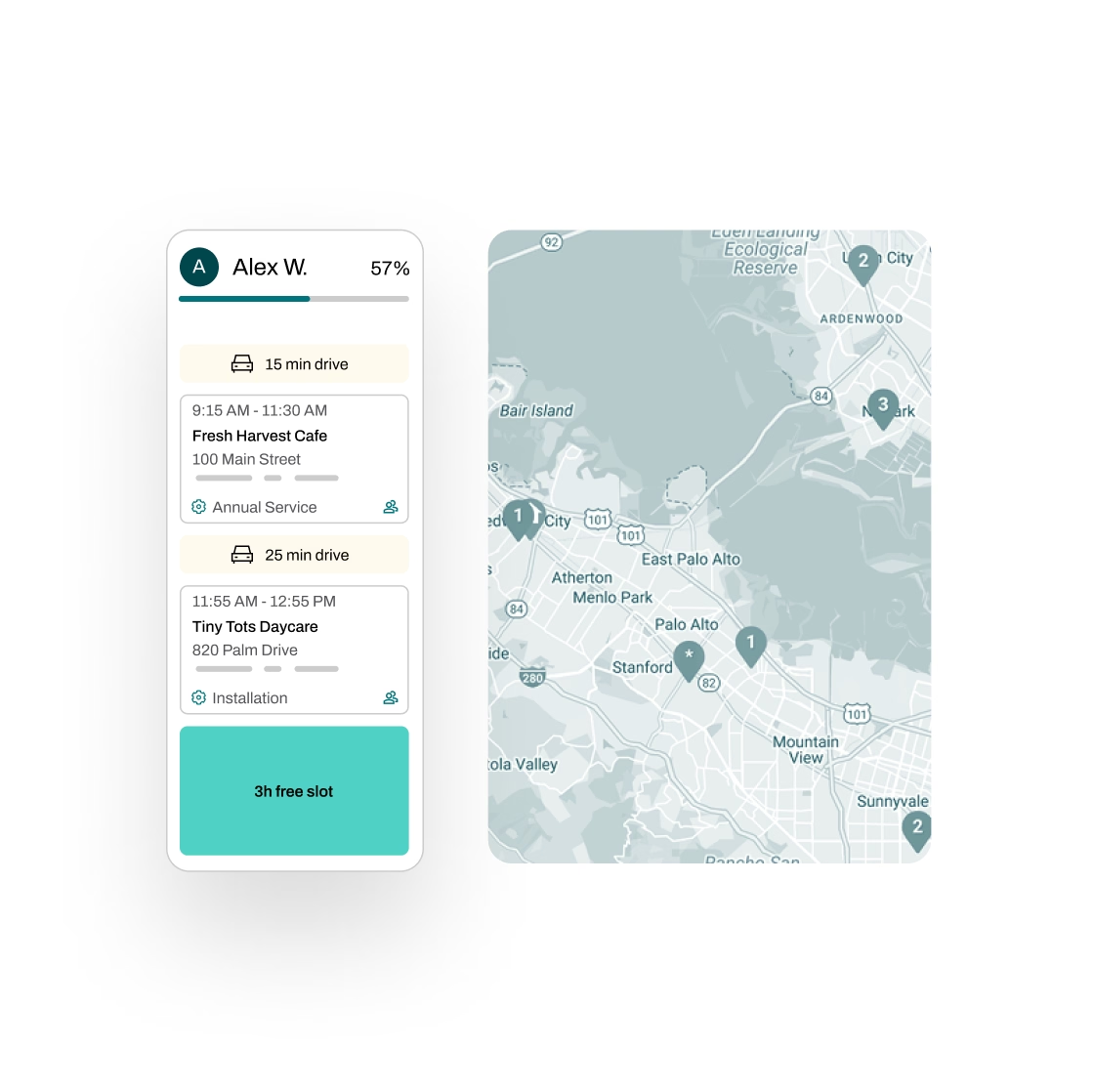
Schedule smarter—Plan churn test routes with real-time traffic insights, assign technicians efficiently, and automate reminders so the pump room is unlocked when your tech arrives
Quote repairs in 1 click—When a test turns up a deficiency, build the repair quote in seconds with AI-powered pricing rules, then let Essential follow up by email and SMS until it's approved
Invoice without the chase—Draft invoices generate from completed test details, unbilled work gets flagged for review, and everything syncs with QuickBooks, Xero, NetSuite, Sage, Dynamics 365, or Zoho Books
Manage tasks across teams—Essential creates and tracks the follow-through, deficiency to quote to repair to retest, with full progress visibility and an audit trail
Partnered with leading fire protection businesses
FAQs
Got questions? We've got answers.
Each pump carries its own cadence: weekly or monthly no-flow churn tests plus the annual flow test. Due dates roll forward from completed work, so a test done early or late doesn't skew the next one. Essential can also reach out to customers automatically when a test is coming due, collect approval, and help schedule the visit.
Yes. Essential supports multiple test cadences per pump. A diesel-driven pump can carry a weekly churn schedule while an electric-motor pump runs monthly, and the annual flow test at rated capacity and peak load is tracked on its own, so it never gets lost between routine churn visits. Set whichever cadence the NFPA 25 edition your AHJ enforces calls for.
From the mobile app. Techs pull up the pump by location or serial number, then enter suction and discharge pressure, RPM, and controller observations as they take them, with photos attached to the record. The form shows only the fields you've configured for fire pumps, so nobody is wading through irrelevant questions at the controller.
Essential's custom form builder models your report format: churn test logs, annual flow test results, and deficiency write-ups all generate from completed test data. You build the template once to match what your AHJ expects, and where the AHJ uses The Compliance Engine, Essential submits through it.
No. Essential works for any asset-based service business. If you also inspect sprinkler systems, fire alarms, standpipes, extinguishers, or kitchen suppression, you can manage it all in one platform, with one schedule and one service history per property.
Yes, and it's free. We migrate your data from other software, spreadsheets, or handwritten pump test logs. Your service history comes with you, so the next churn test picks up where your old system left off.