


AI Features
AI where it saves real time: draft quotes and invoices, add assets by photo or voice, clean up notes, and schedule smarter.




Extract a competitor's inspection report in seconds
Just took over service for a building? Drop in last year's inspection report, and Essential's AI extracts every asset into an editable review table.


Add an asset with photos & voice
Techs snap photos of the asset information, or say what they see, and Essential fills in the fields - flagging anything it's unsure about for a quick check.

Watch quotes and invoices draft themselves
Pick a template, add a sentence of instructions, and Essential drafts the whole thing - pulling from the property, the inspection's deficiencies, and your pricebook. Every line shows why it was added, with the source assets cited.
Nothing is sent until you review and approve.
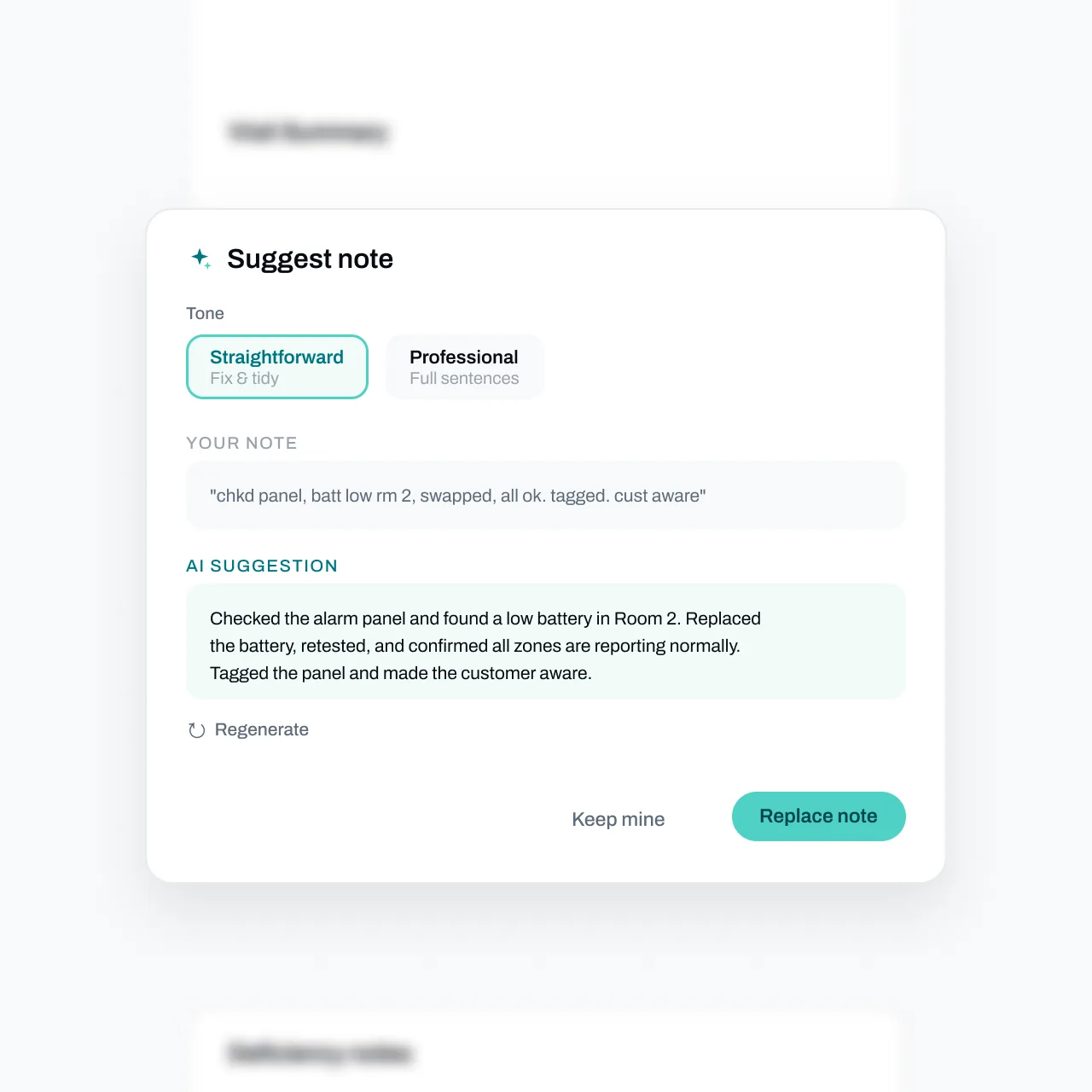
One tap turns field notes into customer-ready text
Suggest rewrites messy notes in your choice of tone - without inventing facts. It only polishes what your team actually wrote. Keep yours, replace, or undo with one tap.
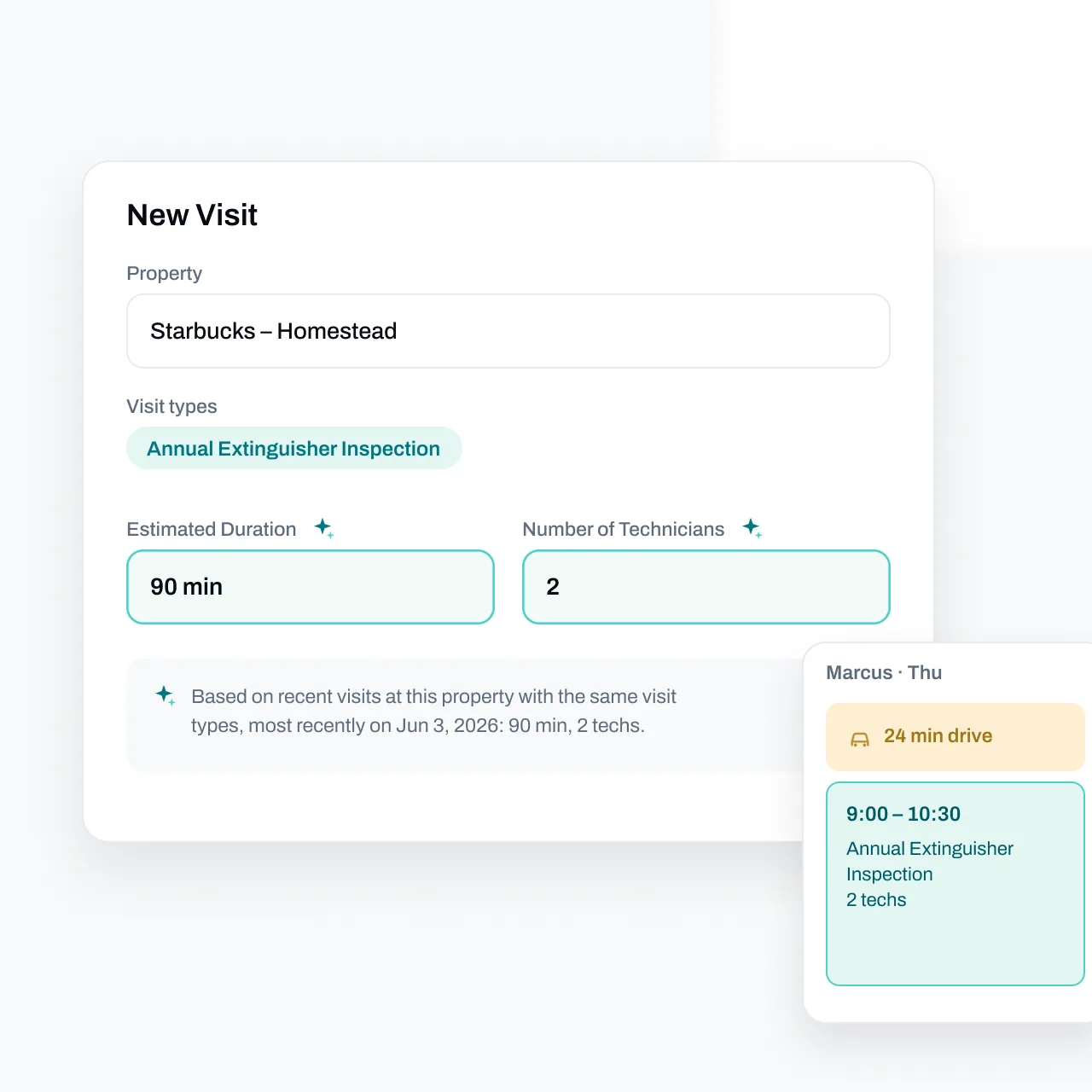
Smarter scheduling
Essential pre-fills visit duration and technician count from past visits at that property, and stacks real drive time onto the calendar. Hover the sparkle to see exactly why it suggested what it did.
FAQs
Got questions? We've got answers.
Five things today: bulk-import assets from spreadsheets, PDFs, and photos; let technicians add assets in the field with a photo and a voice note; draft quotes, invoices, and subscriptions from your templates and inspection data; clean up any note or description with one tap; and suggest visit duration and technician count when you schedule.
No. Every AI surface in Essential ends with a human decision: extracted assets wait in a review table, quote and invoice drafts wait for your review, suggested text offers keep-mine and undo, and assistant edits show an approve-or-reject changeset. Nothing is applied or sent until someone on your team says so.
You set up prompt templates with your pricing logic and instructions once. Then, on a new quote or invoice, pick a template, optionally add specifics, and Essential drafts the summary and line items - grounded in the property, the inspection's deficiencies, completed job work, and your pricebook. Every line includes a rationale and clickable citations to the source assets.
Yes. From an inspection, a tech taps Add Device, photographs the nameplate, and can add a voice note. Essential extracts type, manufacturer, serial, and manufacture date, marks anything low-confidence for verification, and refines fields as more photos arrive. The tech confirms, corrects anything, and accepts - corrected fields are never overwritten.
It's built not to. Text improvement only rephrases facts already in the note and its context - it never invents measurements, part numbers, or dates. Asset extraction attaches a confidence level to every field and flags uncertain ones for a human check. And because you review before anything saves or sends, mistakes stop with you, not your customer.