


Modern, all-in-one grease trap service software
Keep recurring pump-outs on schedule, capture manifests and photos in one service record, and invoice on site—on any device

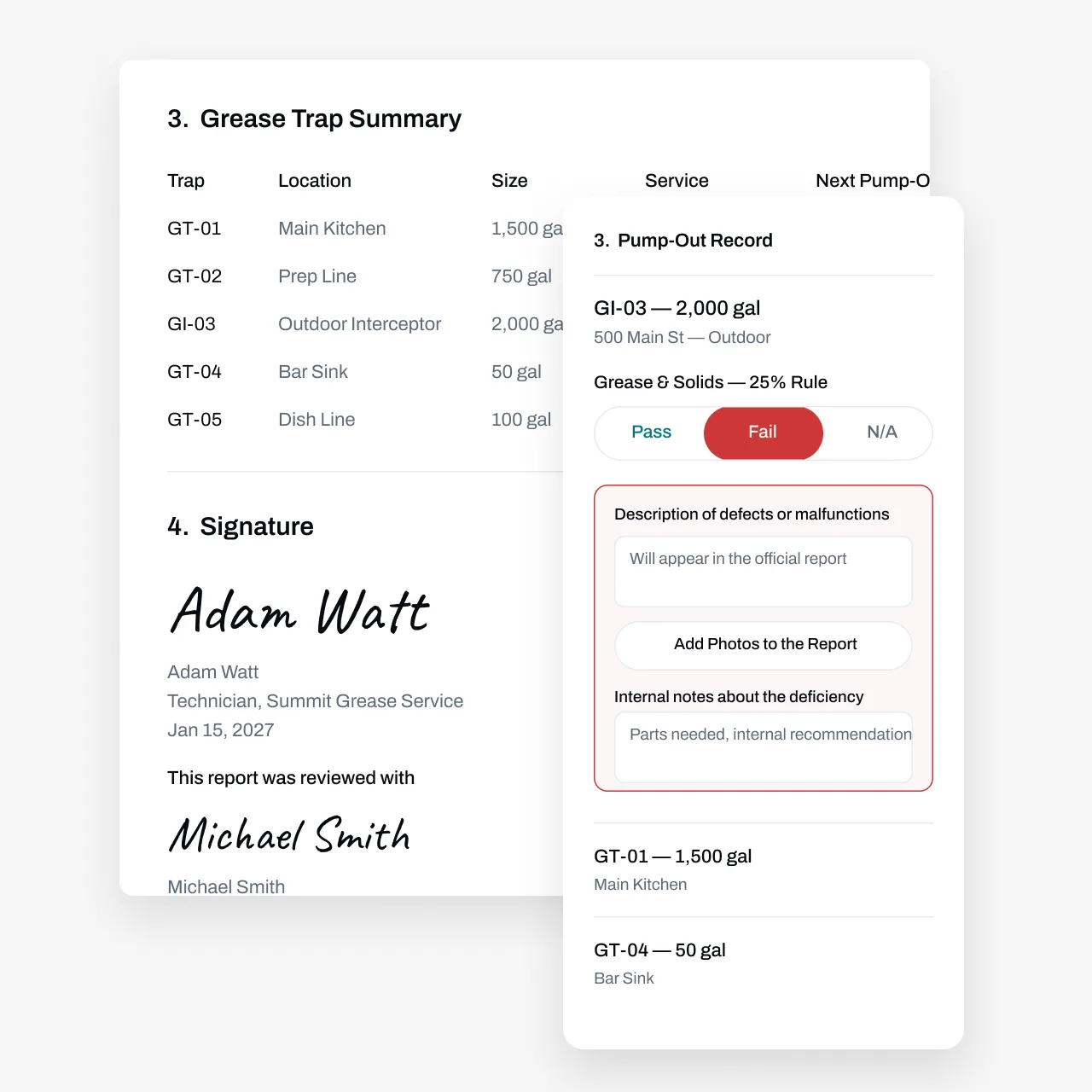
Stay on Top of Every Pump-Out Cycle
Pumping a grease trap is straightforward. Keeping a few hundred restaurant traps on schedule isn't. Most municipal FOG (fats, oils, and grease) programs require regular pump-outs backed by service records, and many use a 25% rule—pump when combined grease and solids reach a quarter of the trap's liquid depth. When a trap slips past due, the city tells your customer before you do, and that conversation costs you the account. Essential's grease trap service software puts every trap, interceptor, schedule, and service record in one system. Technicians log pump-outs with grease and solids depth measurements, photos, and disposal details from their phone, due dates update themselves when the work is done, and invoices go out the same day instead of waiting on paperwork at month's end.
Partnered with leading commercial service businesses







Automate Recurring Pump-Outs and Customer Outreach
Tracking pump-out due dates across hundreds of restaurant traps and chasing busy kitchen managers to confirm service takes a lot of manual effort. Essential automates this process.
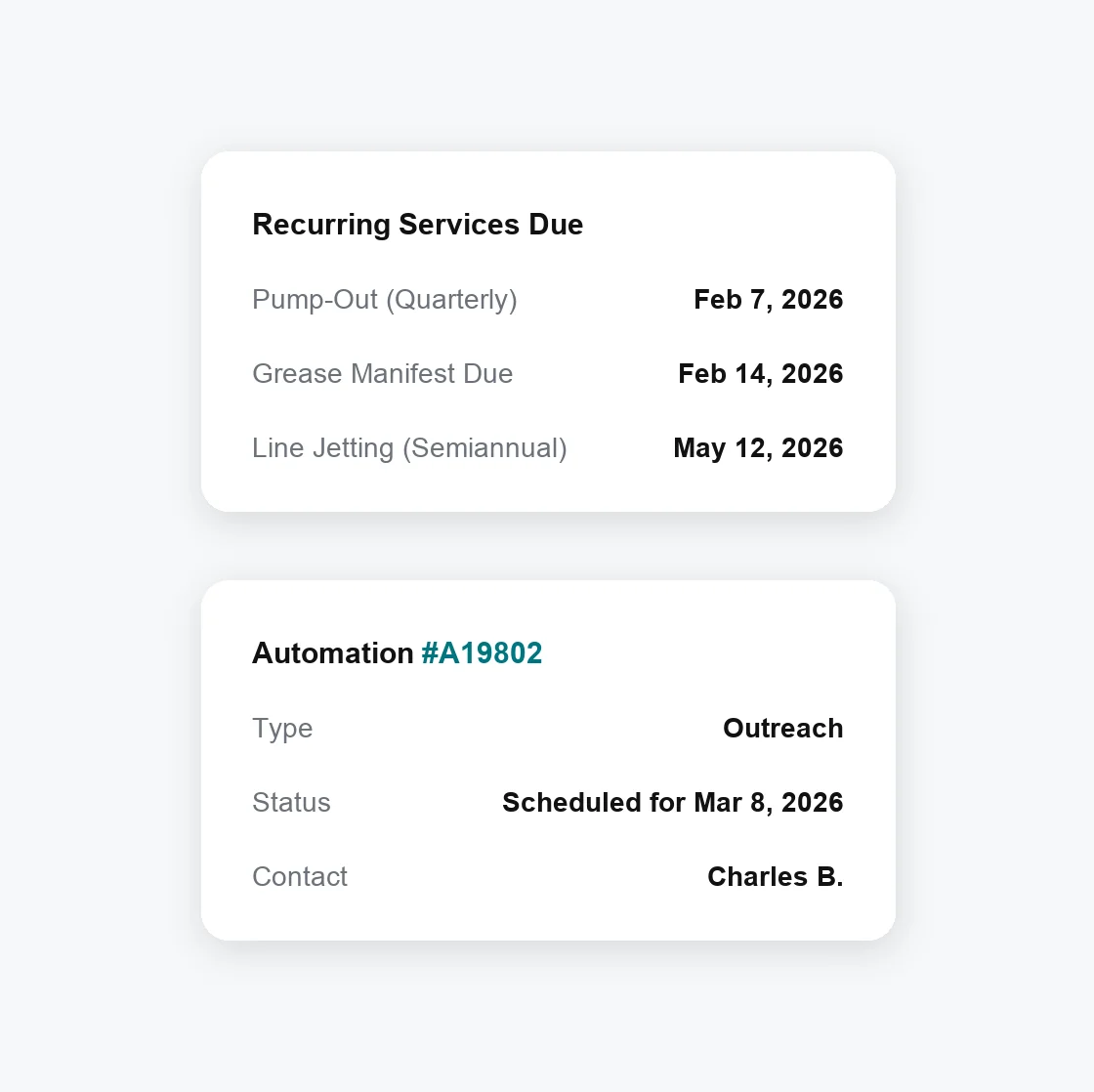
Automate pump-out due date tracking—New due dates auto-update based on completed work, so a trap pumped earlier or later than planned stays on the right cycle
Set custom automations—Save time with automations like customer reminders to confirm service windows and site access before the truck rolls
Manage mixed service cadences—Track trap pump-outs, interceptor cleanings, and drain line jetting separately, so services that don't happen every visit still happen on time
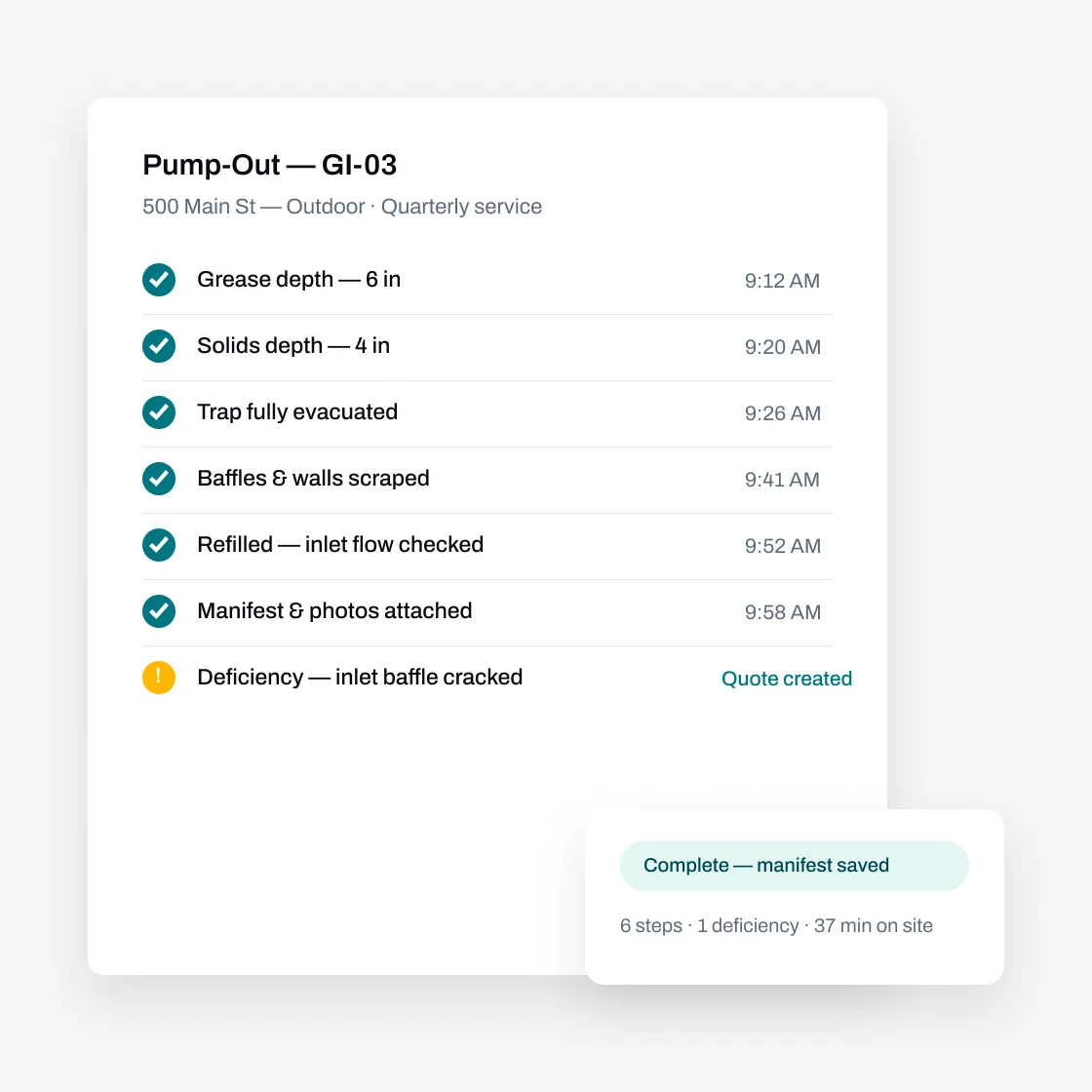
Log Pump-Outs and Manifests From the Field
Track the details that matter for every grease trap and interceptor: size in gallons, location, and access notes. Techs see the last pump-out and grease and solids depths before they're on site.
Find the right trap instantly — Pull up any restaurant's traps and interceptors on your phone, with size, location, and service history attached
Record measurements on the spot — Log grease and solids depth, flag issues like a damaged baffle or a trap past the 25% mark, and attach photos right from the field
Build service records and manifests your way — Match what your city FOG program and disposal sites ask for with Essential's custom form builder, then generate records from completed job data
Use AI and bulk actions to do your work faster
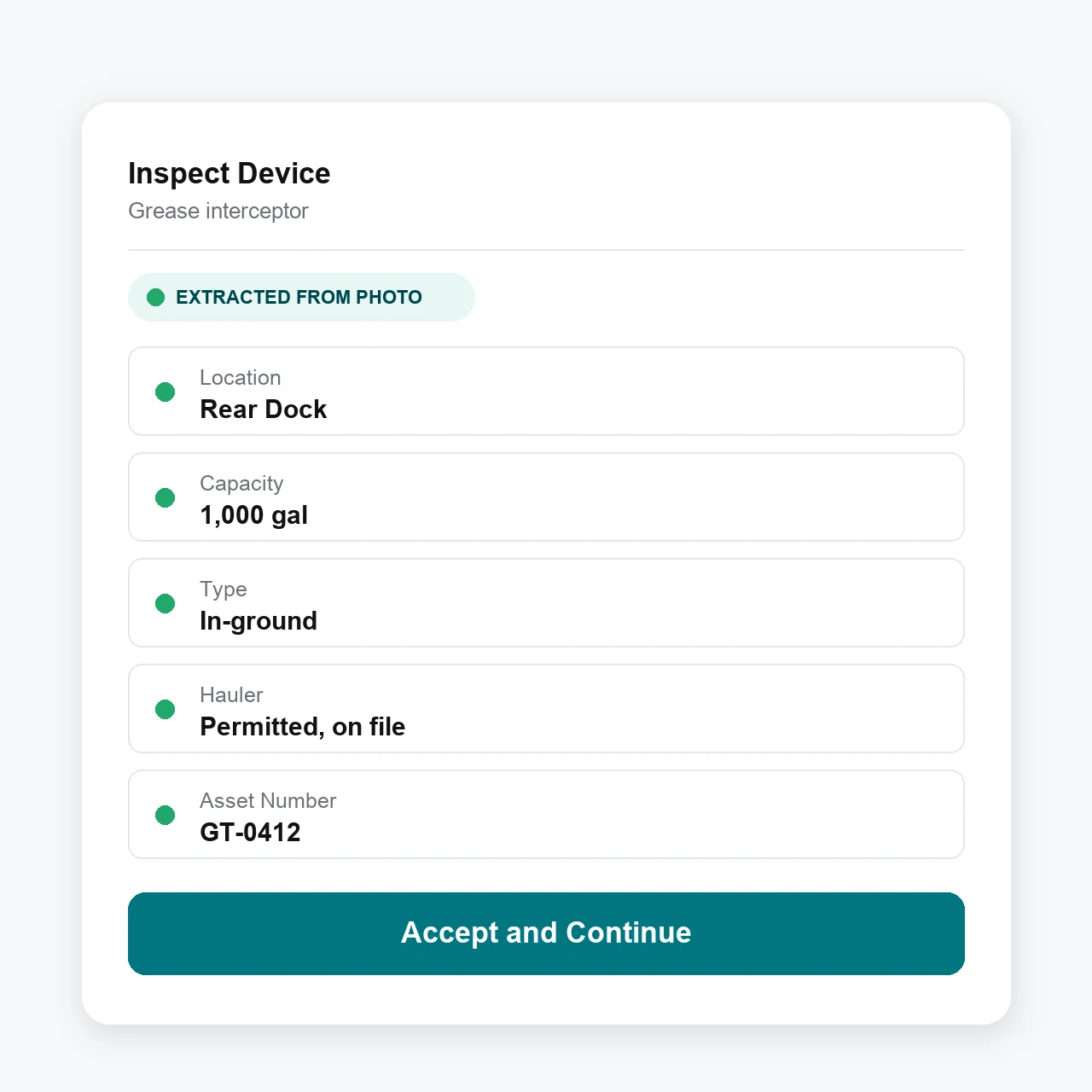
Take photos, use your voice, or upload an old service record to add new traps and customer locations.
Add photos and voice—From the mobile technician app, take photos or record a voice memo to add a new trap or interceptor
Bulk import—From the web, import prior service records, whether it's a PDF or a photo of a handwritten manifest, for the AI agent to parse in minutes
Advanced workflows—Give technicians bulk-action workflows, like answering service record questions in bulk, so they spend less time tapping and more time pumping
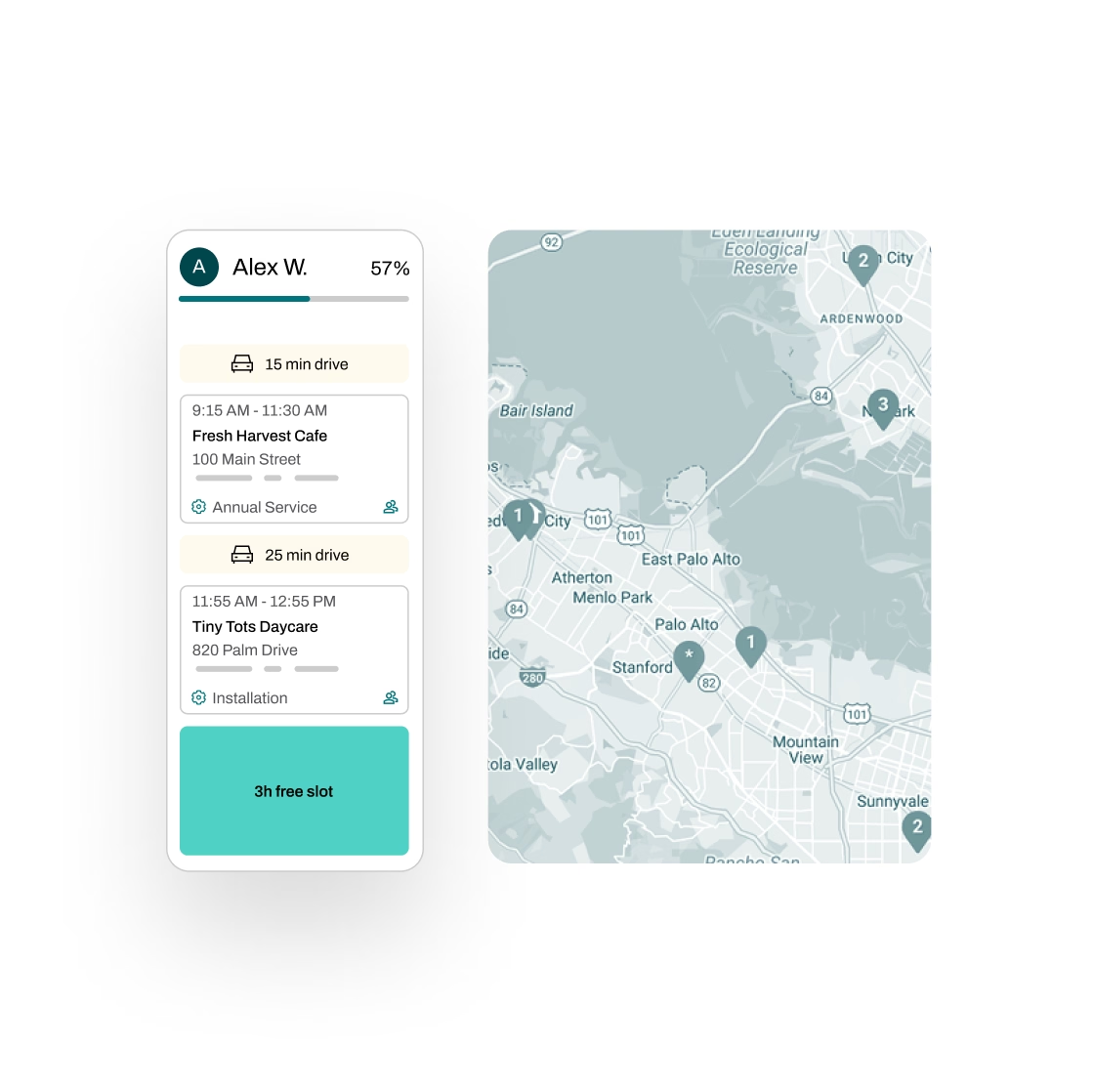
Manage Everything Before and After the Pump-Out
Pumping the trap is just one part of the job. Essential handles the routing, dispatch, and billing around it, so your office isn't buried in paper.
Schedule smarter—Plan recurring routes with real-time traffic insights, assign technicians efficiently, and automate reminders so managers expect you and traps are accessible when your truck arrives
Quote with 1-click—Create quotes in seconds with AI-powered rules that handle discounts, surcharges, and job-specific details; then let Essential automate follow-ups by email and SMS
Invoice on site—Generate draft invoices from completed job details before the truck leaves, flag unbilled work for review, and sync with QuickBooks, Xero, NetSuite, and more
Manage tasks across teams—Essential automatically generates and tracks tasks across your team, with full progress visibility and a complete audit trail
Partnered with leading commercial service businesses

FAQs
Got questions? We've got answers.
Due dates auto-update based on completed work, so if a trap gets pumped earlier or later than planned, the next due date adjusts automatically. From there, Essential can reach out to customers when service is coming due, get approvals, and help schedule the next visit — no manual outreach required. That matters when you're keeping hundreds of restaurant traps on the cycles their city FOG programs expect.
Many municipal FOG programs use a 25% rule: pump when combined grease and solids reach a quarter of the trap's liquid depth. Exact thresholds and intervals vary by city, so check your local program. Essential stores measured grease and solids depths with each service, so you can set each trap's cycle from real readings instead of guesswork.
Each location keeps its own traps, schedules, and service history, so invoices reflect exactly what was serviced at each site. Essential generates draft invoices from completed job details, lets technicians collect payment on site, flags unbilled work for review, and syncs with accounting software like QuickBooks, Xero, NetSuite, Sage, Dynamics 365, and Zoho Books.
Most FOG programs want records of what was pumped, when, and where the grease went. Requirements differ by city, so Essential doesn't ship prebuilt municipal forms. Instead, the custom form builder lets you set up service records and manifests with the fields your program and disposal sites ask for, then generate them from completed job data — dates, gallons, grease and solids depths, photos, and disposal details included.
Yes. Schedules, custom forms, and invoicing aren't tied to one trade, so companies run drain line jetting, used cooking oil collection, and other recurring commercial work in the same system. Essential also supports fire protection work like kitchen suppression inspections, so if you service commercial kitchens on both sides, everything lives on one customer record.
Yes, and it's free. We migrate your data from other software, spreadsheets, or even boxes of paper manifests. Your service history comes with you, so you're not starting from scratch.