


Inventory
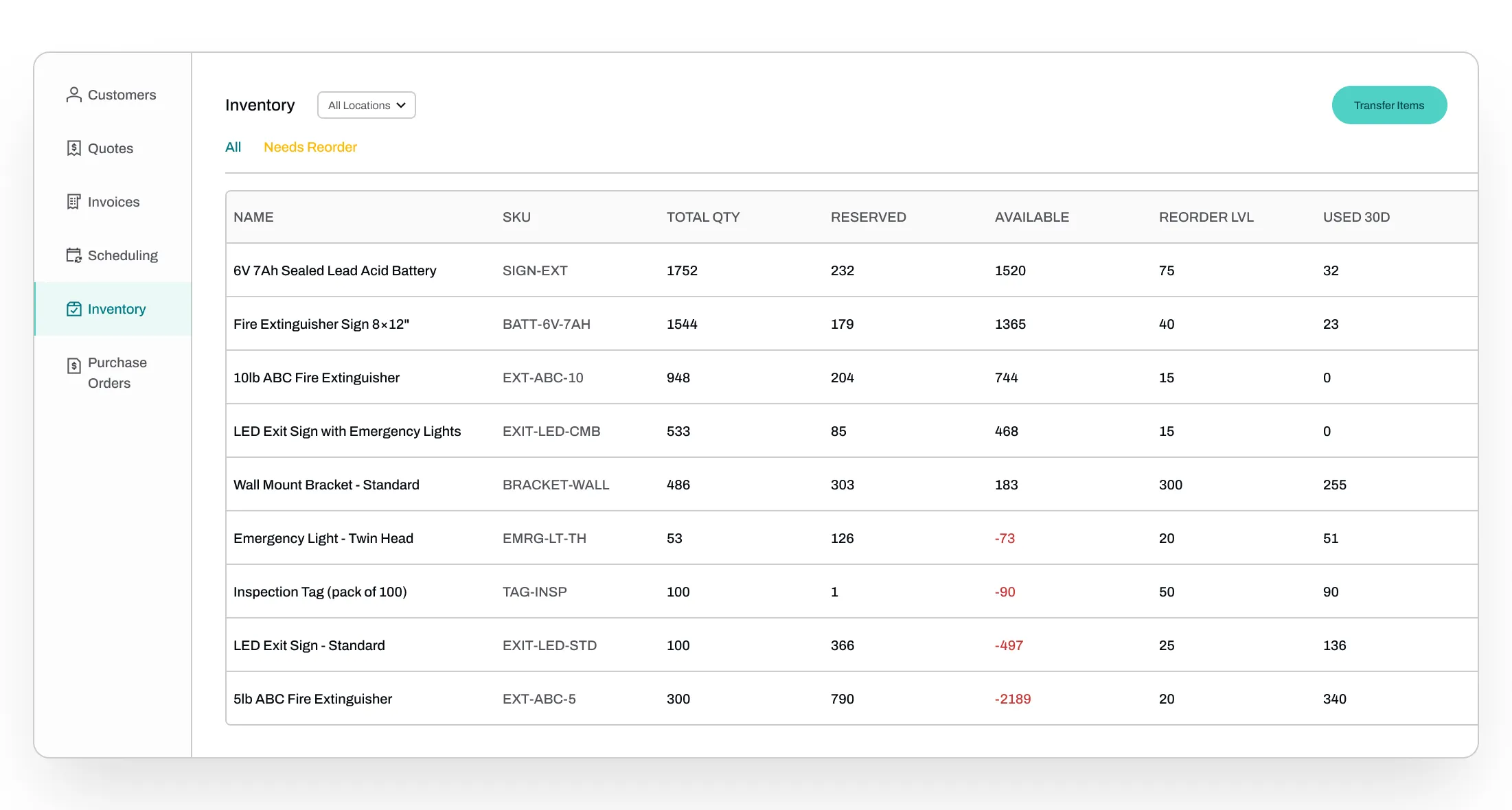
Track stock and purchase orders in real time. Get alerts or let Essential auto-purchase items, before you run out of stock.



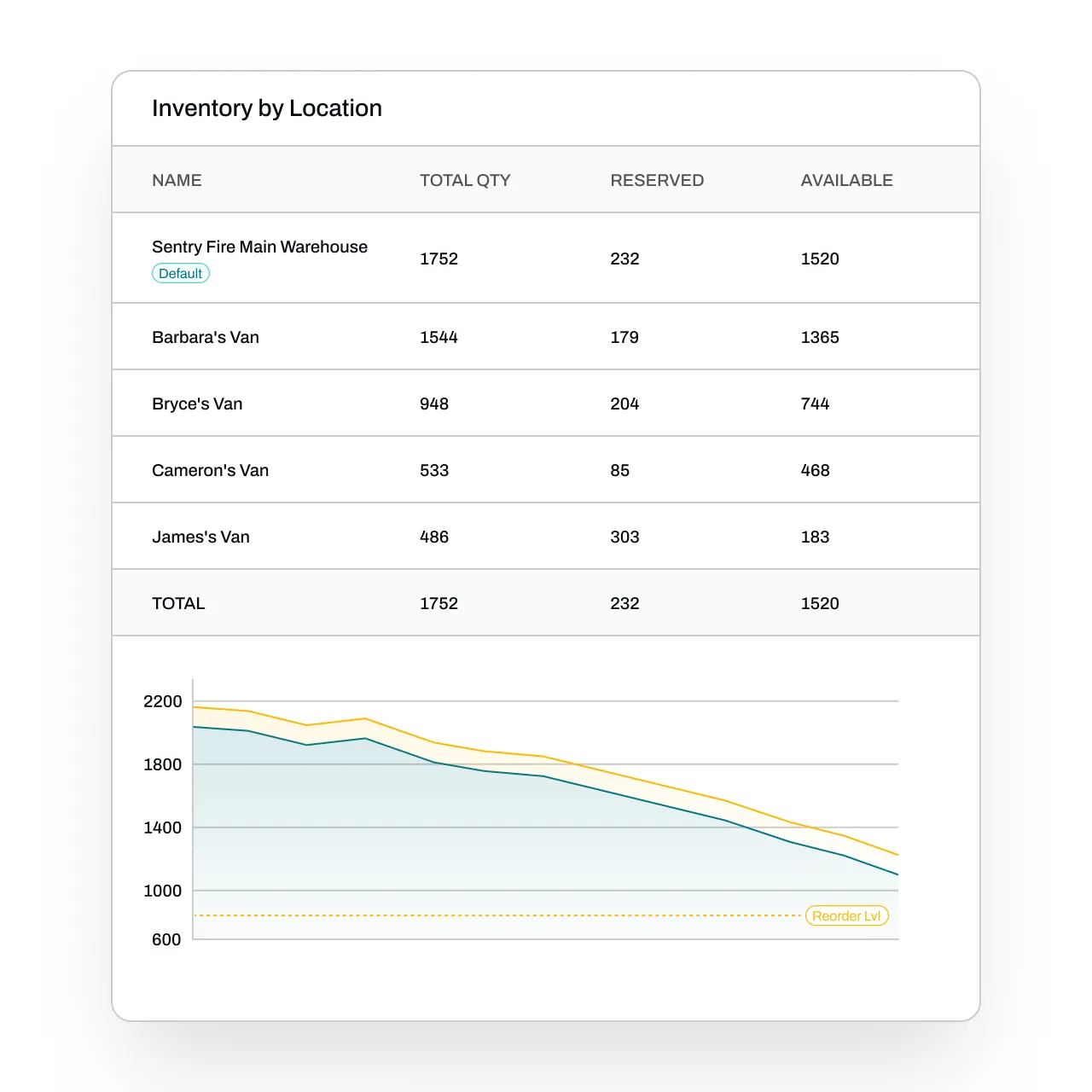
Track inventory across every van and warehouse
See available, reserved, and total stock in real time - from your main warehouse down to every tech's van. Customize the locations you want to track.
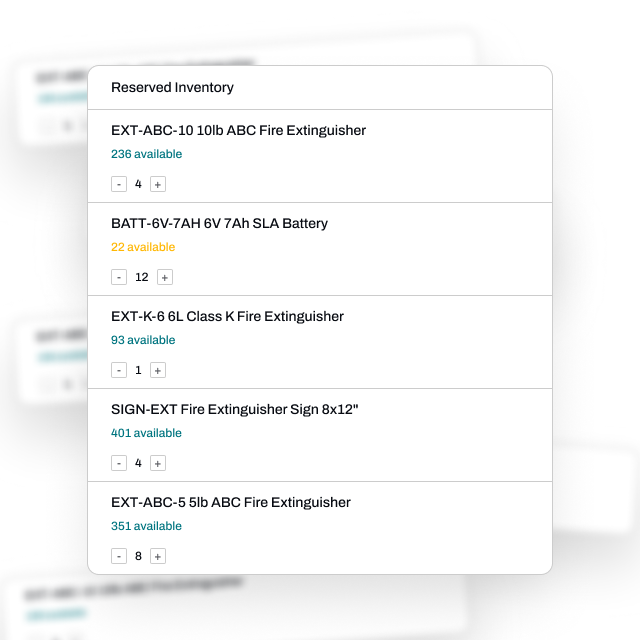
Reserve inventory for jobs
Ensure that you have the proper amount of inventory before starting work. Don't double-book inventory for jobs.
Never run out of parts mid-job
Create purchase orders in seconds, or let Essential generate them automatically when stock falls below your reorder level - then track receiving in real time.
.png)
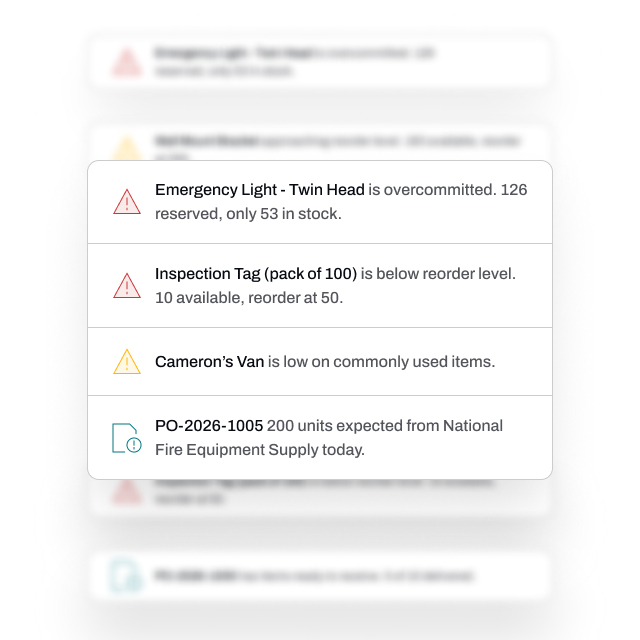
Stay ahead of shortages and issues
Essential watches your inventory across every location, flagging low stock, overcommitted items, and late inbound shipments before they affect a single job.
FAQs
Got questions? We've got answers.
Yes, Essential maintains live stock counts at every location such as your main warehouse, satellite warehouses, and each tech's van. Transfers between locations are easy to log, and every part consumed on a job is tied to the work order that used it, so staff always know what's available where.
Yes. You can set reorder levels per item, and Essential generates POs automatically when stock falls below those thresholds. POs can be reviewed before sending or auto-routed to your suppliers. Once placed, Essential tracks every PO through receiving — including partial deliveries and overdue shipments — so you always know what's arrived and what's late.
Essential reserves inventory the moment a job is scheduled and subtracts reserved quantities from available stock immediately. If a job tries to reserve more than is available, Essential flags the overcommitment so dispatchers can rebalance — by transferring stock from another location, ordering more, or adjusting the schedule — before anyone goes out short.
Yes. Techs log parts used directly from the Essential mobile app on each work order, and inventory counts update in real time.
Yes, and it's free. We migrate your data, including inventory data, into Essential.